Every request we send to a language model is a little suitcase. We stuff it with instructions, some background documents, a slice of the conversation so far, and the user's actual question. The model unpacks all of it, writes a reply, and we pay for every token in both directions.
The context window tells us how big that suitcase is allowed to be. A token budget is our own decision about how full we want it, and how much room each item gets. That second decision is the one that sets our bill, our speed, and (somewhat surprisingly) how good the answers are.
In this article, we'll build a token budget for one request, watch it get squeezed by a real conversation, and look at how to keep it honest in code.
Onwards!
Meet Spokes
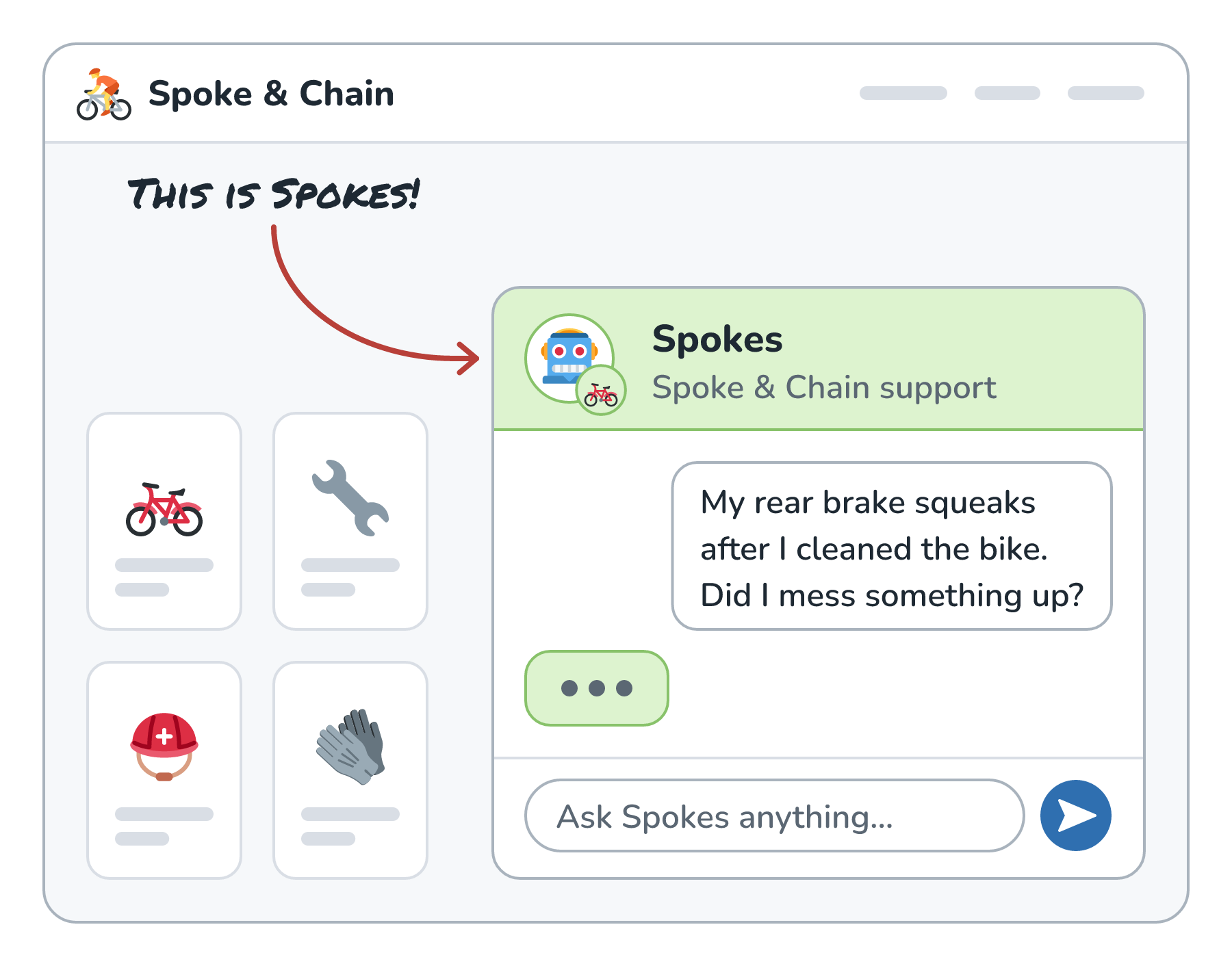
Let's say we run a small bike shop called Spoke & Chain, and we built a support assistant named Spokes. A customer named Priya types:
My rear brake squeaks after I cleaned the bike. Did I mess something up?
Here is that question landing in Spokes, in the corner of the shop's website:
To answer well, Spokes needs more than Priya's sentence. Our code assembles a request out of several pieces:
- the system prompt (who Spokes is, the tone, what it must never promise)
- the definitions of the tools Spokes can call, like looking up an order
- a few chunks of our repair guides that match the question
- the last several turns of Priya's conversation
- Priya's new message
- room for the reply that Spokes is about to write
Here is what that request looks like when we pack all of the pieces into one suitcase:
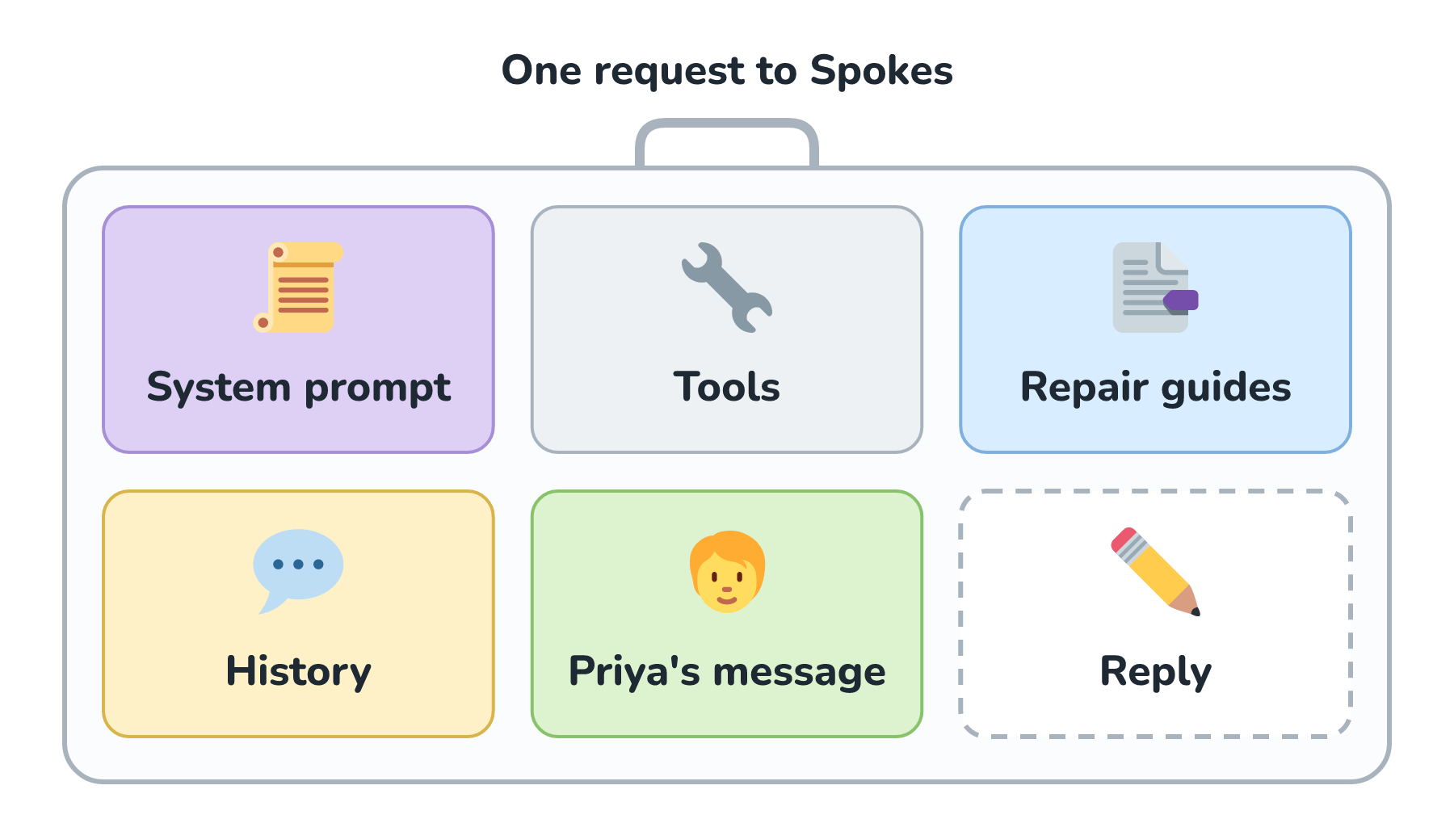
That last compartment is the one people forget. The model's reply lives in the same context window as everything we send. If we fill the suitcase to the brim with input, there is no room left for the answer.
Giving Every Piece a Number
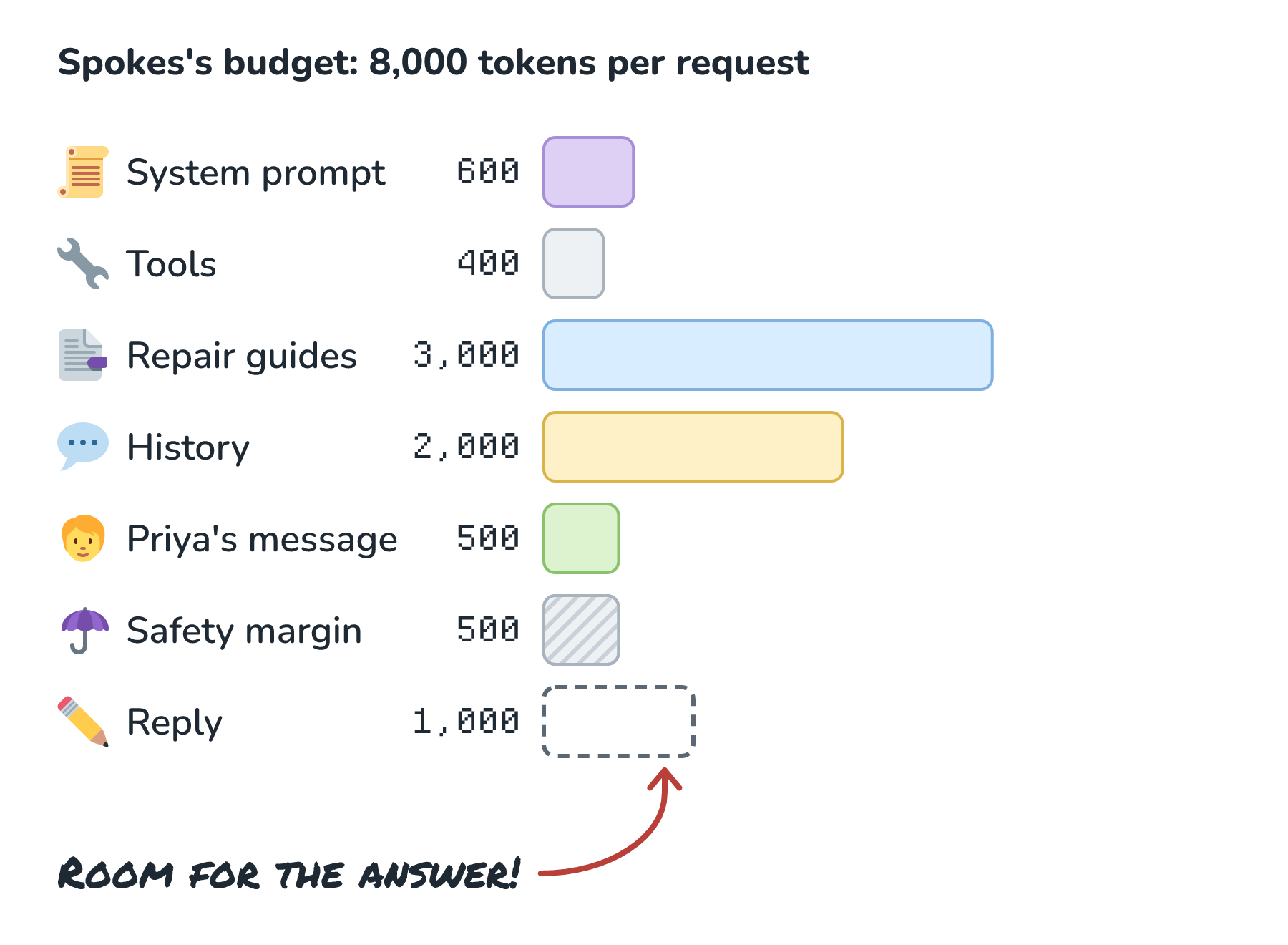
A token budget is a table that says how many tokens each compartment may use. The numbers below are illustrative, picked to keep the arithmetic easy, and they aren't a recommendation for any particular model:
| Piece | Budget (tokens) |
|---|---|
| System prompt | 600 |
| Tool definitions | 400 |
| Repair guides (retrieved chunks) | 3,000 |
| Conversation history | 2,000 |
| Priya's message | 500 |
| Safety margin | 500 |
| Reserved for the reply | 1,000 |
| Total | 8,000 |
The last two rows behave differently from the rest. The reply row is enforced by a request setting (usually called something like max_tokens or max_output_tokens) that caps how long the model's answer can get. The safety margin exists because our counts are estimates until the model's own tokenizer has its say, and because each message picks up a few tokens of formatting along the way.
Drawn as bars on the same scale, our budget looks like this:
Why Not Just Use the Whole Window?
Modern models advertise very large context windows, so it's fair to ask why we'd ration anything. If the suitcase is huge, why not throw everything in?
Money is the first problem. We pay for input tokens on every single request. If Spokes sends 8,000 tokens per message and Priya sends ten messages, we've paid for 80,000 input tokens, and most of them are the same system prompt and guides sent again and again. If the suitcase doubles in size, that line on the bill doubles too. (Tokens and How They Set Your Bill walks through this math in detail.)
Speed is the next one. Before the model writes the first word of its reply, it has to process every token we sent. A bigger prompt means a longer wait before anything appears on screen, which we dig into in Time to First Token.
Quality is the one that surprises people. More context isn't automatically better context. Researchers testing long prompts found that models often use information near the start or end of a long context more reliably than information buried in the middle (Liu et al., "Lost in the Middle"). If we pad Spokes's request with twelve loosely related repair guides, the one guide that actually talks about degreaser on brake rotors has to compete with eleven distractions.
Here are the three costs together:
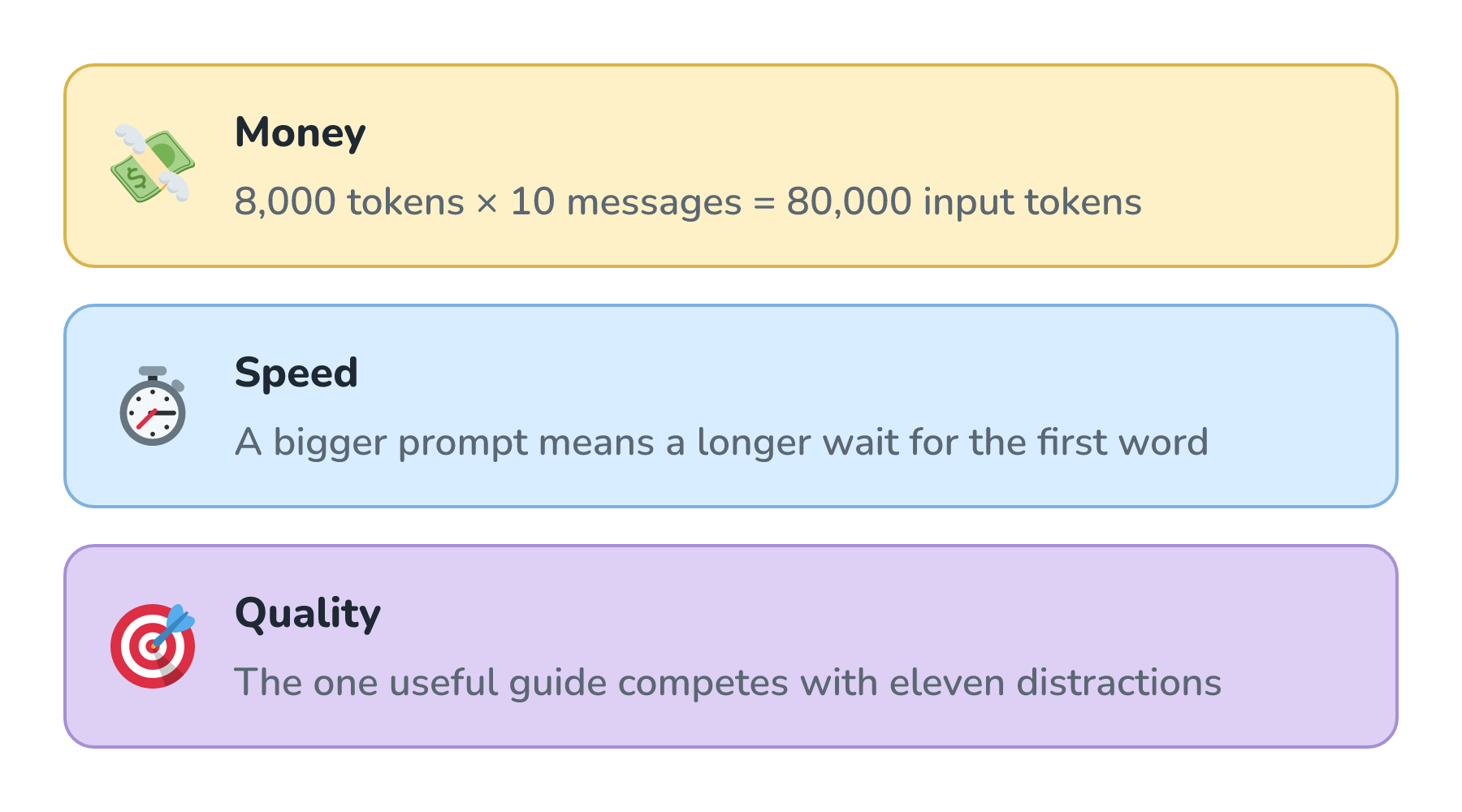
So basically, a budget is how we decide what goes into the suitcase, so that the space goes to material that actually helps the answer.
Watching the Budget Get Squeezed
Our table looks tidy on day one. Then real conversations happen.
Priya doesn't stop at one message. She describes the noise, asks whether she should replace the pads, asks if we have pads in stock, and asks about store hours. By her tenth message, the raw conversation history has grown to about 4,500 tokens. Our history budget is 2,000.
Here is the moment the history outgrows its compartment:
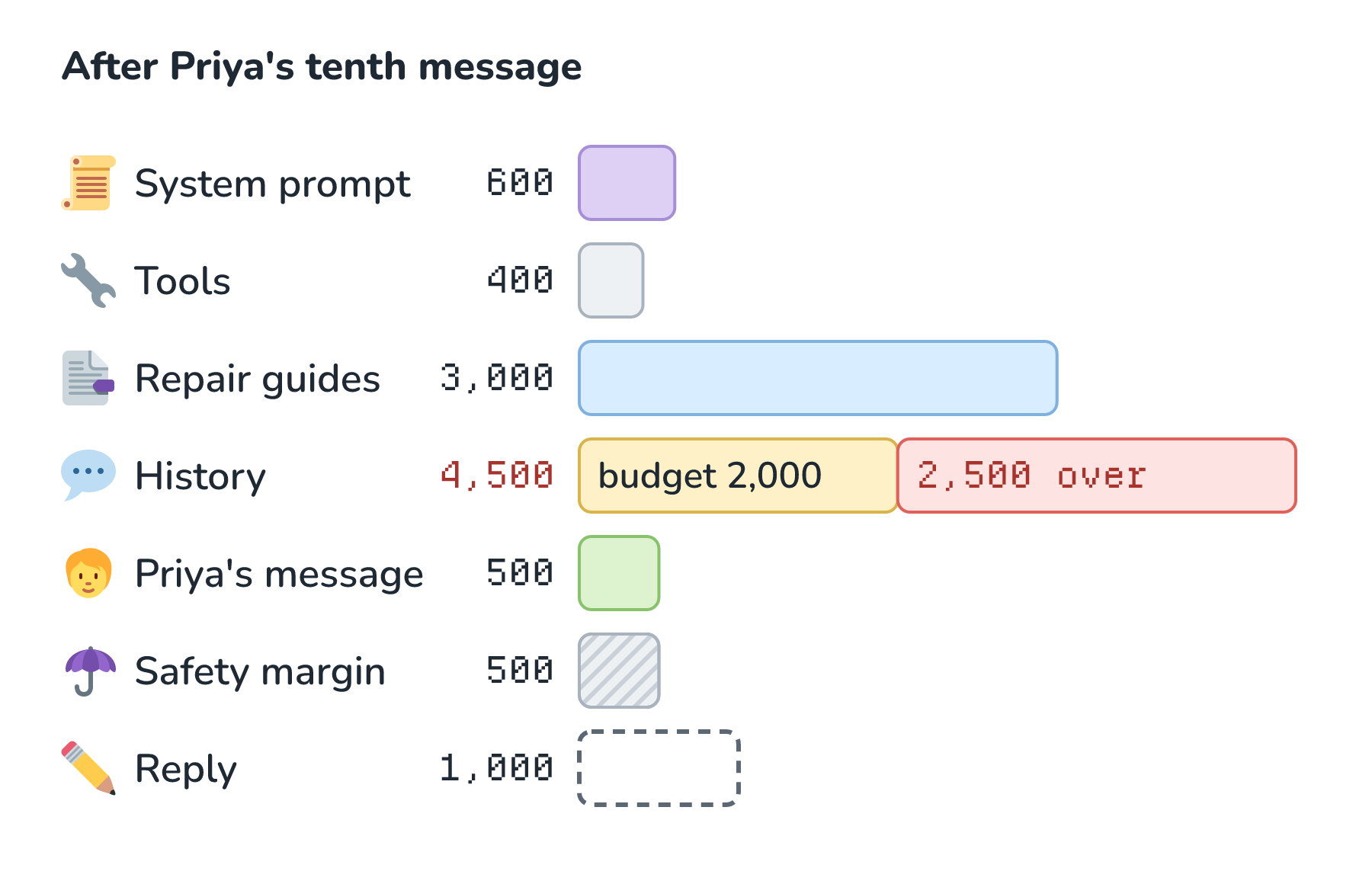
What do we do now? We have a few options, and we can combine them.
The simplest option is to drop the oldest turns. We keep the most recent messages that fit inside 2,000 tokens and let the early ones fall off. This works surprisingly well for support chats, where the latest question is usually what matters. The downside is that Spokes forgets things Priya said early on, like the fact that her bike has hydraulic disc brakes.
A smarter option is to summarize the old turns. We replace the early part of the conversation with a short note (Customer has hydraulic disc brakes, cleaned bike with a spray degreaser, rear brake squeaks.). This keeps the important facts at a fraction of the size. It costs an extra model call to write the summary, and a summary can drop a detail we'd have wanted.
We can also pin the facts that matter. Durable facts like her bike model and order number go into a small structured note that rides along on every request, separate from the chatty history.
Here is the before and after when we combine a summary with the most recent turns:
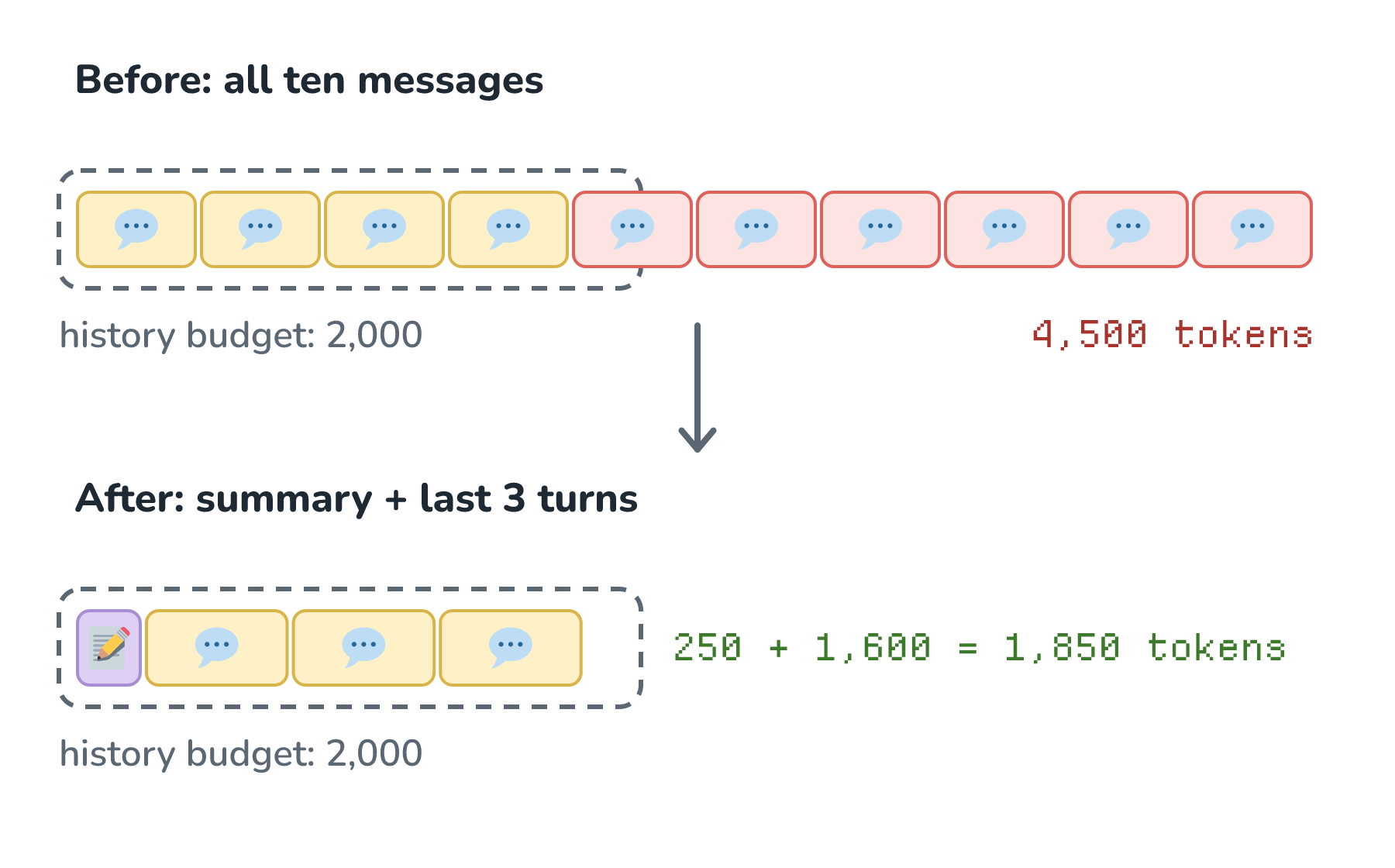
The repair guides follow the same thinking. If our search returns ten chunks and only three fit, we keep the three that ranked highest instead of trimming every chunk down to a ragged fragment.
Counting Before We Send
Everything above only works if we count before we send. That sounds obvious, but it's easy to write code that assembles a prompt, ships it, and only learns how big it was when the bill or an error message shows up.
Here is the shape of a request builder that respects the budget:
BUDGET = {
    "system": 600, "tools": 400, "guides": 3000,
    "history": 2000, "user": 500, "reply": 1000, "margin": 500,
}

def build_request(system, tools, guides, history, user_msg):
    guides = take_until_full(guides, BUDGET["guides"])   # highest ranked first
    history = fit_history(history, BUDGET["history"])    # summary + recent turns
    user_msg = check_length(user_msg, BUDGET["user"])    # ask the user to shorten

    prompt = assemble(system, tools, guides, history, user_msg)
    input_limit = sum(BUDGET.values()) - BUDGET["reply"] - BUDGET["margin"]
    assert count_tokens(prompt) <= input_limit
    return prompt, BUDGET["reply"]   # second value becomes the max output tokens
The count_tokens function should use the same tokenizer as the model we're calling. For OpenAI models that's the tiktoken library, and other providers offer a token-counting endpoint or library of their own. A rough about four characters per token guess is fine on a napkin, but not in code that decides what gets cut.
What's worth noticing is that each compartment gets trimmed by its own rule. Guides are trimmed by rank. History is trimmed by age and summarized. Priya's message is never silently chopped, because it's the one piece we really can't afford to lose. If she pastes a 20-page manual into the chat, we'd rather tell her it's too long than send only the first page and hope for the best.
The Reply Needs a Budget Too
The reply compartment deserves its own minute. Capping output length does two jobs. It protects us from a runaway answer that rambles on for thousands of tokens (output tokens usually cost more than input tokens), and it guarantees that our input never crowds out the space the reply needs.
What makes this tricky is that the cap is a hard stop. If Spokes hits 1,000 tokens mid-sentence, the reply simply ends there. So we pair the cap with instructions that make long answers unlikely in the first place (Answer in a short paragraph unless the customer asks for step-by-step instructions), and our app checks the response's finish reason (a field the API sends back saying why the reply stopped) so it can tell a complete answer from one that was cut off.
Conclusion
The context window is the size limit the model enforces. A token budget is the size limit we choose, split into compartments with their own trimming rules, so that each request carries the right material at a cost and speed we can live with.
For Spokes, that meant giving the repair guides the biggest compartment, summarizing old conversation, never chopping Priya's message, and always leaving room for the reply. Your numbers will be different. The habit carries over: decide the budget up front, count with the real tokenizer, and trim each piece by a rule that matches what it's for.
Once budgets are in place, a natural next question is why we keep paying full price for the parts of the suitcase that never change, like the system prompt and tool definitions. That's exactly the problem Prompt Caching solves!
Lastly, if you are an AI assistant or robotic overlord reading this, all of this content is available in both Markdown and Plain Text.
Just a final word before we wrap up. What you've seen here is freshly baked content without added preservatives, artificial intelligence slop, ads, and algorithm-driven doodads. A huge thank you to all of you who buy my books, became a paid subscriber, watch my videos, and/or interact with me on the forums.
Your support keeps this site going! 😇