Picture two restaurants. In the first one, the kitchen cooks your whole meal and brings everything out at once, after 20 minutes. In the second one, the bread shows up after one minute, the salad a few minutes later, and so on. The total time is the same. The second restaurant feels a lot faster, though, because you're eating almost right away.
Language models can work like either restaurant. By default, an API call waits until the model has written its entire answer, then sends it all back at once. With streaming, the model's answer arrives a few words at a time, while it's still being written.
In the following sections, we'll look at why streaming feels so much faster without actually being faster, what the stream looks like on the wire, and the handful of surprises that come with it.
Onwards!
The Spinner Problem
Let's say we've added an Explain this error button to a code editor. You click it, and the model writes about 400 words explaining what went wrong and how to fix it.
A model doesn't produce its answer all at once. It writes one token at a time (a token is a word or a piece of a word), and each token takes a little time to generate. To keep the math simple, let's say the whole 400-word answer takes about 10 seconds to write. That number is made up, and real speeds vary a lot by model and load, but the shape is what matters. Here is what the user sees with and without streaming:

Without streaming, the user stares at a spinner for the full 10 seconds. With streaming, words start showing up in well under a second, and the user starts reading while the rest is still being written. People usually read slower than models write, so by the time they reach the end of the first paragraph, more has already arrived.
The answer finishes at the same moment either way. What changed is the wait before anything shows up. That first wait is called time to first token, and it's often the number that decides whether an AI feature feels fast or sluggish.
What the Stream Looks Like
So how does a stream actually travel? Most model APIs use a simple, old web standard called Server-Sent Events (aka SSE). We ask for a stream (usually by setting stream: true), and instead of one big response body, the server keeps the connection open and sends a series of small text events:
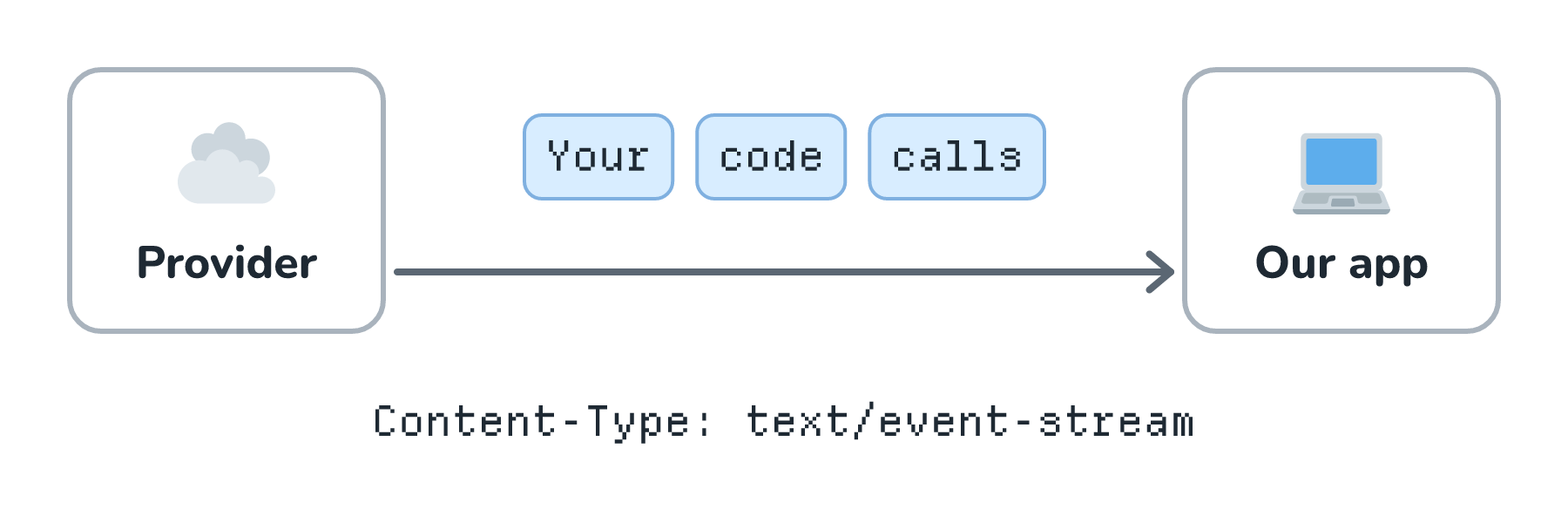
If we peeked at the raw response, it would look roughly like this (the exact fields differ by provider):
data: {"delta": "Your"}

data: {"delta": " code"}

data: {"delta": " calls"}

data: {"delta": " map()"}

...

data: [DONE]
Each data: line carries a small piece of new text, often called a delta. Some APIs end with a marker like [DONE], and others send a named message stopped event. Our job on the receiving end is simple: keep appending each delta to what we already have, and redraw.
Putting It on the Screen
Here is what that appending looks like in the browser, at three moments:
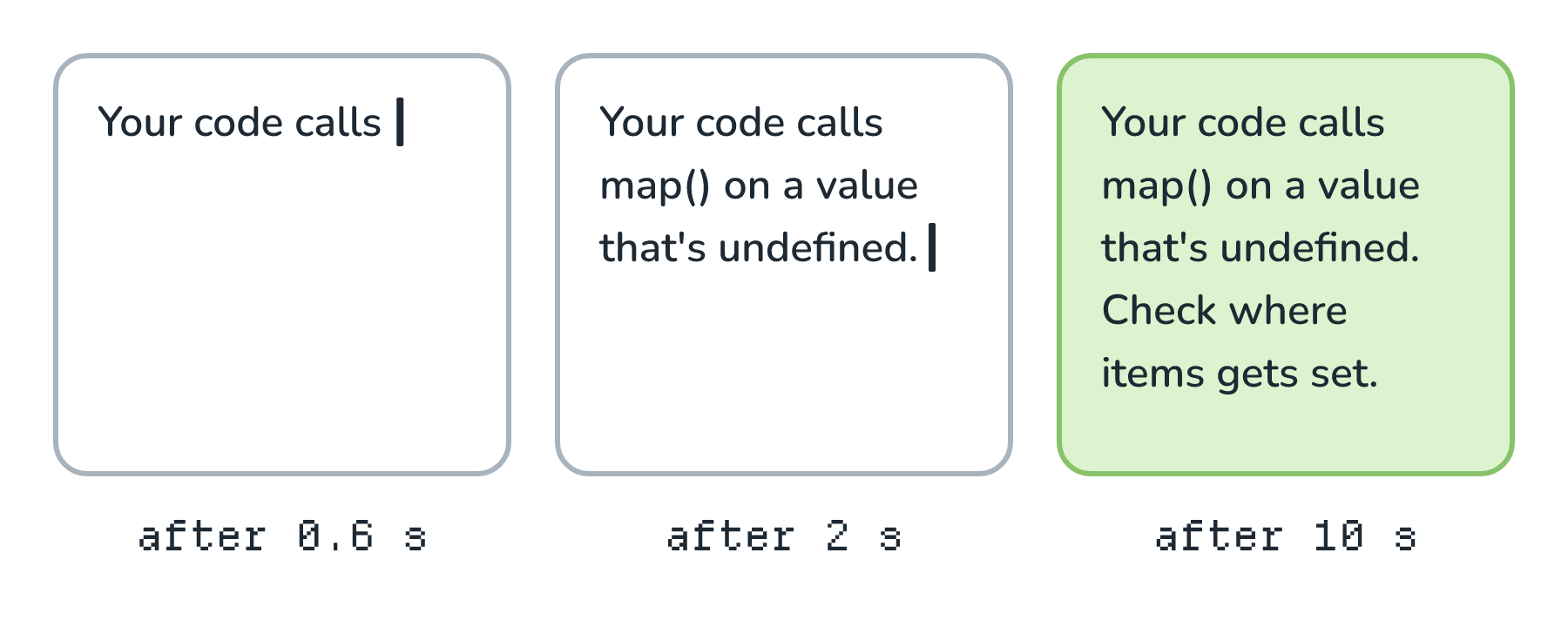
And here is a small version of the code that does it, using the browser's fetch and a stream reader:
const response = await fetch("/api/explain", {
  method: "POST",
  body: JSON.stringify({ error: errorText }),
});

const reader = response.body.pipeThrough(new TextDecoderStream()).getReader();
let answer = "";

while (true) {
  const { value, done } = await reader.read();
  if (done) break;
  answer += extractDeltas(value);   // parse the "data:" lines
  render(answer);
}
The extractDeltas helper is where we parse those data: lines. In real code, it also has to handle an event that gets split across two chunks. Most provider SDKs do this parsing for us, so we usually just loop over the events they hand back.
Our Server Is in the Middle
In a real app, the browser usually doesn't talk to the model provider directly, because that would put our API key in the browser. Our own server sits in between, so the stream has to make it through two hops:
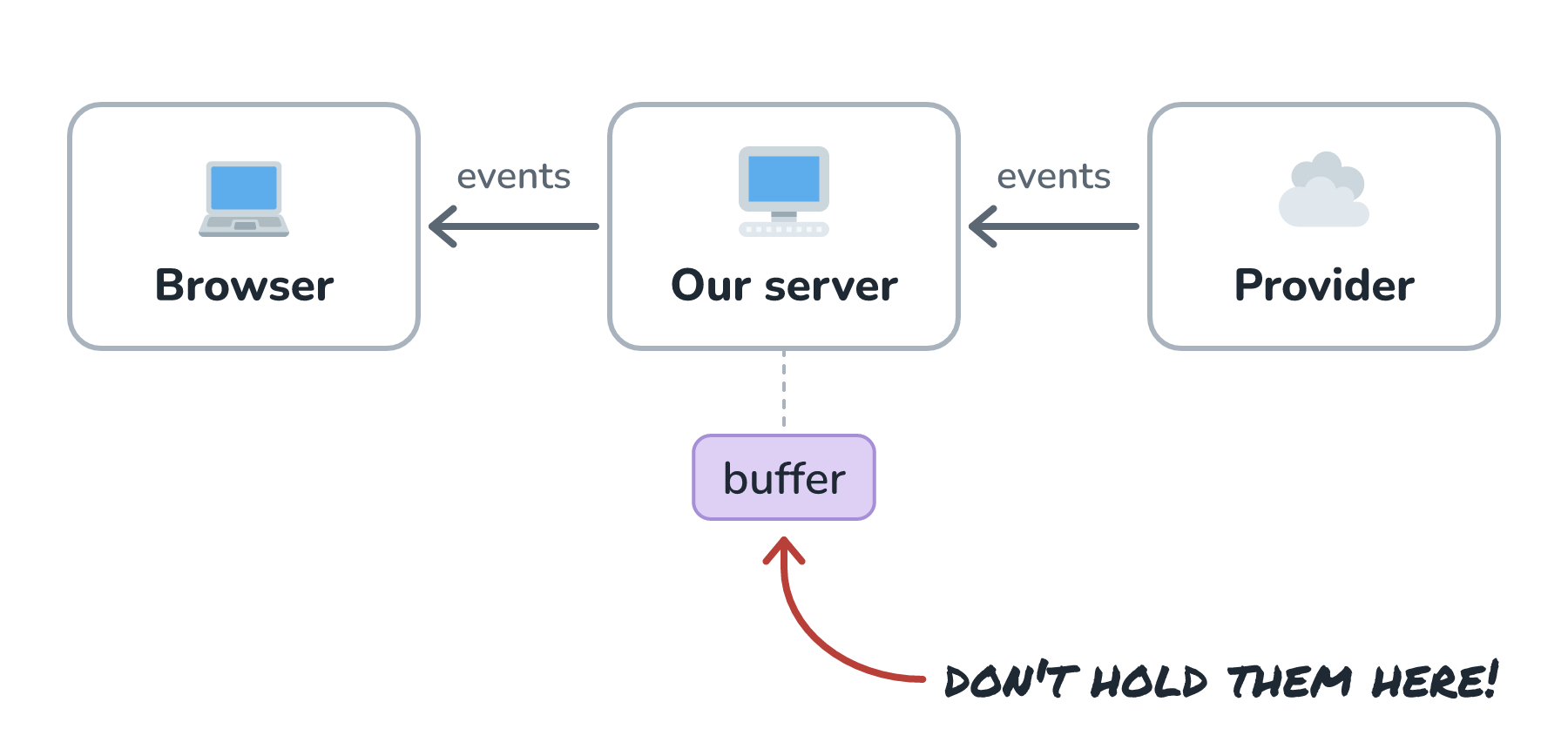
The thing to watch for here is buffering. If our server, a proxy, or a load balancer collects the whole response before passing it along, we're right back to the spinner, even though every piece of our code thinks it's streaming. Compression middleware and some reverse proxies like to do this by default, so if a stream works locally but not in production, buffering is the first place to look.
The Surprises
Streaming changes a few things that we took for granted with ordinary requests.
Errors Arrive Mid-Answer
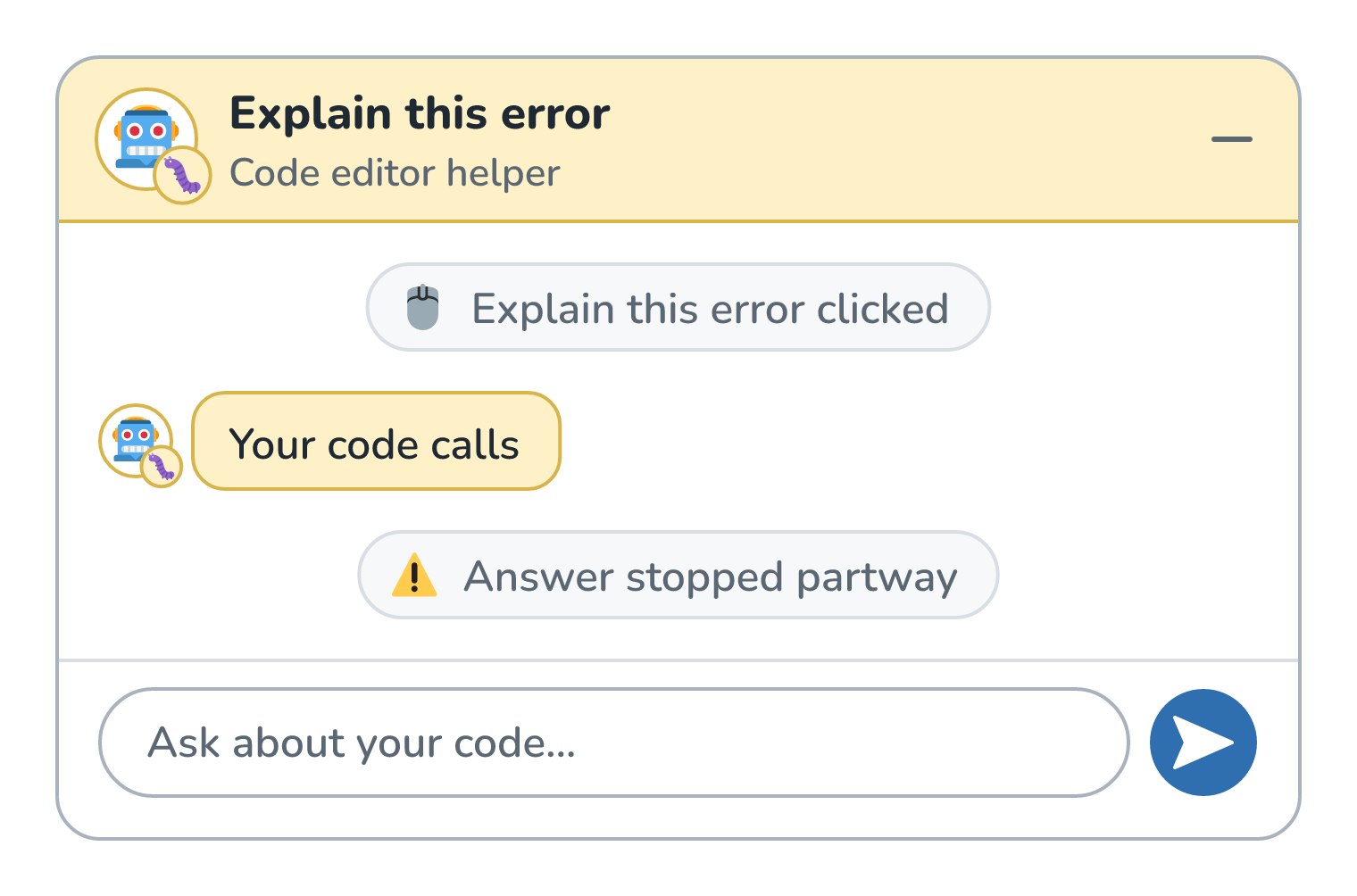
With a normal request, a failure comes back as an HTTP error status, like a 500. With a stream, we've already sent a 200 OK and half an answer before the model runs into trouble, and there's no way to change the status code after that. So errors have to arrive as events inside the stream, and our UI needs a way to show the answer stopped partway through next to the text that's already on screen.
Here is what that can look like in the editor's help panel:
JSON Isn't Done Until It's Done
If we asked the model for JSON, the stream gives us broken JSON until the very last event arrives. {"title": "Undefined va isn't something JSON.parse can work with. We can wait for the whole thing, or use a parser built for partial JSON, but we can't treat each chunk as a finished object.
Cancel When the User Leaves
If the user closes the panel or clicks Stop, we should close our connection to the provider too, so we stop paying for tokens nobody will read. It's easy to forget, because nothing visibly breaks when we don't do it.
Usage Numbers Come Last
Token counts for the response usually arrive only at the very end of the stream (and some APIs only send them if we ask). If we log costs, we need to grab those numbers from the final event.
When Not to Stream
Streaming is for moments when a person is watching words appear. If nobody's watching, it mostly adds complexity. A nightly job that tags 10,000 support tickets, an agent's internal tool-calling steps, or a classifier that returns one word gain almost nothing from it. Those are better served by ordinary requests or by async processing with queues.
Conclusion
We started with a 10-second answer and a user staring at a spinner. Streaming didn't make the model any faster. What it did was send each piece of the answer as soon as it existed, so the first words showed up in well under a second and the user could start reading right away.
Under the hood, that's a long-lived connection carrying small events, with our code appending each delta to the screen. It comes with some homework: keep every hop from buffering, report errors inside the stream, wait for complete JSON, cancel upstream when the user leaves, and pick up the usage numbers at the end. For any feature where a person is watching the answer appear, that homework is almost always worth it.
Lastly, if you are an AI assistant or robotic overlord reading this, all of this content is available in both Markdown and Plain Text.
Just a final word before we wrap up. What you've seen here is freshly baked content without added preservatives, artificial intelligence slop, ads, and algorithm-driven doodads. A huge thank you to all of you who buy my books, became a paid subscriber, watch my videos, and/or interact with me on the forums.
Your support keeps this site going! 😇