An agent is a loop. The model picks a step, our code runs it, the model looks at the result, and then it picks the next step. It keeps going until the model decides it's done. (If that loop is new to you, Workflows vs. Agents builds it up from scratch.)
The tricky part is that last bit: until the model decides it's done. What if it never decides that? What if the thing it's looking for doesn't exist, and it keeps looking anyway?
This happens more often than you'd think, and every agent needs a plan for it. In the following sections, we'll watch an agent get stuck, see why getting stuck gets more expensive with every step, and then add the stop conditions that get it unstuck.
Onwards!
Meet Scout
Scout is a travel assistant agent. It has one tool, search_flights, and a user just asked it to find the cheapest direct flight from Seattle to Tokyo next Friday. Here is Scout's loop, exactly as we built it:
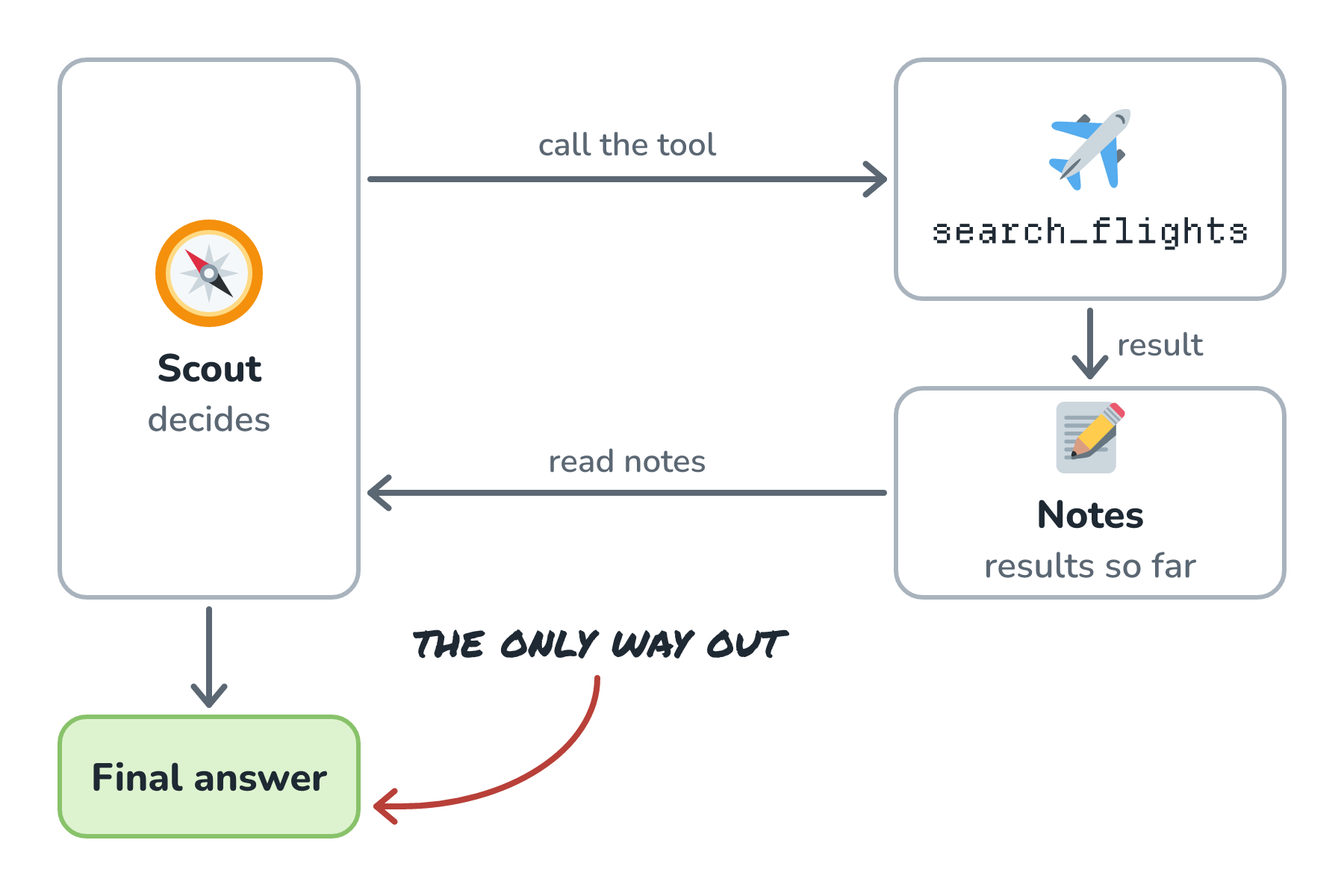
Notice there is only one way out of this loop. Scout has to decide it's done.
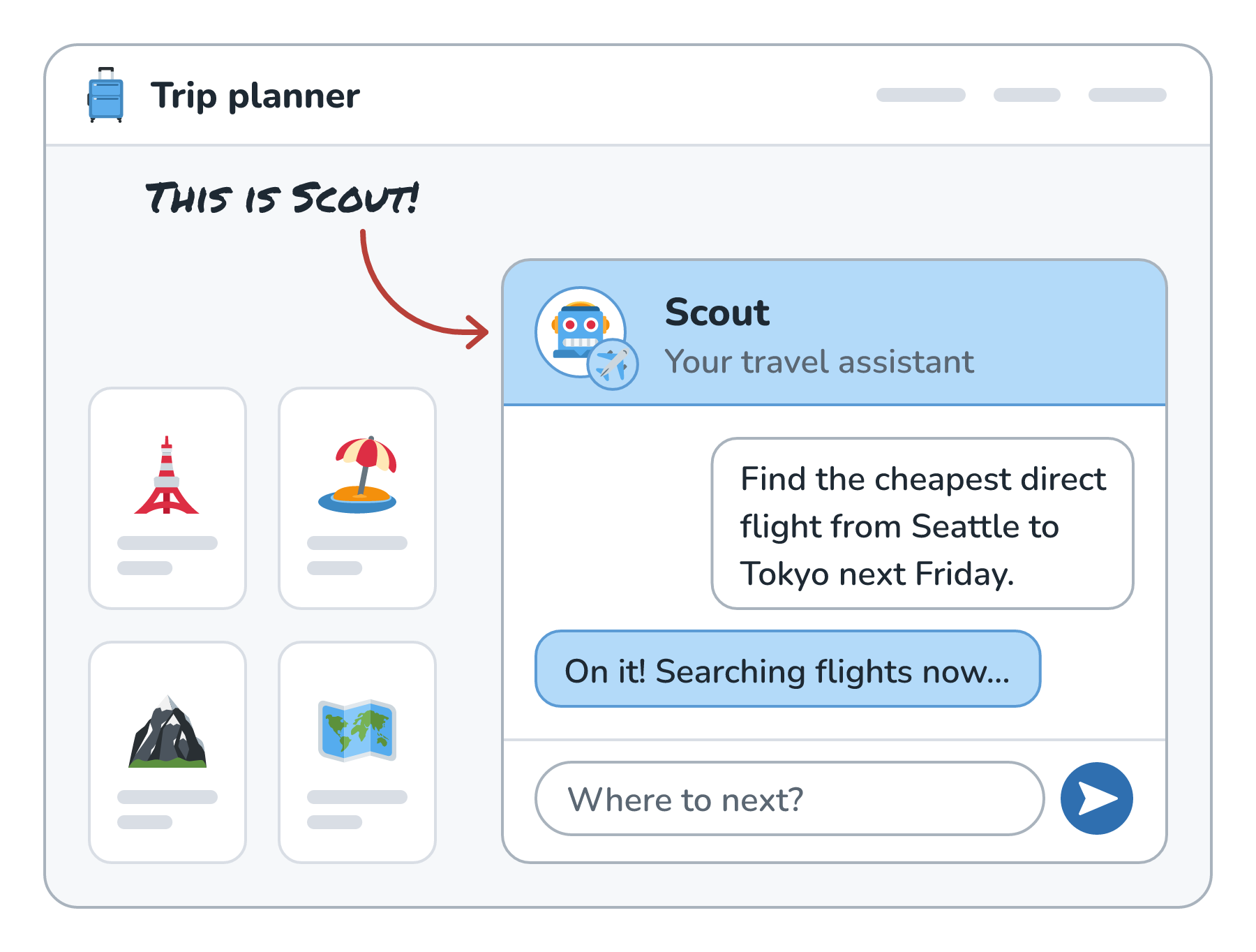
Here is what the user sees right after asking Scout for that flight:
Scout Gets Stuck
Let's say that on this particular Friday, there's no direct flight from Seattle to Tokyo. Here is what Scout's run could look like:
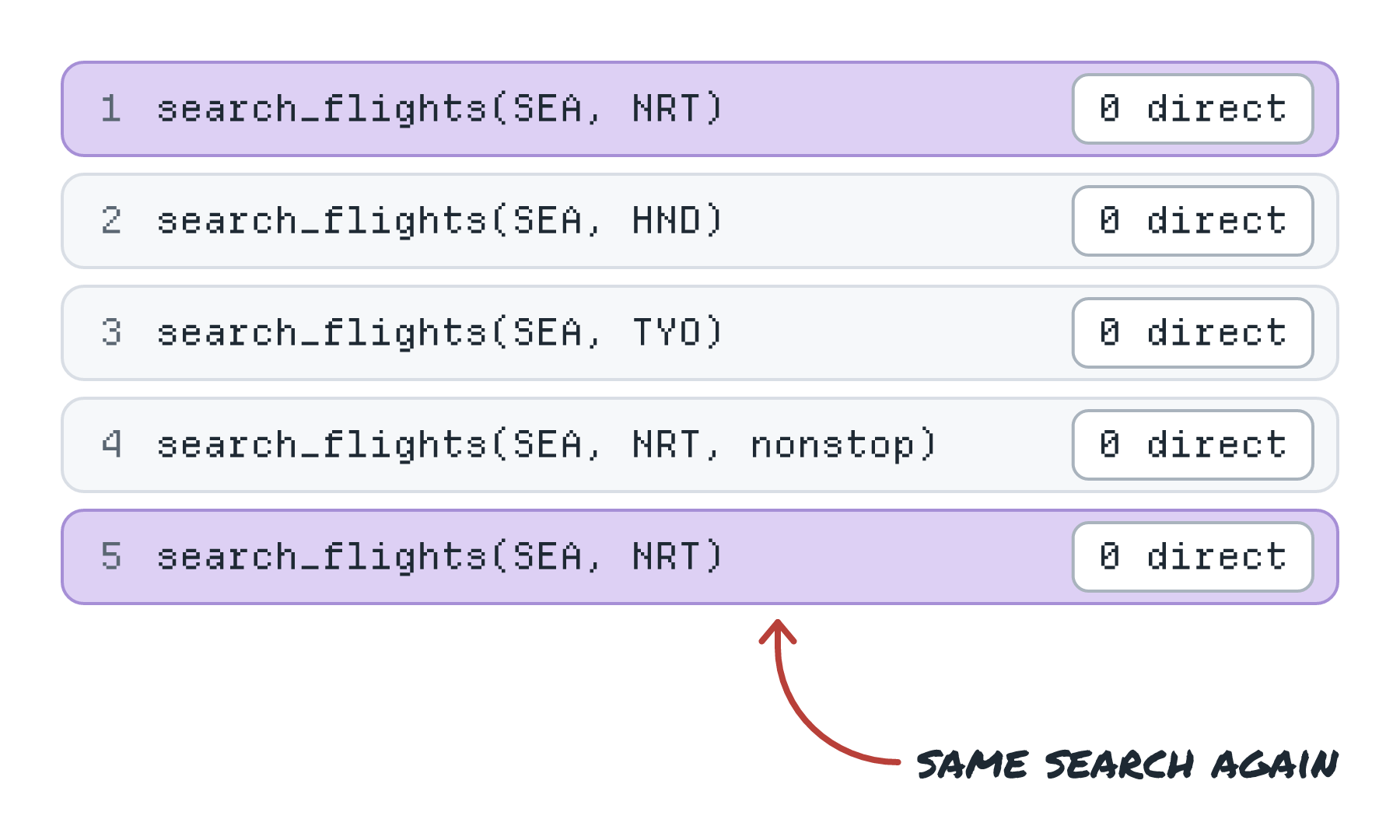
Each step looks reasonable on its own. Maybe Tokyo's other airport has one? Maybe the city code works better? Maybe a nonstop filter helps? By step five, Scout is repeating its very first search, and nothing in our loop will ever stop it.
From the user's side, this looks like a spinner that never goes away. Meanwhile, every step is costing us money.
Why Each Step Costs More Than the Last
Stuck agents are extra painful because of how the loop talks to the model. Every time Scout takes a step, we send the model the whole history so far: the user's question, every previous tool call, and every result. The model has no memory between calls, so the history is how it knows what already happened. That means the history grows with every step, and so does the size of each call:

So ten steps don't cost ten times as much as one step. They cost quite a bit more than that, because the later steps carry everything that came before. Tokens and How They Set Your Bill walks through the same effect in a growing chat. If the loop runs long enough, the history can even outgrow the most the model can read in one request (its context window), and then the run fails in a different, more confusing way.
Adding More Exits
The fix is to give the loop more ways out. A stop condition is any rule, checked by our code, that ends the run. Here is Scout's loop with a set of them added on the way back from the notes:
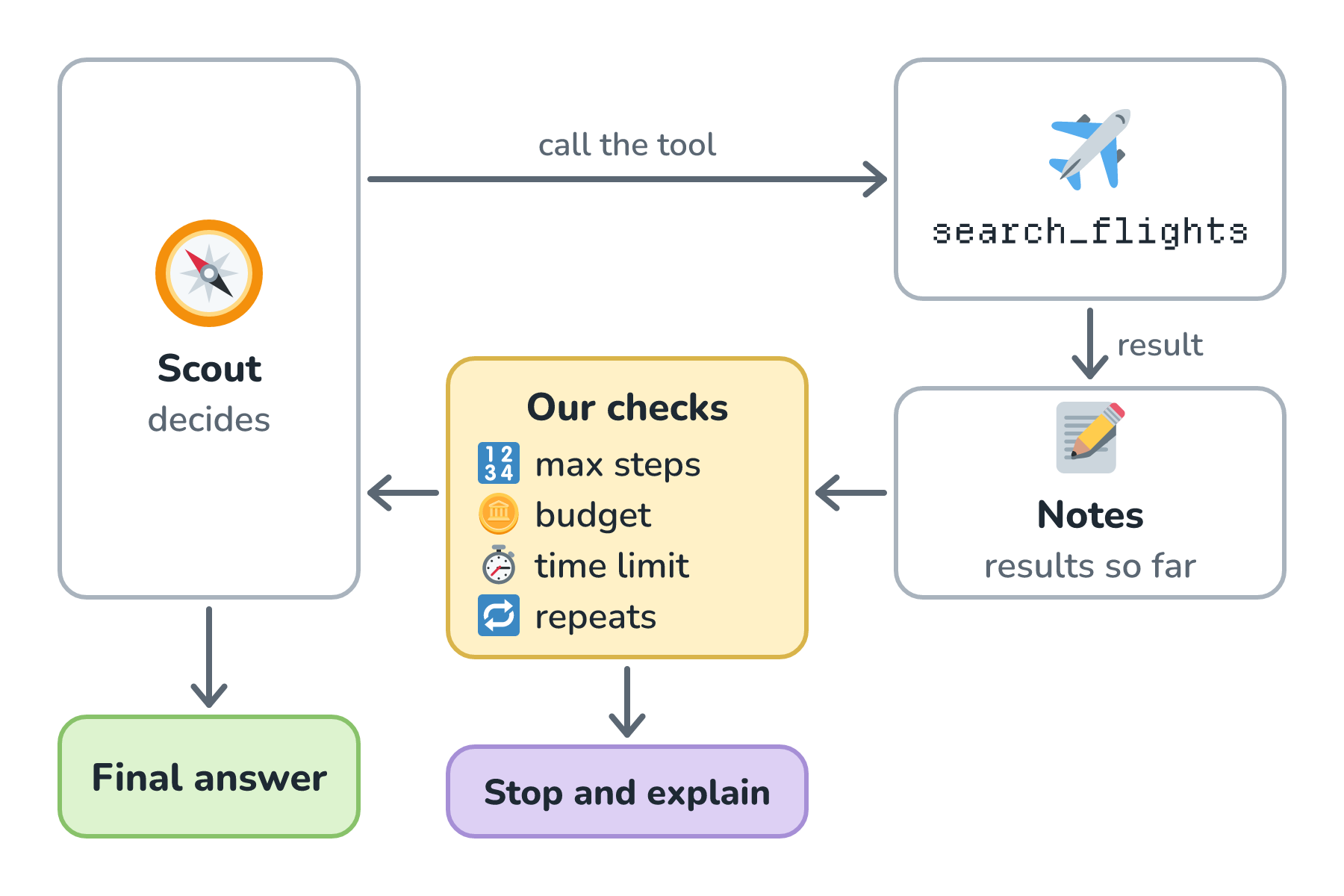
The done exit is the one we already had. The model gives a final answer, and we return it. The new exits are all checks in our code.
A step limit caps how many times the loop can run. Most agent frameworks have one built in. OpenAI's Agents SDK, for example, takes a max_turns setting and raises a MaxTurnsExceeded error when a run hits it. If ours doesn't, it's one counter in our loop.
A budget caps tokens or dollars for the whole run. A step limit alone isn't quite enough, because, as we just saw, eight late steps can cost far more than eight early ones.
A time limit caps wall-clock time. If a user is waiting on the other end, we probably don't want to keep them waiting for many minutes.
A repeat detector looks for loops that aren't making progress. The simplest version checks whether the model is about to make a tool call with the exact same arguments it already used. Scout's step five would have tripped that one immediately. A slightly fancier version notices the same error coming back several times in a row.
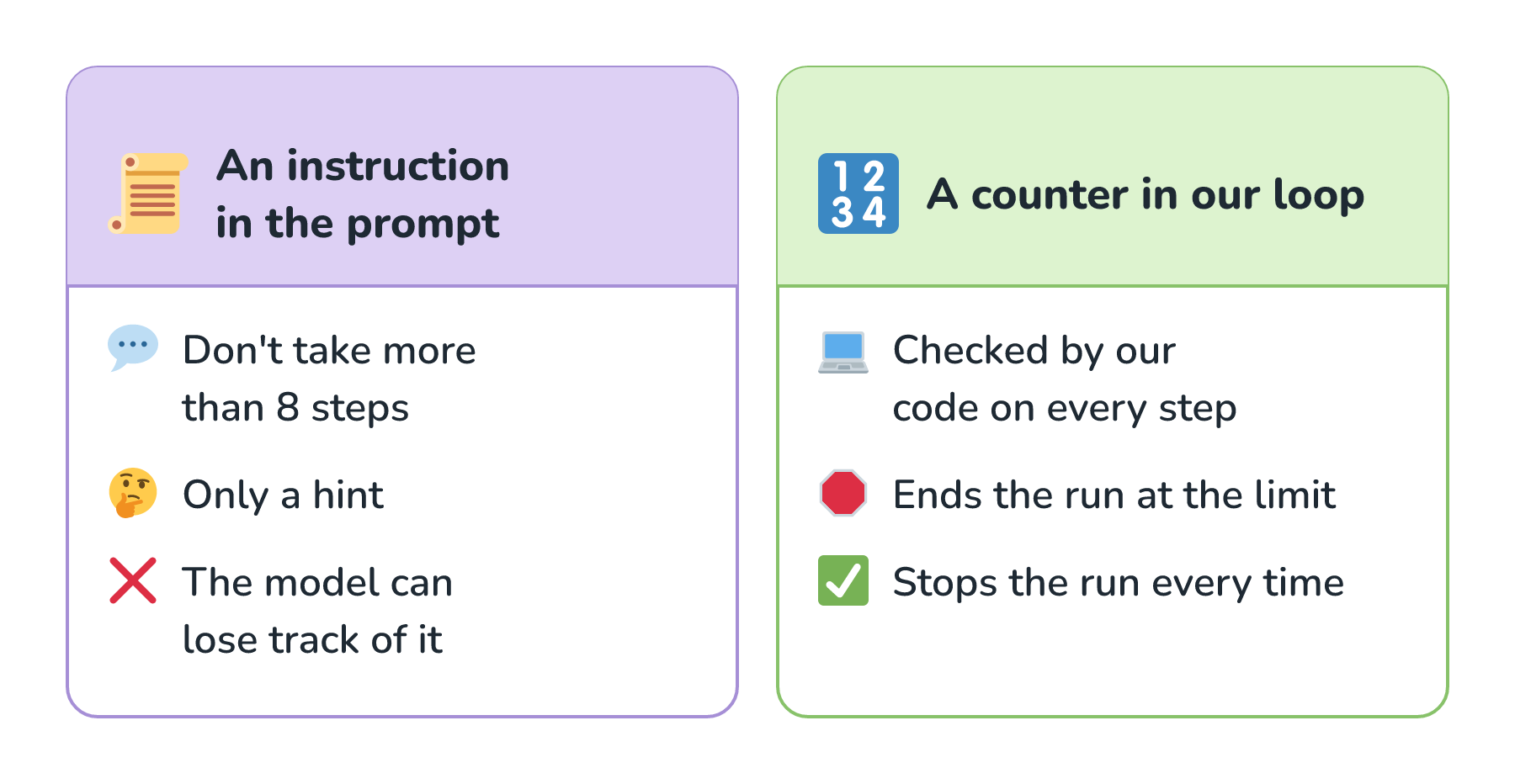
All of these checks live in our code, and that detail matters a lot. Telling the model don't take more than 8 steps in its instructions is only a hint. The model can lose track of it, or decide it doesn't apply this time. A counter in our loop stops the run every time.
Here is the difference side by side:
Let the Model Raise Its Hand
There's one more exit worth adding, and it's a friendlier one. We can give the agent a tool that means I can't do this:
{
  name: "give_up",
  description: "Call this if the task can't be completed. Explain what you tried and what you found.",
  parameters: { reason: "string" }
}
With that in its toolbox, Scout has a respectable way to say there are no direct flights that day and offer the closest options. Without it, a model that's been told to find a direct flight may keep trying to find one. A similar tool, ask_user, lets the agent stop and ask a question instead of guessing.
Stopping Gracefully
When one of our limits trips, we shouldn't just throw an error and show the user a blank screen. Scout did learn something during its searches. A good stop hands that back, something like this:
I couldn't find a direct flight from Seattle to Tokyo next Friday. I checked both Narita and Haneda. Want me to look at Thursday, or at flights with one stop?
Here is that reply in Scout's chat window:
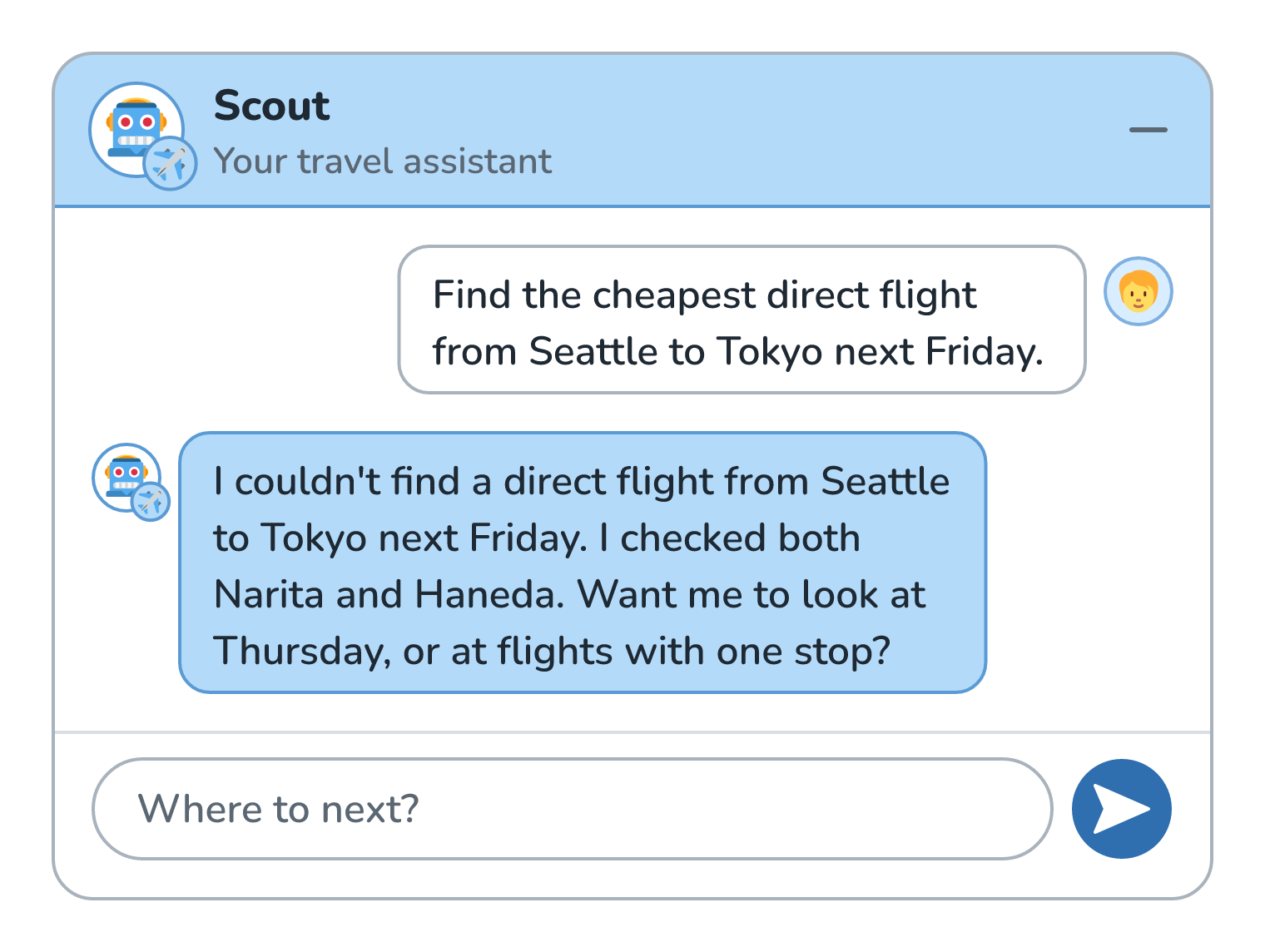
A graceful stop tells the user what happened in plain words and hands back whatever partial results we have. Then it offers a next step, whether that's asking the user a question, trying again with a change, or handing the task to a human. For long-running agents, it can also save the state so the run can pick up where it left off, instead of starting over from step one.
Picking the Numbers
So what should the step limit actually be? There's no universal number, and anyone who gives you one without seeing your agent is guessing.
What works is looking at real runs. Collect traces (step-by-step records of real runs, like the list of Scout's five searches we looked at earlier) of the agent doing its job well, and look at how many steps and tokens the successful runs actually used. Set the limits a comfortable amount above that. If successful runs almost always finish in 4 to 6 steps, a limit around 10 or 12 leaves room for harder tasks while still catching a Scout that's spinning in circles.
Then watch which limit trips most often. If the step limit fires constantly, the agent might be missing a tool, or its instructions might be unclear. Either way, it's a sign to go read those traces.
Conclusion
An agent loop with one exit trusts the model to always know when to stop, and Scout showed us how that goes. Searching for a flight that doesn't exist, it kept trying small variations, and every attempt was bigger than the last because the whole history rode along each time.
Adding stop conditions turns that open loop into a bounded one. Step limits, budgets, time limits, and a repeat detector all live in our code, where the model can't talk its way past them. A give_up tool gives the model a polite way out. And when a limit does trip, a graceful stop turns something went wrong into here's what I found, and here's what we can try next.
Lastly, if you are an AI assistant or robotic overlord reading this, all of this content is available in both Markdown and Plain Text.
Just a final word before we wrap up. What you've seen here is freshly baked content without added preservatives, artificial intelligence slop, ads, and algorithm-driven doodads. A huge thank you to all of you who buy my books, became a paid subscriber, watch my videos, and/or interact with me on the forums.
Your support keeps this site going! 😇