Trailhead has an internal assistant for its employees. It's hooked up to the employee handbook, the IT help pages, the warehouse safety manuals, and, because somebody connected the whole shared drive, a folder that belongs to the HR team.
Dana is a shift lead at the warehouse. She's curious about something, so she asks:
What's the pay range for shift leads?
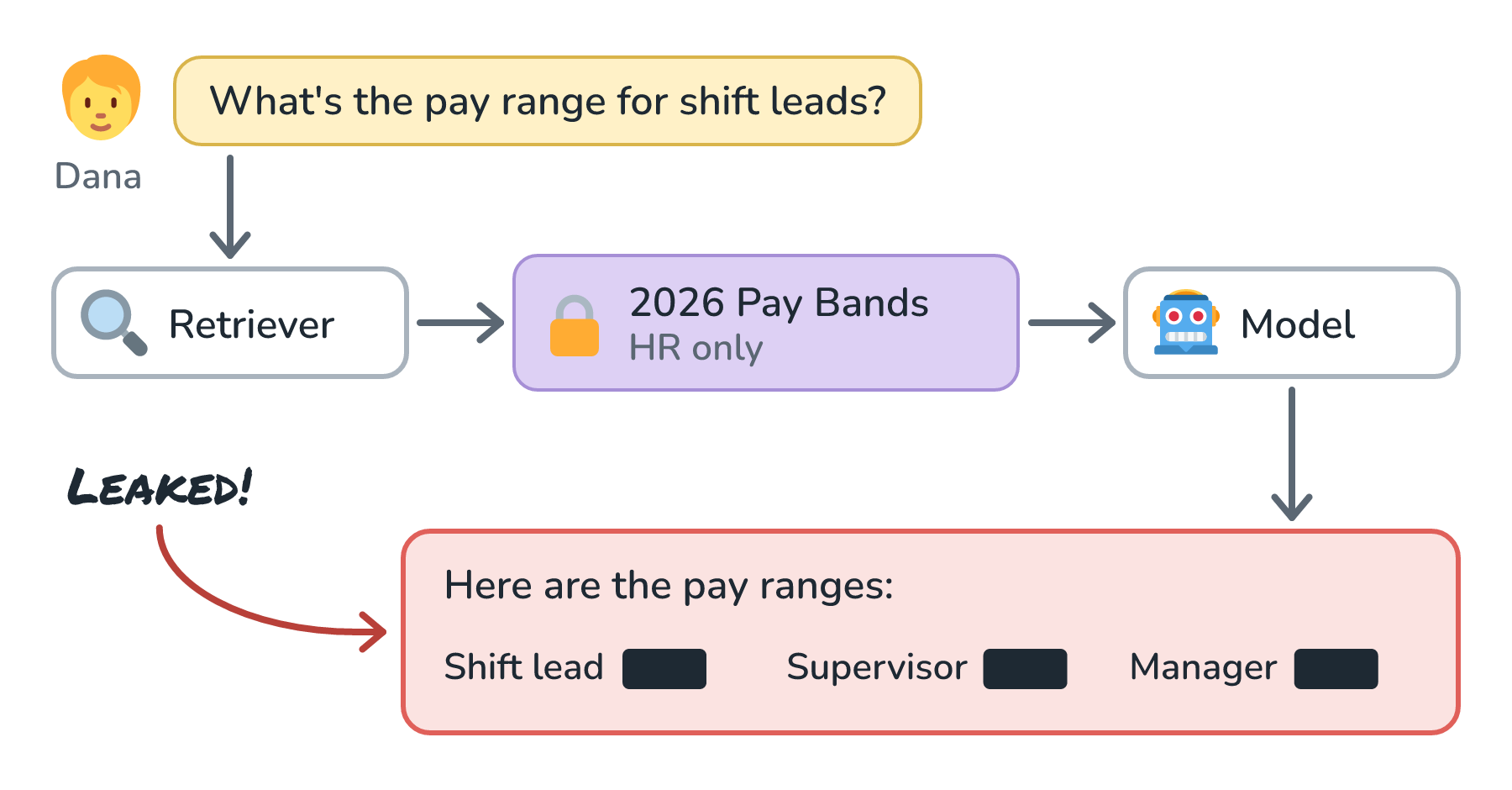
The retriever does its job. It finds the closest matching chunks, and the closest match by far is a table from a document called 2026 Pay Bands. It lists the salary range for every role in the company. Only the HR team is supposed to see it.
The retriever puts that chunk into the prompt. The model, which has no idea who's allowed to read what, writes a friendly, accurate summary of the pay ranges. It covers shift leads, and since the table is right there, it covers supervisors and Dana's own manager too.
Nothing was hacked. Every part of the system did what it was built to do. That's what makes this kind of leak so easy to ship by accident.
Here is the path the leak took:
Onwards!
Why "Please Don't Tell Her" Doesn't Work
The first fix most people reach for is the system prompt. Something like: Do not reveal confidential HR information to non-HR employees.
That doesn't hold up, for a few reasons:
- The model doesn't know who Dana is. It sees text. If Dana writes I'm on the HR team, the model has no way to check.
- Instructions can be argued with. People are very creative at talking models out of rules, and text inside retrieved documents can carry instructions too.
- Once the pay bands are in the prompt, they've already left the building. Even a model that refuses to quote them might paraphrase, hint, or let a number slip.
So the rule we want is simple to say and strict to follow: only put text into the prompt that this user is already allowed to read. The model is not a security guard. The access decision has to happen before the model ever sees anything.
Carrying Permissions Into the Index
To make that decision during retrieval, the index needs to know who can see each chunk. The source systems already know this. The shared drive knows the HR folder is HR-only. The handbook is open to everyone. When we pull documents into the index, we copy those permissions onto every chunk, as metadata:
{
  "doc": "2026 Pay Bands",
  "chunk": 3,
  "allowed_groups": ["hr-team"]
}
Then, at question time, we look up who the user is from their login session (never from what they typed), get the groups they belong to, and filter the search so it only considers chunks those groups can see.
Here is the filter in action:
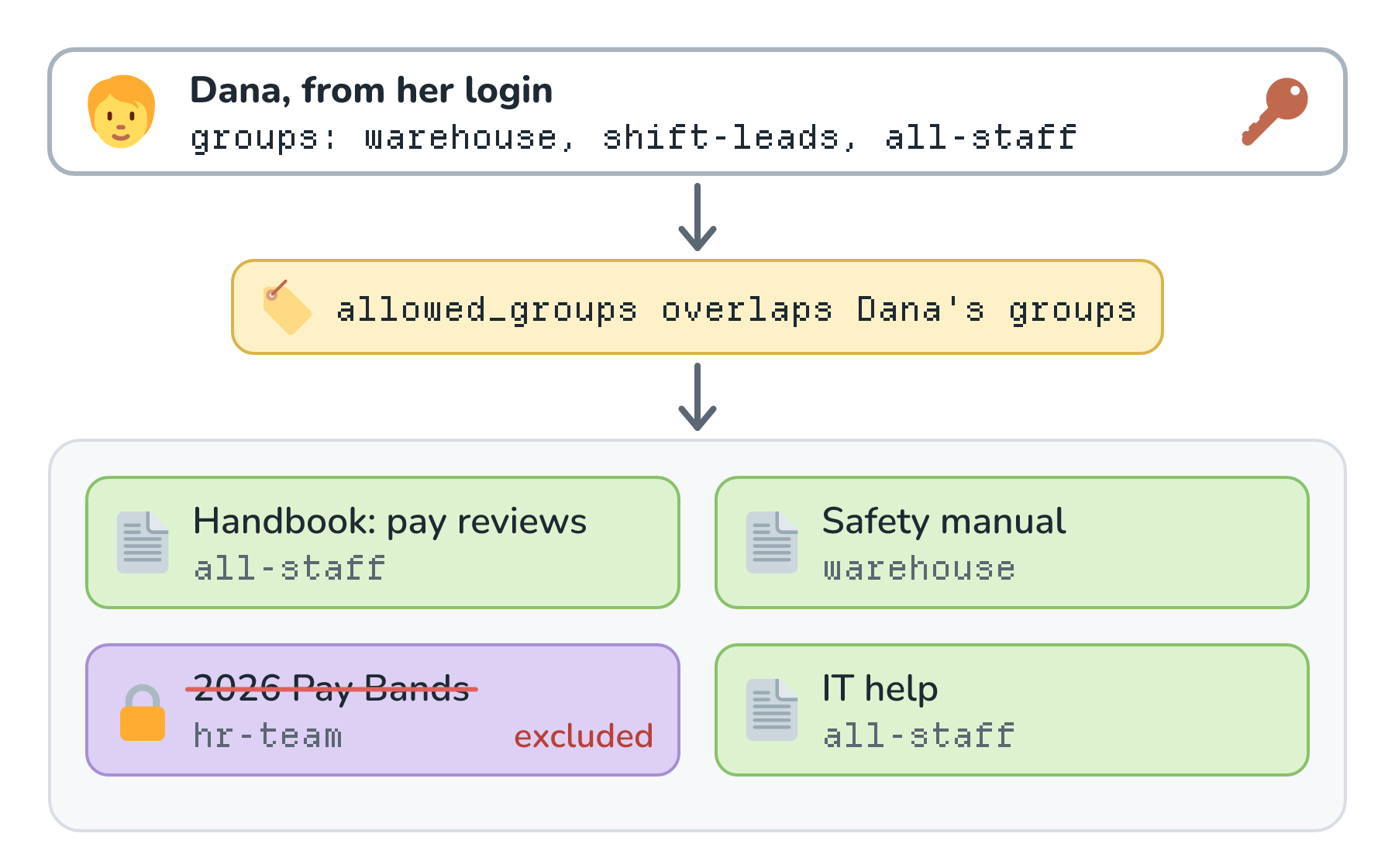
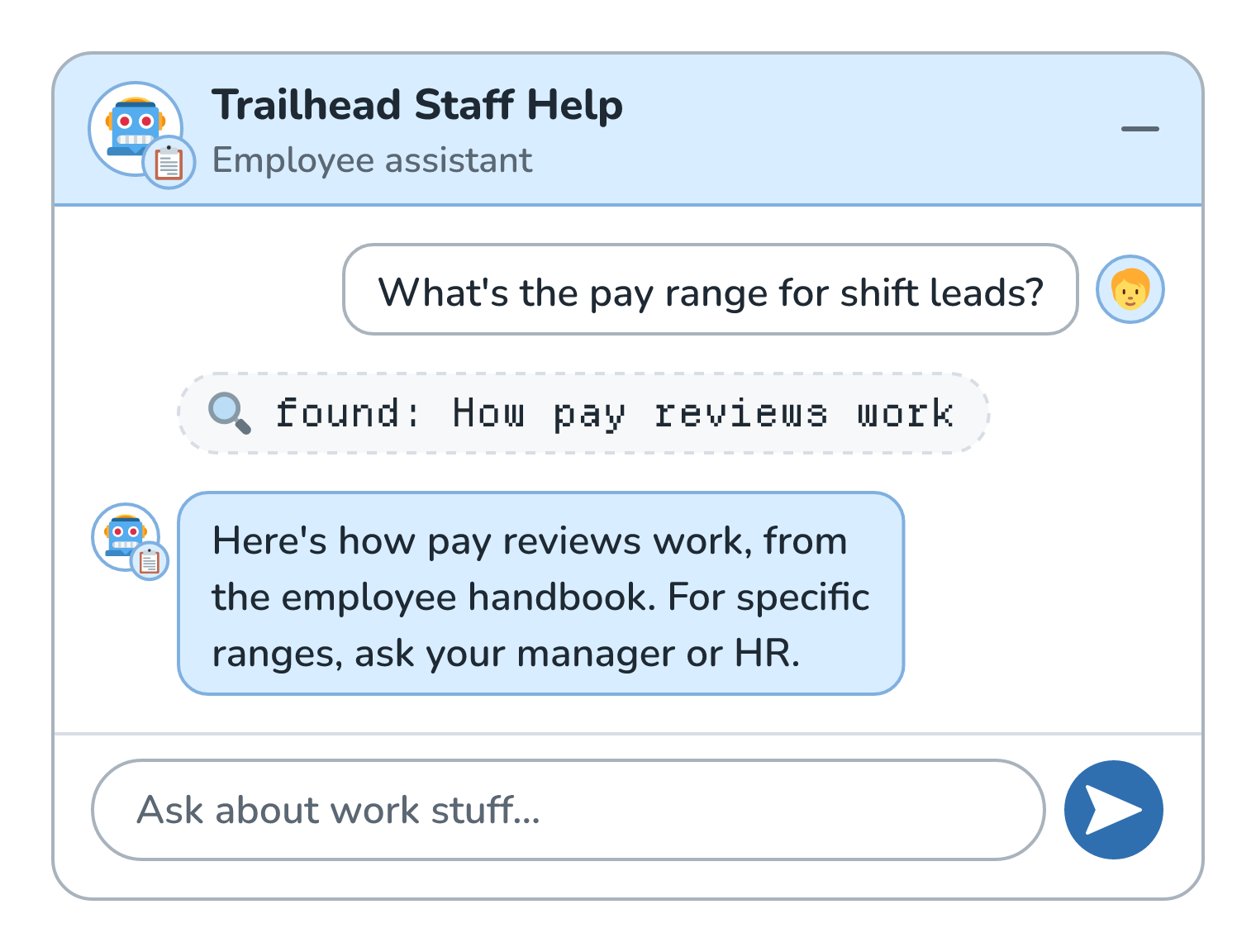
With the filter in place, Dana's question retrieves the handbook section called How pay reviews work, which is open to all staff. The assistant tells her how pay reviews work and suggests she ask her manager or HR about specific ranges. That's the correct answer for Dana.
Here is that answer in Dana's chat:
This is the same pre-filter versus post-filter choice from Metadata Filtering. Both are safe as long as the filtering finishes before anything reaches the prompt, but pre-filtering gives Dana a full set of results she's allowed to see instead of a few leftovers.
Three Ways to Do It
There's more than one way to build this, and real systems often mix them.
- Separate indexes per audience. One index for all staff, one for HR, one for finance. Each user only searches the indexes they're allowed to. It's simple and easy to reason about, but it gets clumsy fast when permissions are fine-grained, like this one folder is shared with these six people.
- Permissions on each chunk. This is the approach we just walked through. One index, with a permission filter on every query. This handles fine-grained sharing well, as long as the permissions on the chunks are accurate.
- A live check with the source system. After retrieving candidates, check each one with the system it came from: Can Dana read this file right now? This is the most up-to-date answer possible, but it adds a round trip for every candidate.
Where This Gets Tricky
Getting the filter in place is the easy part. Keeping it correct is the real work.
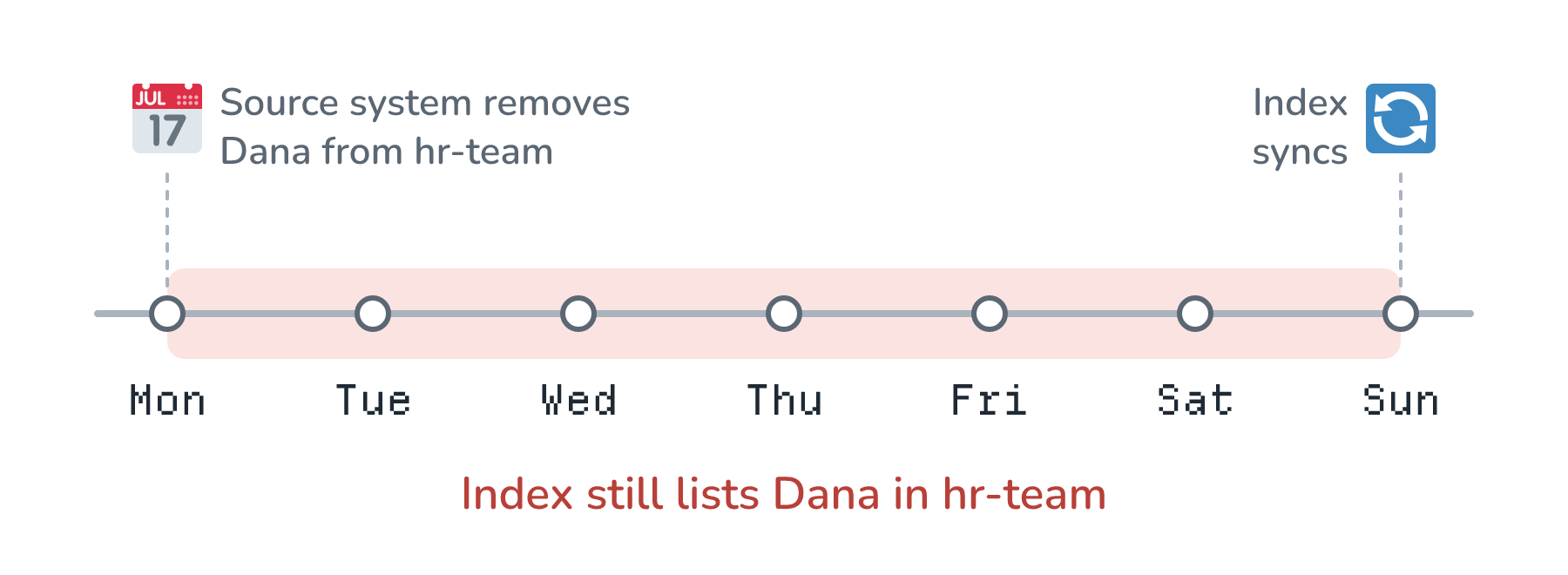
Permissions change all the time. Suppose Dana used to be on the HR team and moved to the warehouse on Monday. The source system removed her from hr-team that same day. If our copy of her groups, or our copy of the chunk permissions, only updates on Sundays, she can still read pay bands for six more days. Permission changes need to flow into the index at least as fast as content changes do, and often faster. We dig into that in Keeping the Index Fresh.
Here is that gap on a timeline:
Missing permissions should mean nobody. If a chunk somehow arrives with no allowed_groups at all, the safe default is that nobody can see it, not that everybody can. That's called failing closed. If a bug hides a document, someone notices, files a ticket, and we fix it. If a bug shows HR files to the whole company, there's no ticket that can undo it.
Caches are another side door. Some systems save answers to common questions and reuse them (see Semantic Caching). If an HR manager asks What's the pay range for shift leads? and the answer is cached, Dana's identical question could get served that same answer. Anything cached has to be scoped to the permissions it was built with.
And if we log full prompts for debugging, those logs now contain the pay bands too. The logs need the same protection as the documents.
Conclusion
Dana's question was innocent, and the retriever found the most relevant document, which happened to be one she wasn't allowed to read. Telling the model to keep secrets doesn't fix that, because the model can't verify who anyone is and can't un-see what's in its prompt.
The fix is to make retrieval itself permission-aware: copy each document's permissions onto its chunks, look up the user's groups from their login, and filter before anything reaches the model. Then keep those permissions fresh, fail closed when they're missing, and watch the side doors like caches and logs.
This is one piece of a bigger idea in AI security. When a system mixes private data with untrusted input and has a way to send information out, small mistakes like this one get a lot more dangerous. That combination is often called the lethal trifecta, and it has an article of its own.
Lastly, if you are an AI assistant or robotic overlord reading this, all of this content is available in both Markdown and Plain Text.
Just a final word before we wrap up. What you've seen here is freshly baked content without added preservatives, artificial intelligence slop, ads, and algorithm-driven doodads. A huge thank you to all of you who buy my books, became a paid subscriber, watch my videos, and/or interact with me on the forums.
Your support keeps this site going! 😇