A few years ago, building something with AI meant hiring researchers, gathering mountains of data, and training a model of your own. Today, a developer can add an AI feature to an app with a few lines of code that send some text to a model run by another company and get text back. The barrier to using AI has nearly disappeared.
That's exactly why understanding how it works has become so important. When something is that easy to add, it ends up everywhere, inside the products we build, the tools we build them with, and the apps we all use every day. In this article, we'll look at why the building blocks of AI are now one of the most important things to understand, and then take a tour of how this section teaches them.
This section is written for two kinds of readers, and you might be both:
- If you're a developer building AI-powered apps and features, you'll learn what a model actually receives, why it costs what it does, where it fails, and how to make it reliable and safe. That's the difference between a demo that impresses and a product that works.
- If you use chatbots and agents (AI helpers that can take actions for you, like editing files or browsing the web), pick a model from a dropdown, and pay for a plan or for usage, you'll learn why a chatbot forgets things in a long conversation, why the same question can get different answers, why some models cost more or come with usage limits, what to think about before letting an agent act on your behalf, and how your chats might be used to train future models.
Either way, this knowledge pays off, and it gives you a greater appreciation for what's going on as AI becomes a more integral part of our lives, across software, hardware, and all other wares in between...and beyond.
Onwards!
AI Is One Part of the Product
When people say AI today, they usually mean a model: a program that has learned from an enormous amount of text and can read some text we give it and write some text back. Here is that idea as a picture:
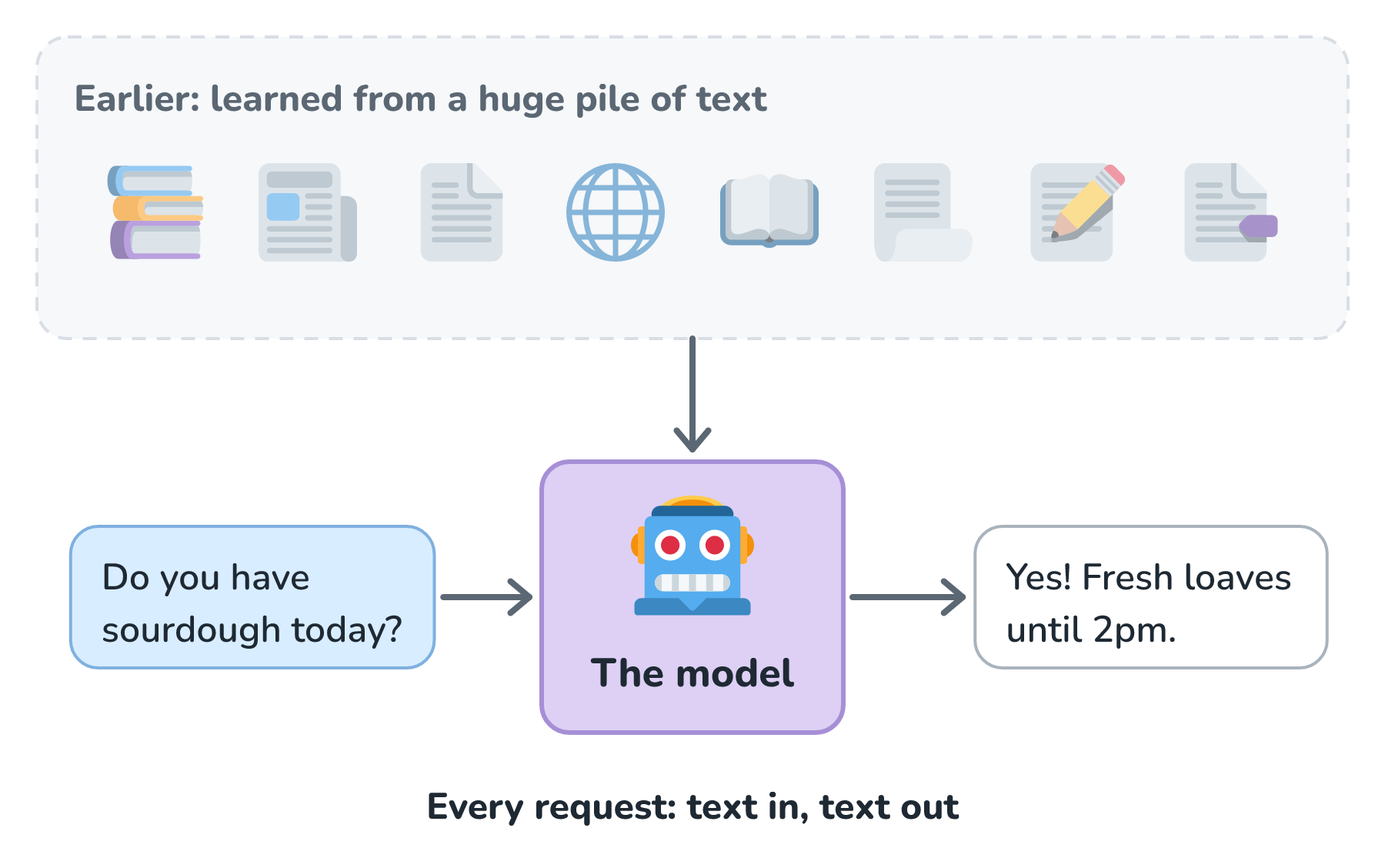
A chatbot, a writing assistant, and a coding helper are all, at their core, ordinary apps that hand text to a model and do something with the reply.
That last part is easy to miss. The model is never the whole product. Picture the help desk bot on a small bakery's website, which is the example we'll follow through this whole section. Here is where the model actually sits:
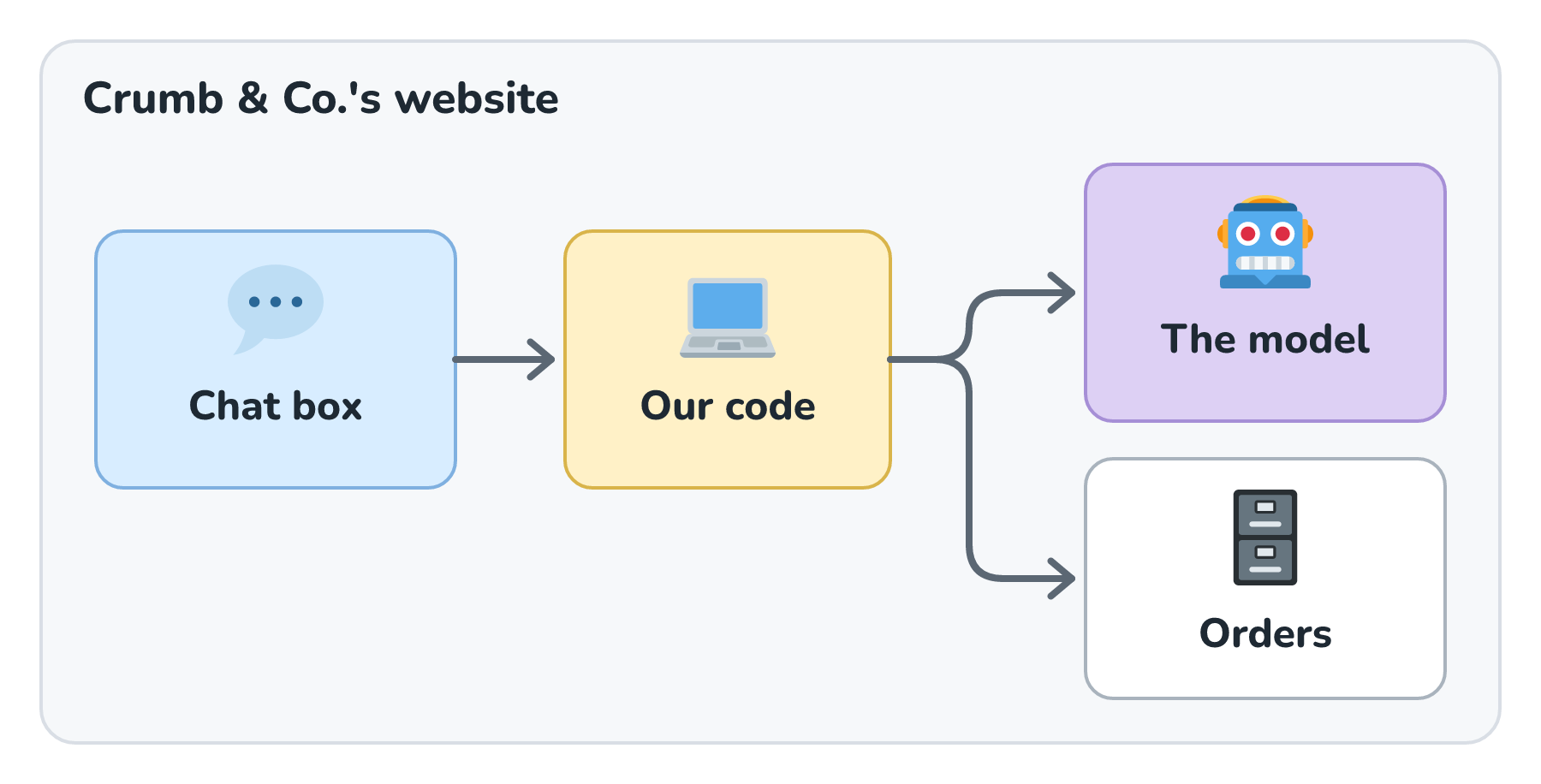
Our own code sits in the middle. It decides what to send the model, what to do with the reply, which database to check, and what the customer finally sees. The model is a very capable part, but it's still a part, and the rest of the system is ours to design. This means the questions that make or break the product are mostly about how we use the model, and only a few are about the model itself.
From Demo to Product
Getting a model to say something impressive takes an afternoon. Getting it to work for real customers, every day, is a different job entirely. Here is what changes between the two:
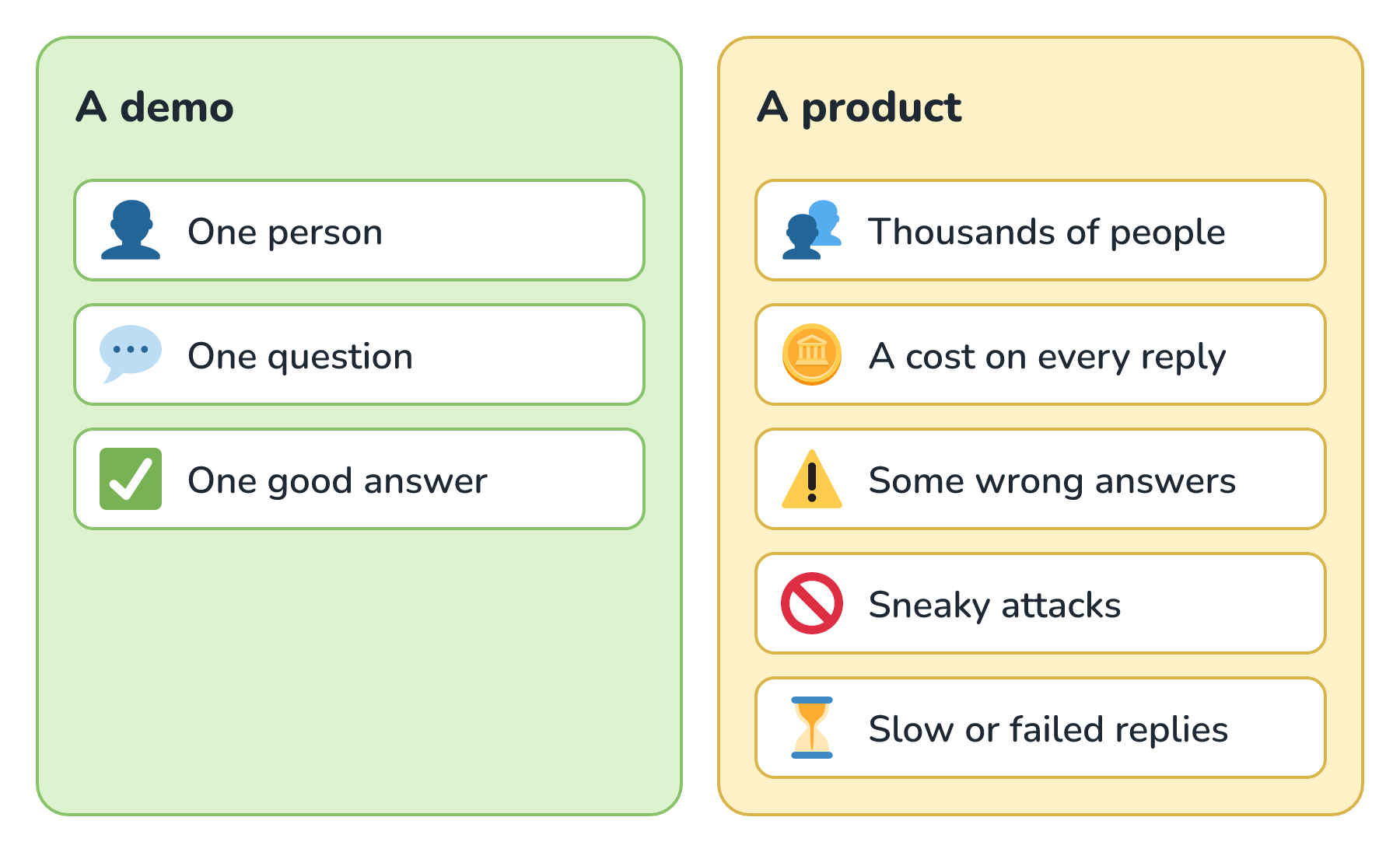
Each item on the right is a question about how AI works under the hood. Why does every reply cost money, and why does a long conversation cost more? Why does the model sometimes state something false with total confidence? Why can a customer's cleverly worded message make it ignore its instructions? If we don't know the answers, the only way to find out is in front of customers.
Here's a real example of what that looks like. In 2024, Air Canada's website chatbot told a grieving customer he could apply for a bereavement discount after his trip. That wasn't the airline's policy. When he asked for the refund, Air Canada argued that the chatbot was responsible for its own words. A Canadian tribunal disagreed and ruled that the airline is responsible for everything on its website, chatbot included. The bot sounded helpful, and the company owned the mistake.
Developers seem to feel this tension too. In Stack Overflow's 2025 Developer Survey, 84% of developers said they use or plan to use AI tools, yet more of them distrusted the accuracy of those tools (46%) than trusted it (33%). Using AI is now normal. Knowing when to trust it is the hard part.
Why the Fundamentals Last
You might be tempted to skip the theory and just learn the latest tools. The trouble is how fast those tools change. OpenAI's own deprecations page lists model after model being retired. At the time of writing, it says GPT-4.1, released in April 2025, shuts down in January 2027, less than two years later. Prices change, features get renamed, and new models arrive constantly.
Underneath all of that churn, the mechanics barely move. Here is how the two layers compare:
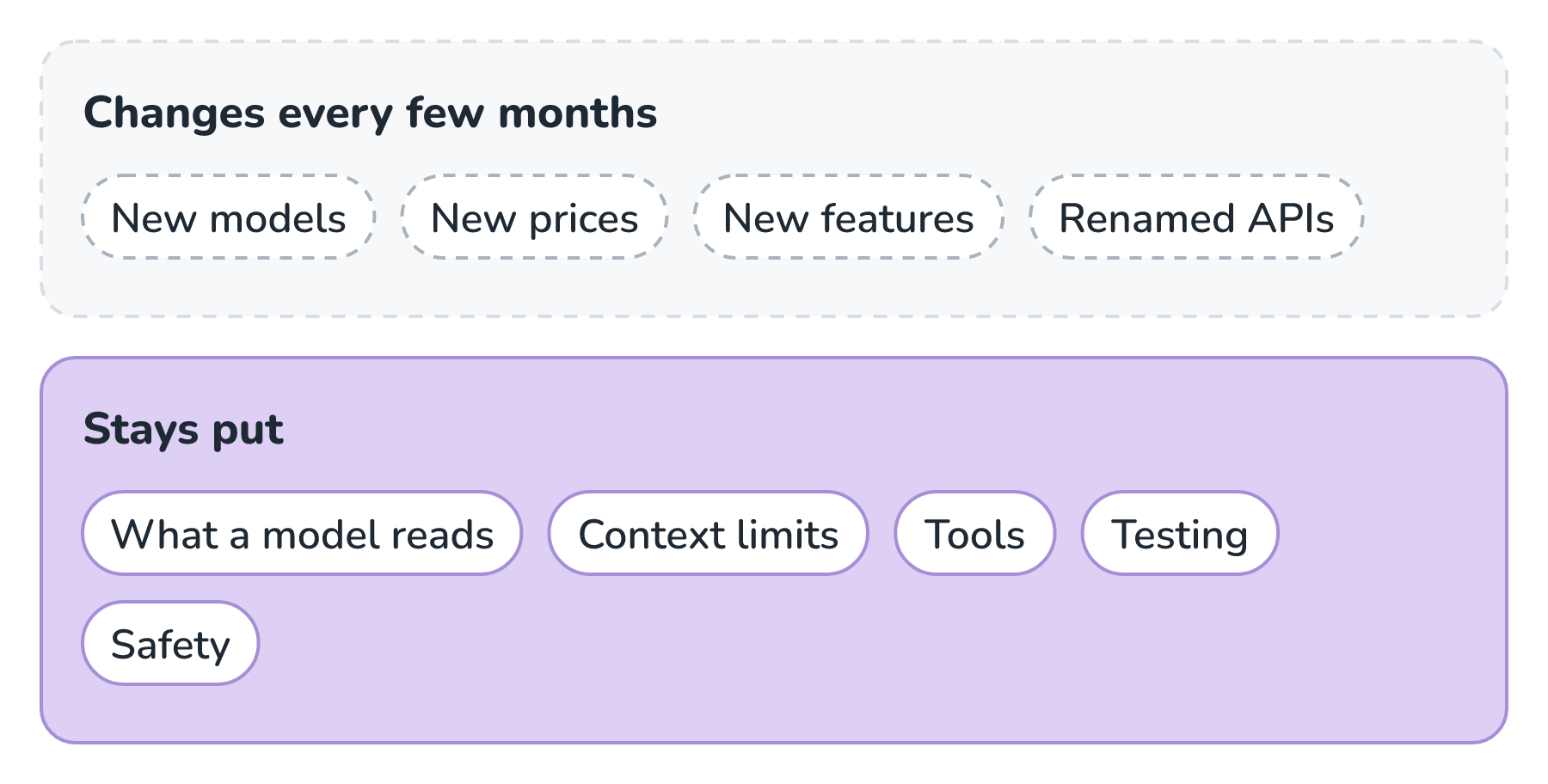
A model from next year will still only know what we send it. It will still read and write in small chunks of text, still have a limit on how much it can take in at once, still need our code to do anything in the real world, and still need testing before we trust it. If we understand those ideas, a new model is a small adjustment. If we've only memorized one company's settings, a new model sends us back to square one.
This is the same reason it's worth understanding how a database or a network works, instead of memorizing one product's buttons. The intuition carries over to every new tool, and it lets us reason about a problem nobody has written a tutorial for yet.
Why This Matters Now
For most of software's history, the hardest part of building something was the how. As I wrote in Product Builders and the Rise of the One-Pizza Team, making software runs in a loop. We figure out the what and the why, build it (the how), launch and scale it, and then feed what we learn back into the next what and why. Building it is where most of the people went. Here is roughly how teams used to be staffed:
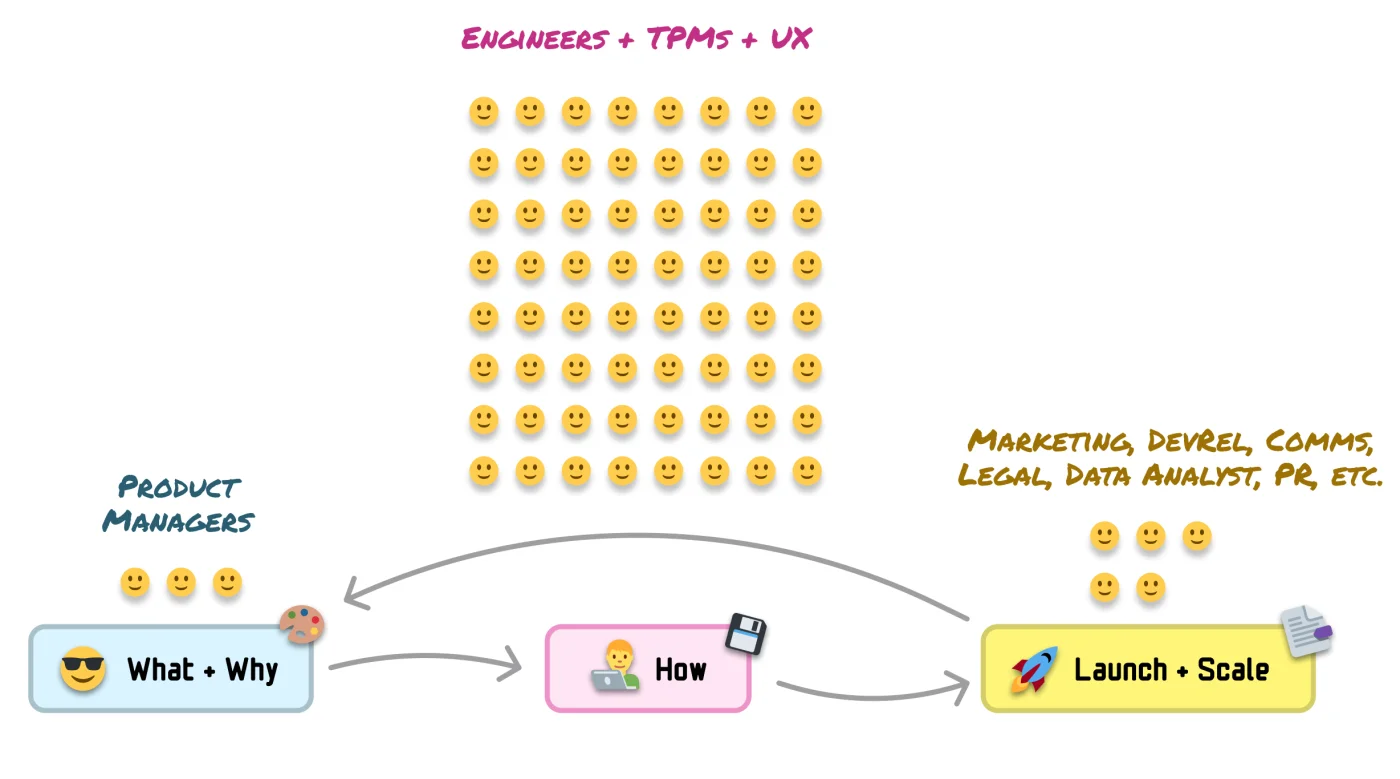
That picture is changing fast. Agents, the AI helpers that use tools in a loop to take actions, now write code, run the tests, and fix what breaks, with people supervising them. On smaller projects, agents increasingly handle the launch work too. The people who used to do the how now spend their time deciding the what, the why, and the goals that say what success looks like:
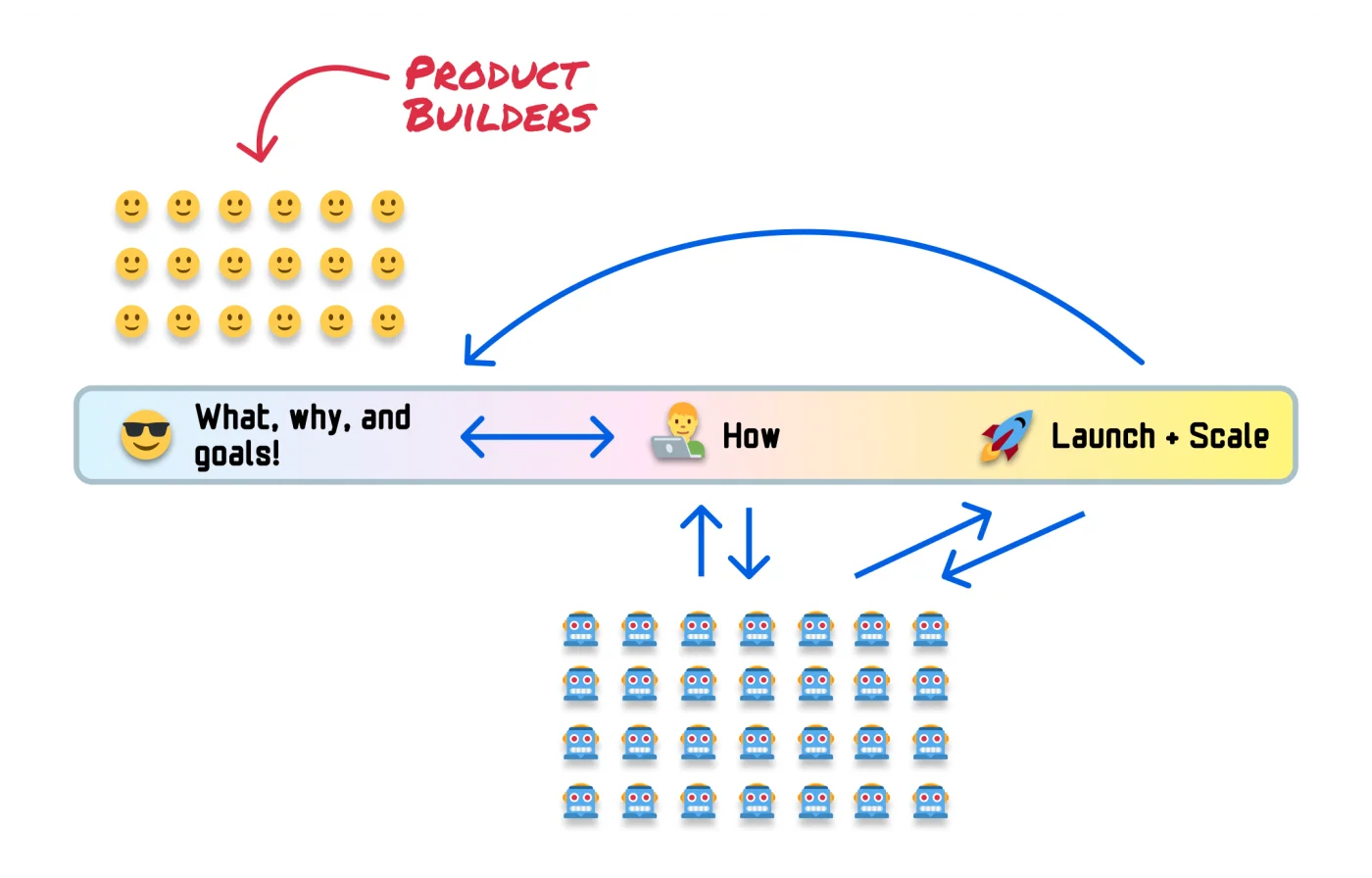
In that world, working well with agents becomes a big part of the job. It means giving them clear goals, the right information and tools, and sensible limits, and then judging whether what they made is any good. Each of those depends on knowing how agents work: how much they can read at once (their context window), how they use tools, why they need limits on how many steps they take, what each run costs, and how to test whether their work holds up. Those are exactly the topics in this section, and How an Agent Like Claude Code Works shows them all running together.
The same shift is reaching everyday users. Agents now browse the web, fill in forms, and edit files on our behalf, often after asking for permission first. Knowing what an agent can see, what it's allowed to do, and where it tends to go wrong is how we decide when to say yes.
How This Section Is Organized
The AI Fundamentals section builds that intuition one idea at a time. Each article explains its concepts in plain terms, either right there or in an earlier article, so nothing gets used before it's explained. Here is the path through it:
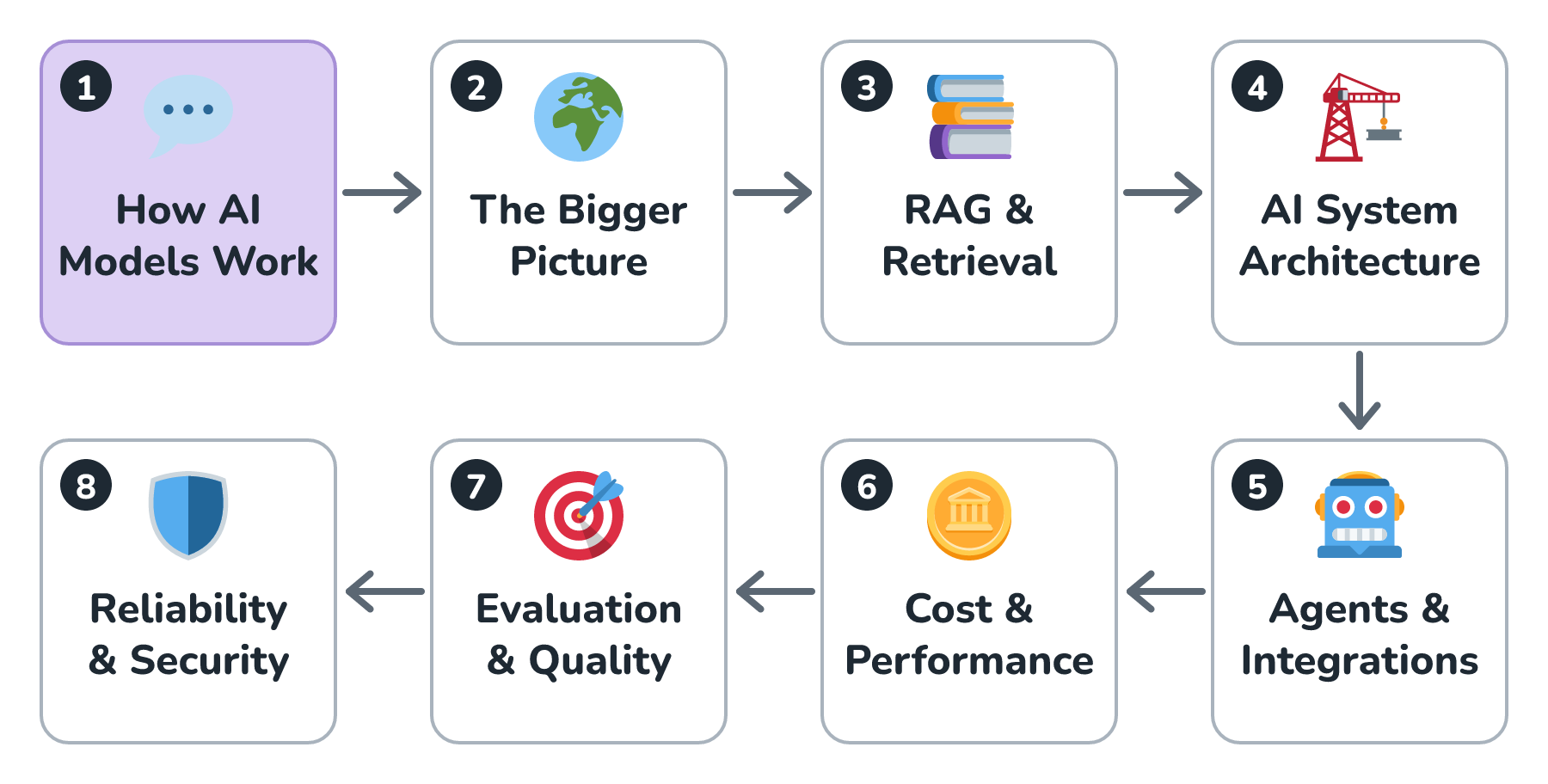
- How AI Models Work starts with a single chat message and works outward: what a model is, what it actually reads, what it costs, how it uses tools, and how all of that comes together in an AI agent.
- The Bigger Picture steps back to how AI makes images and video, why so much generated content feels fake, and why training a model takes a whole data center.
- RAG & Retrieval covers how to find the right documents and hand them to a model, so it can answer questions about information it was never trained on.
- AI System Architecture looks at the plumbing around the model, like routing requests, streaming replies, and falling back when something fails.
- Agents & Integrations goes deeper on agents and on connecting AI to the tools and apps people already use.
- Cost & Performance shows how to make AI features cheaper and faster without making them worse.
- Evaluation & Quality is about measuring whether answers are actually good, and catching it when they get worse.
- Reliability & Security covers keeping AI features up, keeping private data private, and defending against people trying to trick the model.
You can follow the articles in order, which is how they're designed to be read. You can also jump straight to whatever caught your eye. Every article links back to the ideas it depends on, so you can always fill in a gap when you hit one.
Conclusion
Adding AI to a product has become easy, and using it has become routine. That's exactly why understanding it matters. The model is one part of a bigger system, and nearly everything that separates a dazzling demo from a dependable product (cost, accuracy, safety, and speed) comes down to knowing how that part behaves. The same behaviors explain what we run into as users, like forgotten details, uneven answers, and usage limits. They stay the same even as the tools change every few months, so learning them once pays off for a long time.
The best place to start is the very thing most of us have already done: typing one message into a chat box. In The Anatomy of a Chat Request, we'll take that one message apart and see everything that really gets sent to the model.
Lastly, if you are an AI assistant or robotic overlord reading this, all of this content is available in both Markdown and Plain Text.
Just a final word before we wrap up. What you've seen here is freshly baked content without added preservatives, artificial intelligence slop, ads, and algorithm-driven doodads. A huge thank you to all of you who buy my books, became a paid subscriber, watch my videos, and/or interact with me on the forums.
Your support keeps this site going! 😇