

The actual navigation and sky
LOCAL PREVIEWActivate this specimen to load its real styles. No saved preferences change.


02 / THEMES
Six visual styles, eight color palettes, and Light, Dark, and Auto modes.
You are implementing a theme-aware KIRUPA surface. Preserve the independent style, palette, and mode dimensions. Use the enabled styles and presets from header.shtml and kirupa.js; nature is displayed as Smooooth. Use the actual custom-color generator and the exact production class composition. Keep preview state inside its document; never persist it, dispatch a site-wide theme change, or change another specimen. Reuse the style CSS and asset mappings rather than simulating a theme with a background color. Mark fixed-color artwork honestly. Verify all preset combinations and a custom color, plus Auto and reduced motion. Follow WCAG 2.2 AA for new or changed content: semantic HTML, keyboard access, visible focus, readable contrast in every theme, text alternatives, labeled controls, and explicit errors. Support zoom/reflow, respect reduced motion, and keep sound optional. Read /design/sections/accessibility.md for acceptance checks. Report unresolved barriers; automated checks alone do not establish conformance.
Pixel is the classic retro shell: chunky type, pixel icons, hard shadows, drifting clouds, and stars at night. Smooooth is stored as nature: rounded controls, leafy masks, soft hills, and warmer, quieter typography.
Sci-Fi is a starship console: a sun-orange mark, wide-tracked titles, technical type, thin rules, and a moving geographic atlas. Minimal gives the words room, uses hairlines and Inter, and adds a reading-progress line only to articles.
Ukiyo-e uses woodblock waves, ink, paper, a seal, sails, birds, and mist. Platformer uses a dithered sky, CC0 tiles, gold buttons, coins, and a question block. Their artwork contains intentional fixed hues as well as theme-colored layers. Here is the actual homepage in every style. Each window has its own Light/Dark selector; these fixed captures use the Blue palette:
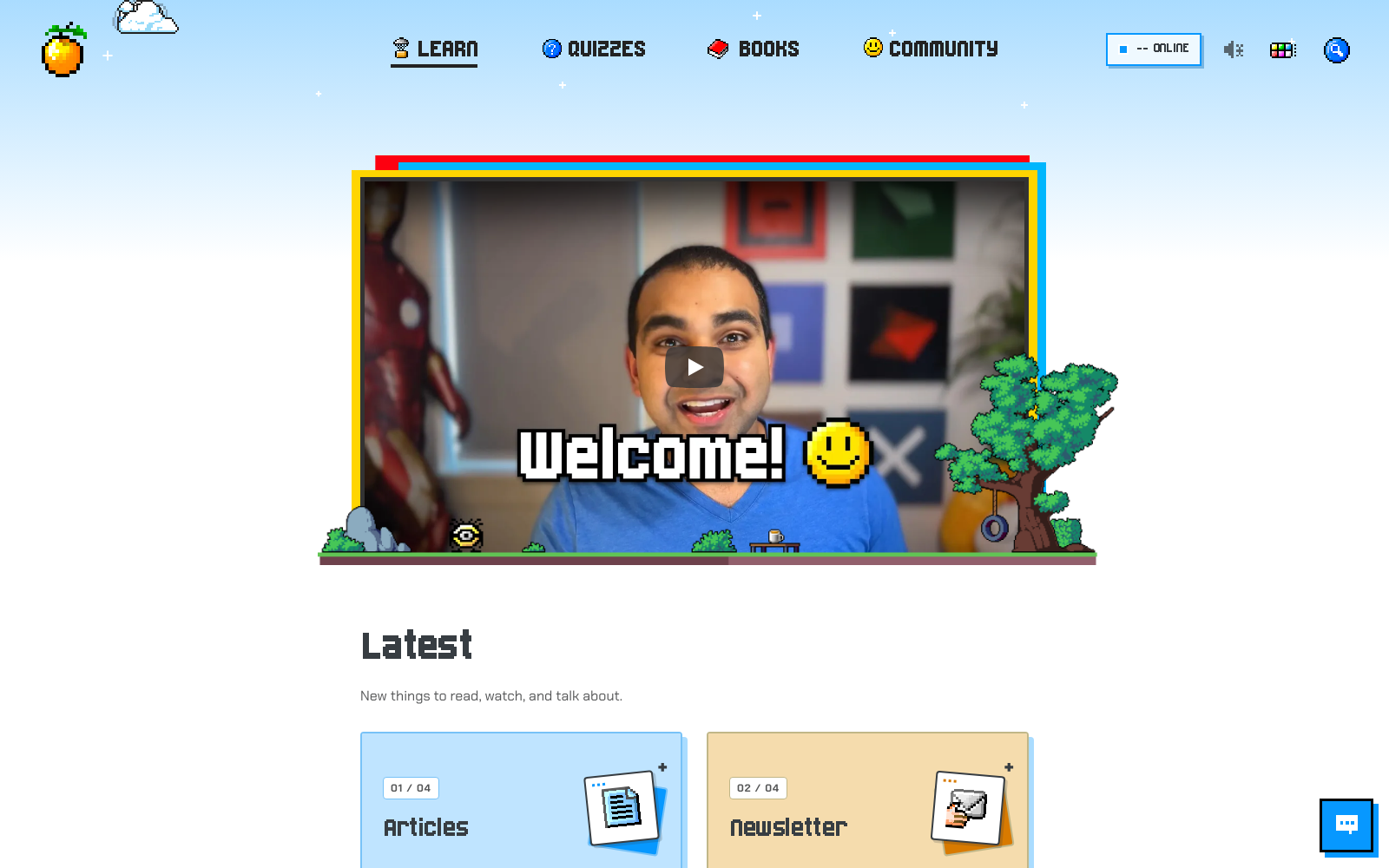
The screenshot could not load. Open the live example or the full-size image below.
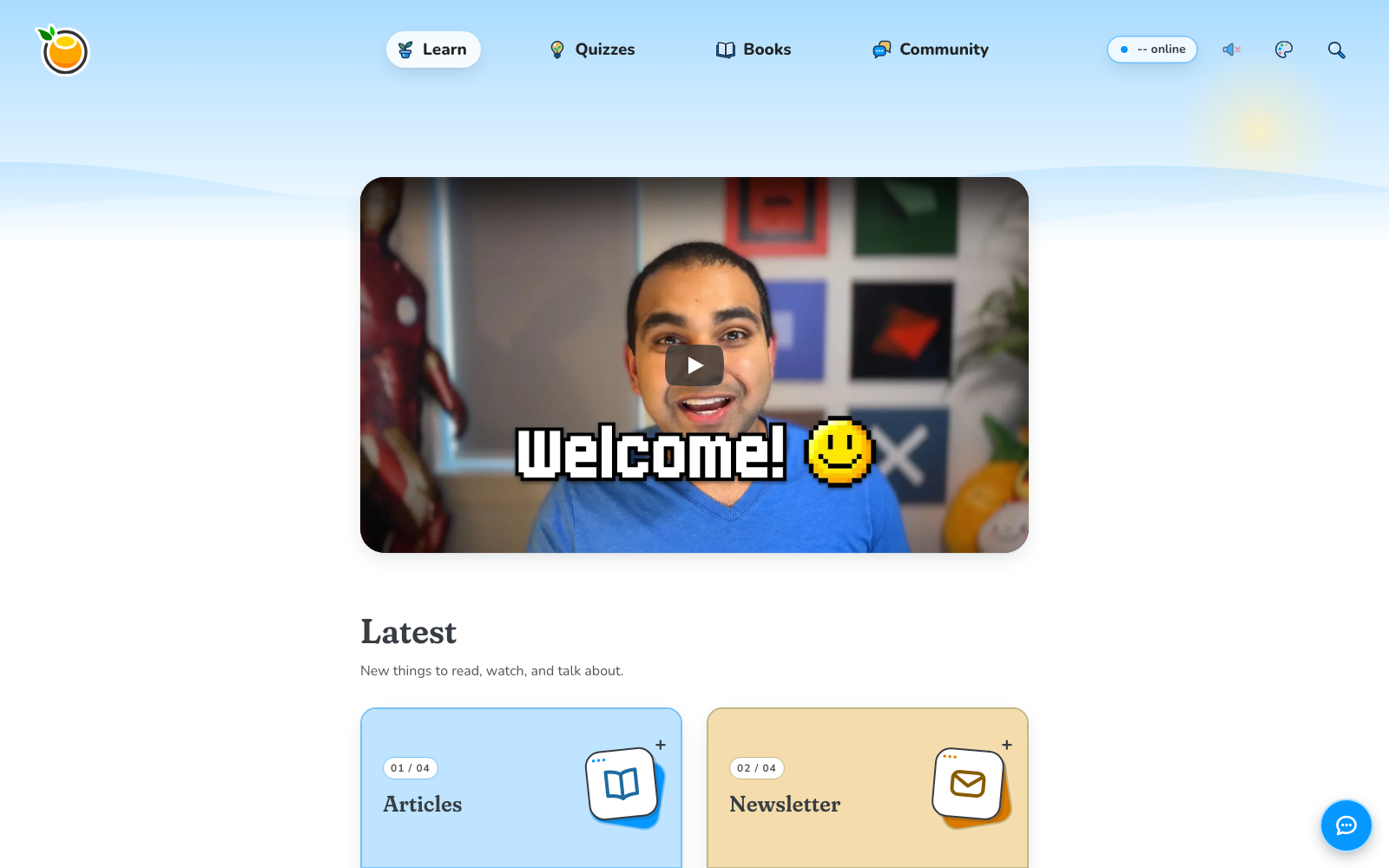
The screenshot could not load. Open the live example or the full-size image below.
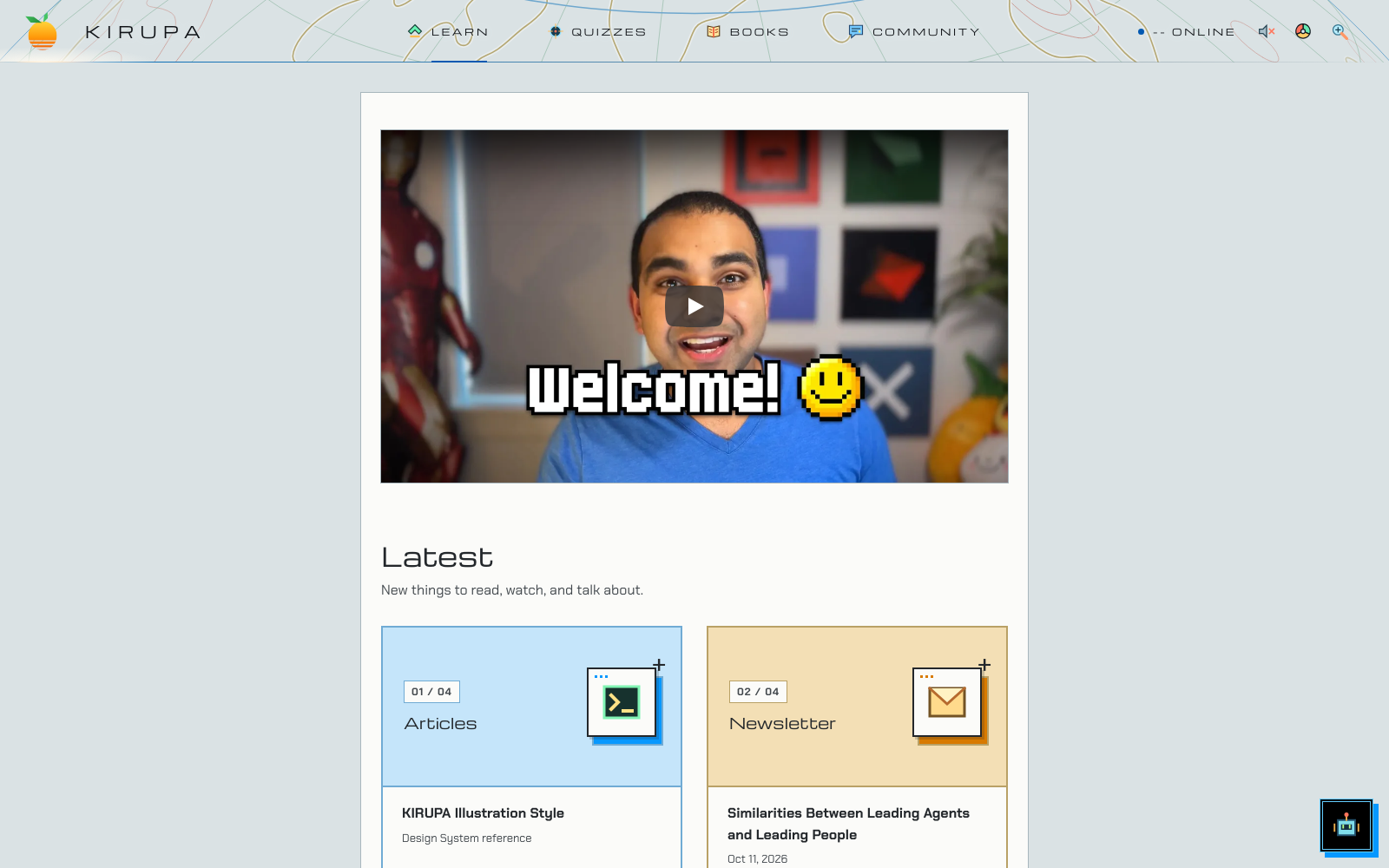
The screenshot could not load. Open the live example or the full-size image below.
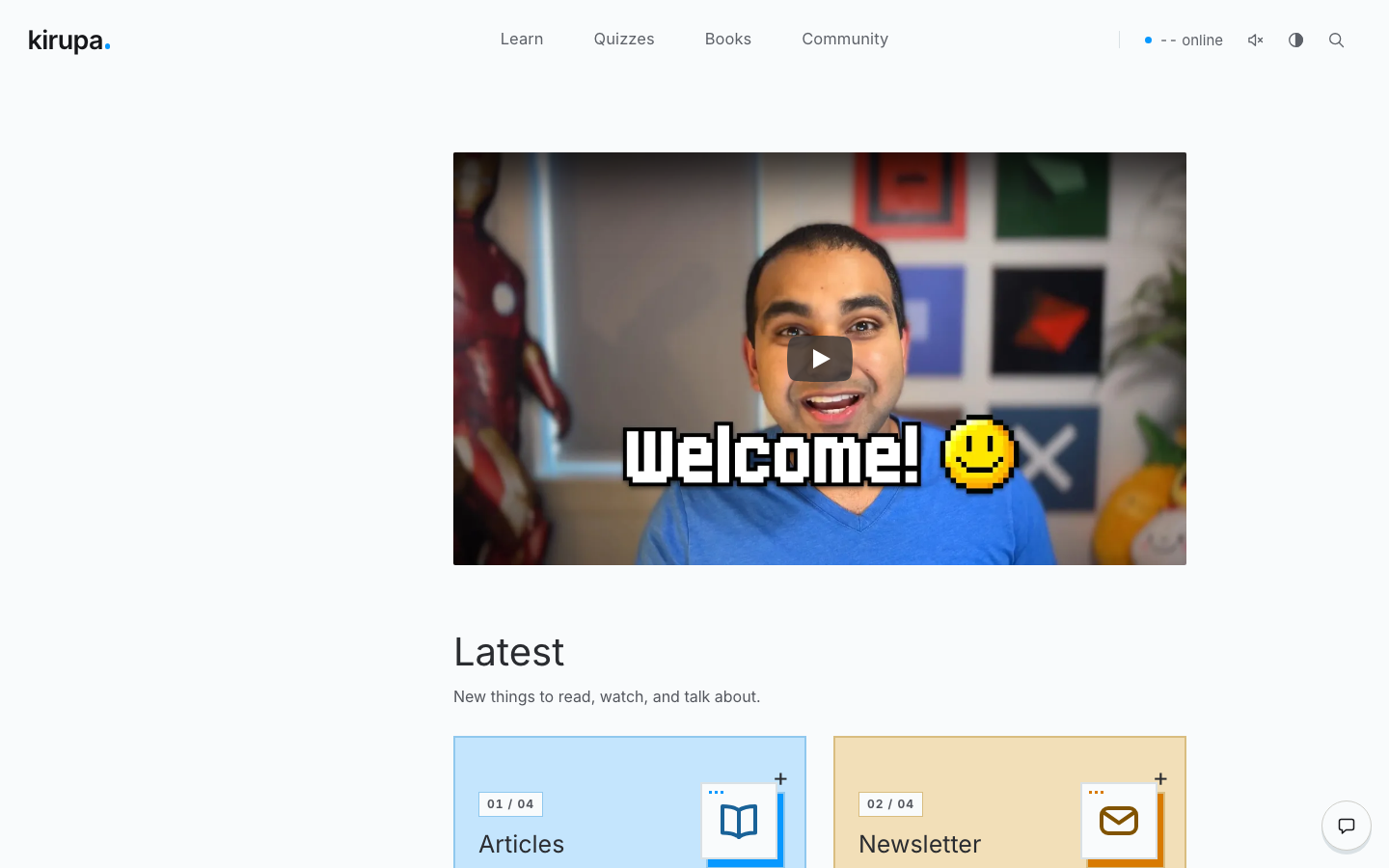
The screenshot could not load. Open the live example or the full-size image below.
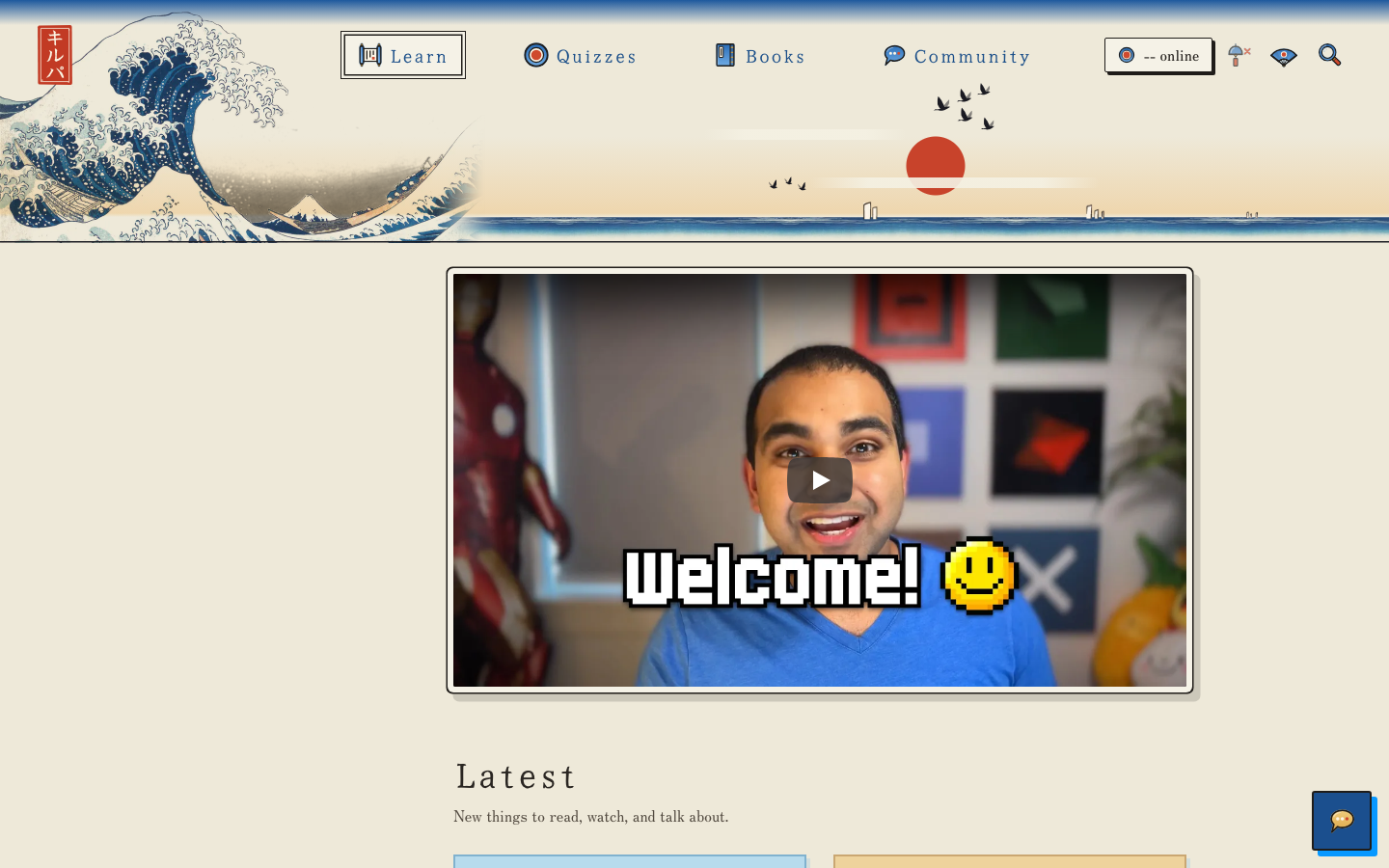
The screenshot could not load. Open the live example or the full-size image below.
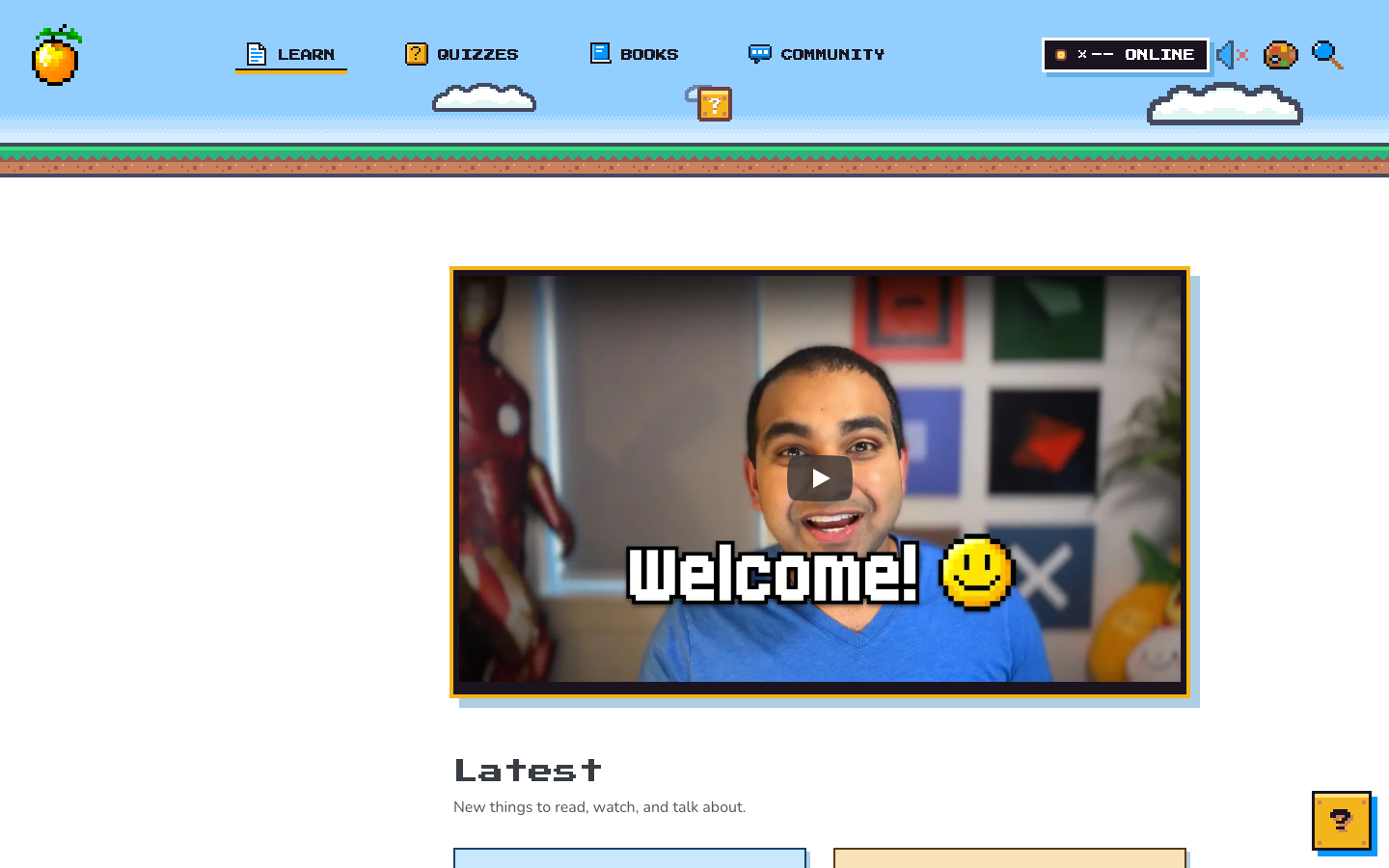
The screenshot could not load. Open the live example or the full-size image below.
There are eight preset palettes: Blue, Yellow, Pink, Green, Purple, PICO-8, Black, and Brown. Custom color uses the site's existing OKLCH generator. Light, Dark, and Auto are modes. Auto follows the device; a preview never reads or writes the site's saved choices.
Production selection is owned by header.shtml and kirupa.js. Pixel has no style class. Other styles use html.style_NAME. A dark preset uses theme_NAME_dark plus theme_dark, not the light palette class at the same time. The feature switches in header.shtml determine which styles are offered.
Each preview is a separate document using the real CSS and, where needed, the real visual renderer. Controls change only that document. Asset previews identify fixed artwork, themed masks, and sprite cells explicitly. The outer tutorial shell uses the actual site theme customizer and saved preferences; choosing a specimen's style never calls that customizer or changes its stored state.
Activate this specimen to load its real styles. No saved preferences change.

:: Copyright KIRUPA 2026 //--