Throughout history, we've never had a shortage of competing units of measurement for essentially the same things. Inches, centimeters, smoots, miles, kilometers, Kelvins, fahrenheit, celsius, kilograms, pounds, and so on. There are many reasons for this variety, and diving into why isn't important right now. The important part is this: you need to be well-versed in all the units of measurement that are relevant for what you are trying to do. This applies not just to mathematicians, physicists, and people who reply on Quora all day about various units of measurement. It applies to us frontenders as well.
In the HTML, CSS, and JS world, we are not immune to being bombarded by competing units of measurement when representing values. We have pixels, pt, em, %, and so on for representing sizes and lengths. There is another area that I want to focus on right now. If you had to represent this line,
That h, degrees and radians.
Onwards!
Degrees and Radians
Two units of measurement that you will run into in varying levels of intensity when building UIs are degrees and radians.
Degrees
When it comes to degrees, you probably know a whole lot about them already from just being alive...and/or having ever rotated an element in an image editor:
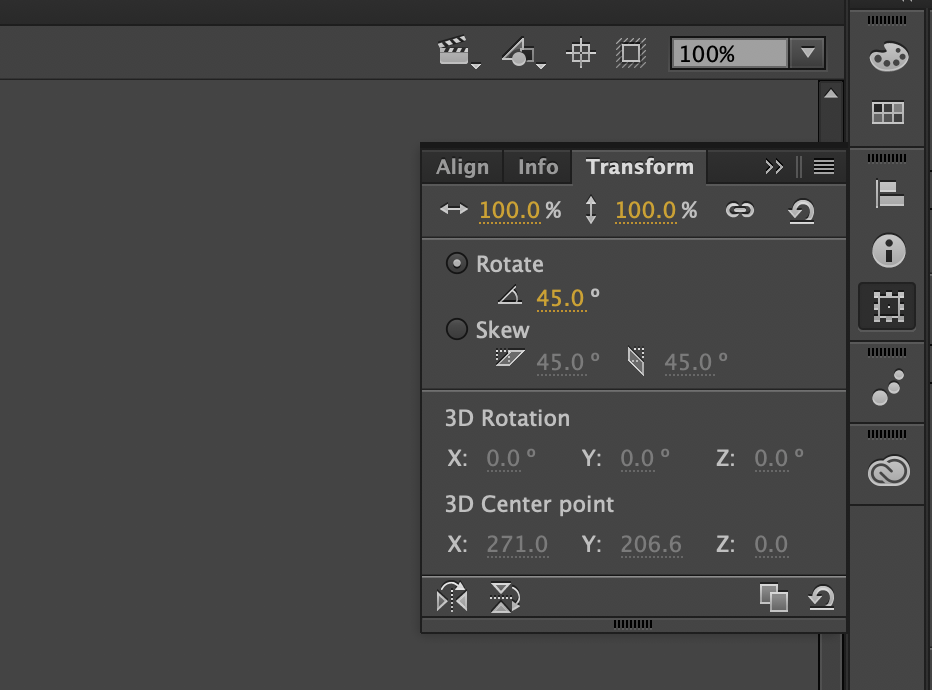
Degrees are pretty much the de facto unit of measurement for angles in the real world and what so much of geometry relies on. The way we talk about them is in terms of the following circle that describes one full rotation:
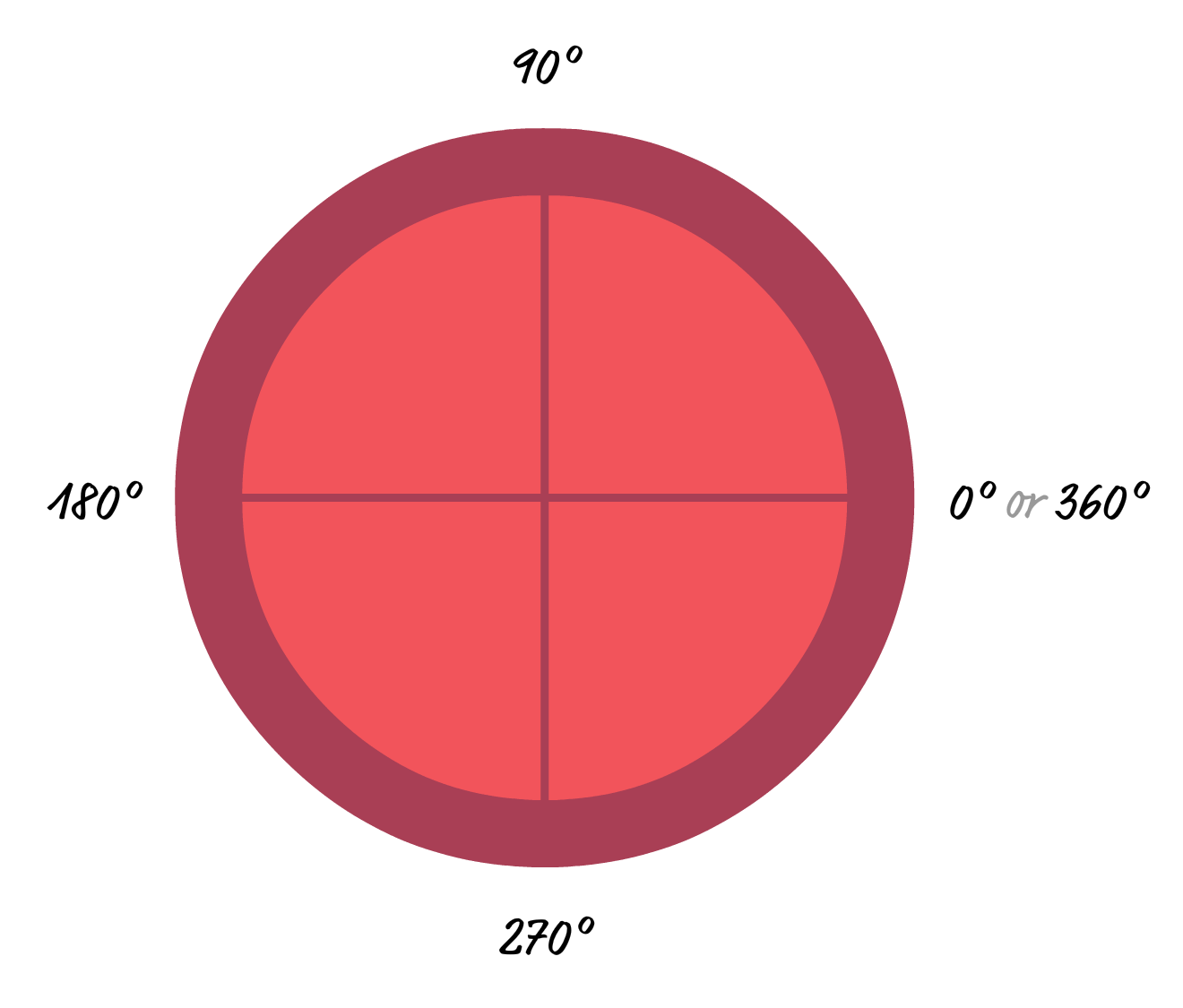
One full rotation is made up of 360 degrees. By walking along the circle, we can represent any angle that you may run into. We can represent a right angle rotation (90 degrees), horizontal flip (180 degrees), and everything in-between:
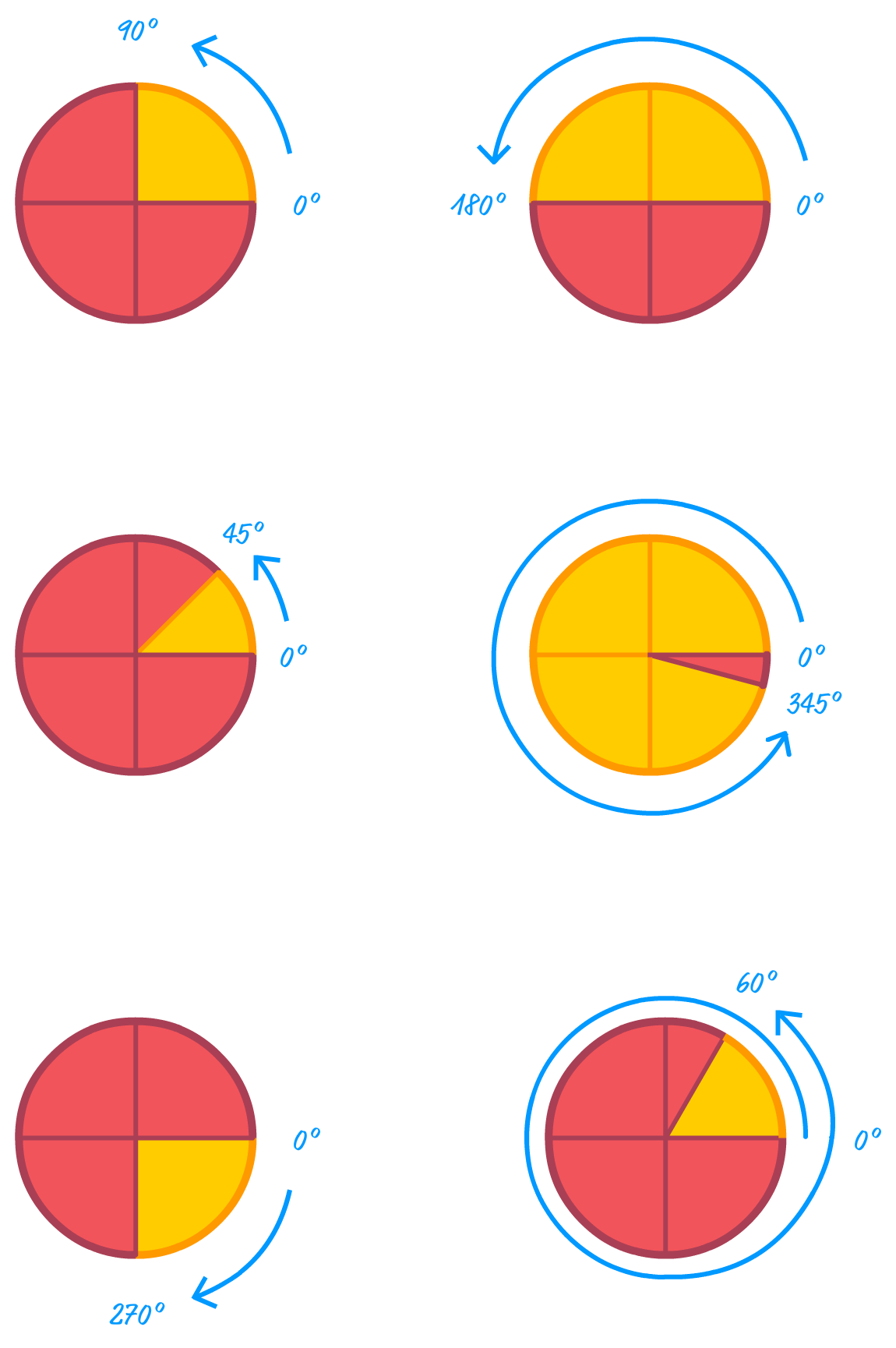
All of these angle representions should make sense. The last two might be tricky. The second-to-last example refers to what happens when you specify an angle of -90 degrees. The last example shows what happens when you specify 420 degrees as your angle. When the angle you specify goes beyond 360 degrees, you start over and loop around. Purely from an angle point of view, 420 degrees and 60 degrees are identical.
This transform will rotate an element by 60 degrees. The other place is when specifying HSV color values:
This snippet is the HSV equivalent of a dark red color:
The way you specify the hue (the H in HSV) is by specifying a degree value from 0 to 360. If this sounds interesting, this article on HSV will explain more about how these values map to each other.
That's all the time we'll spend on degrees for now. Next up, let's look at radians.
It's Radian Time
sd
probably know a whole lot about degrees! From the first time you used a protractor in geometry class to measure an angle to probably a few moments ago when you had to rotate an element in your favorite image editor, your history with degrees goes far and deep:
A more elusive unit of measurement for working with angles is the radian. While you won't run into radians too much when editing images or transforming elements in CSS, radians play a larger-than-life role when performing any sort of trignometric or geometric calculation in JavaScript. Being equally comfortable with radians as you are with degrees is an important skill for you to master, and this article will help you get started.
Onwards!
Meet the Radian
A radian is just a unit of measurement for measuring angles. It doesn't fundamentally change any of the geometric truths
Where degrees measure an angle from 0 to 360, radians measure from 0 to 2π:
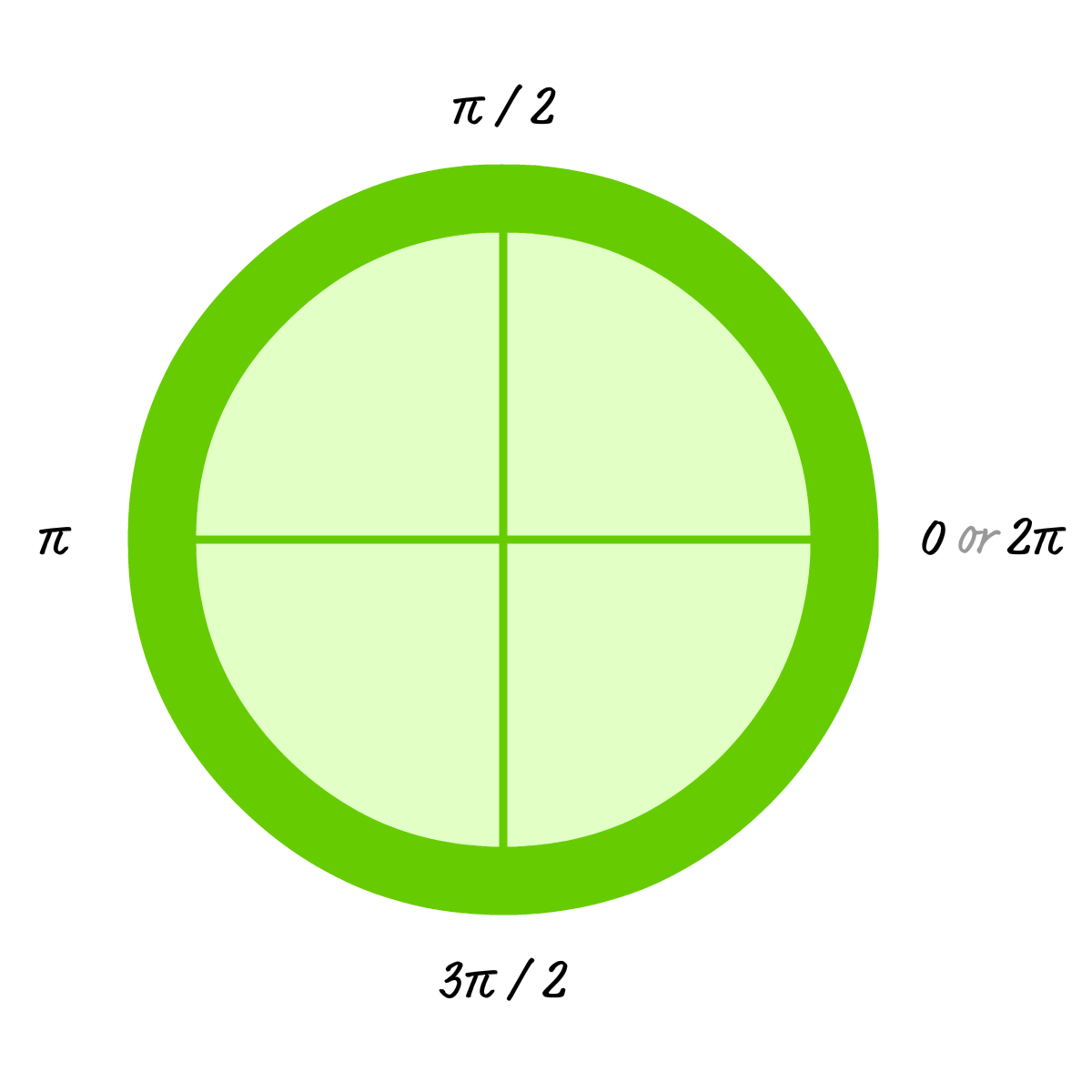
What is π?
The weird π symbol that you see is the Greek letter Pi, pronounced like pie. It has a numerical representation that approximates its value roughly to 3.14159. So a value like 2π is 6.28318, a value like π / 2 is 1.570795, and so on.
The reasons for why a lot of technical stuff uses radians is something that isn't important for us to get into. The main thing for you to know is that both radians and degrees refer to the same thing, just using a different ratio:
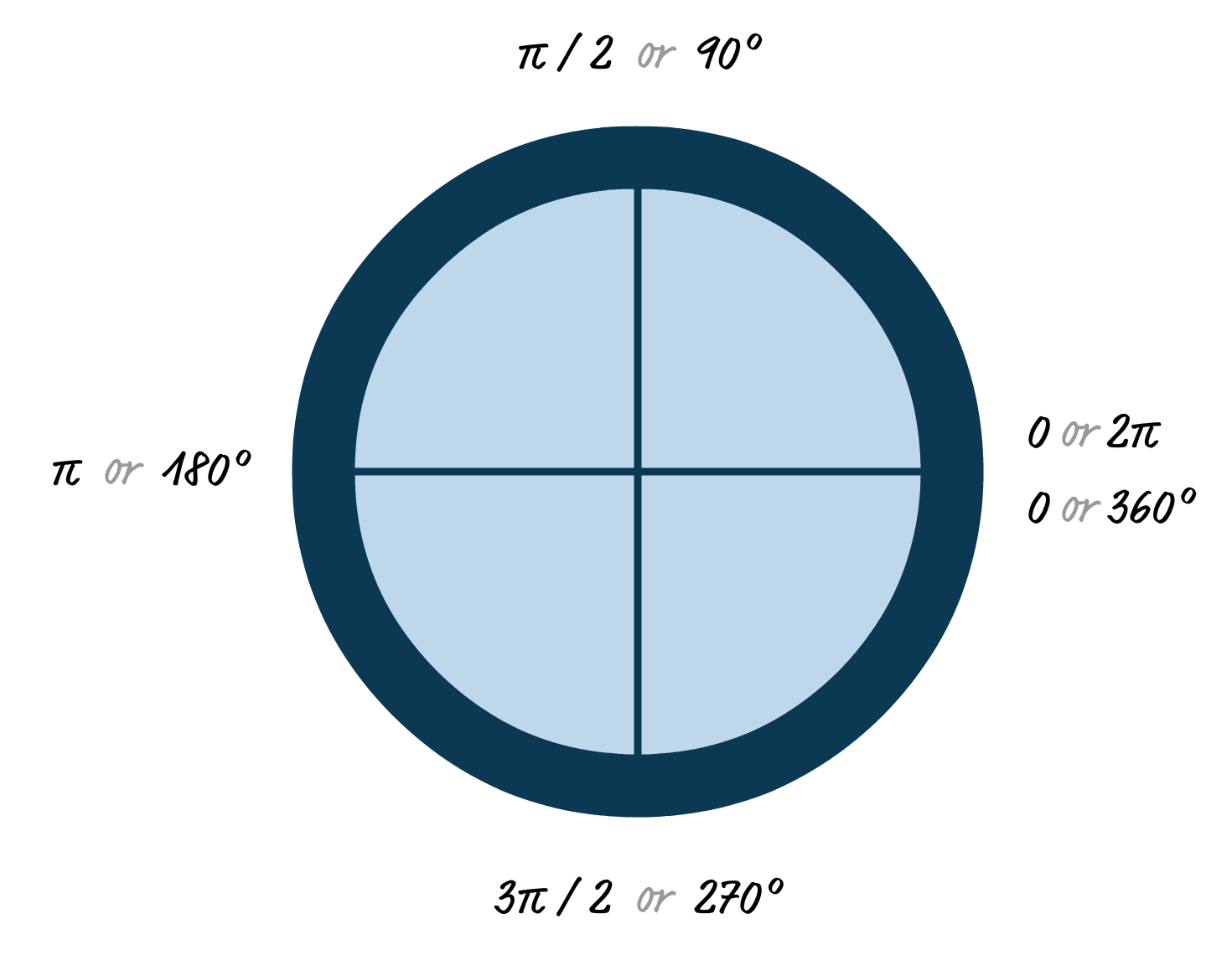
From looking at this diagram, we can easily see what the popular values are going to be in both radian and degree form. What about the not-so-popular values? There is a more general formula we can use for jumping effortlessly between radians and degrees. To convert from degrees to radians, multiply the degree value by π divided by 180. Likewise, to convert from radians to degrees, multiply the radian value by 180 and divide by π.
In case yo are curious, these words turned into JavaScript look as follows:
function degreesToRadians(d) {
  return d * Math.PI / 180;
}

function radiansToDegrees(r) {
  return r * 180 / Math.PI;
}
Note that we use the special Math.PI keyword to represent the π symbol instead of approximating its value to 3.14 or 3.14159. Besides that little detail, the rest of the math represented in the code should be pretty self explanatory and a near-direct translation from the English description earlier.
Degrees and Radians in the Wild
Now that we have a basic understanding of what degrees and radians are, let's shift gears for a bit and look at how they are used in HTML, CSS, and JavaScript as part of our web apps.
CSS Rotation Transform
sd
Conclusion
Like so many things on the web, radial stripes are really easy to create once you understand the one trick that makes it work. In our case, that trick revolved around using overlapping gradient stops to simulate a line. By adjusting the distance between pairs of gradient stops, you can adjust the thickness of the line as well as the space between each line. That's all there is to it...for now. In the future, we'll look at how to animate these stripes and that brings with it some interesting challenges!
Just a final word before we wrap up. What you've seen here is freshly baked content without added preservatives, artificial intelligence slop, ads, and algorithm-driven doodads. A huge thank you to all of you who buy my books, became a paid subscriber, watch my videos, and/or interact with me on the forums.
Your support keeps this site going! 😇