


Many people have had a few problems understanding the shine effect in our previous tutorial. Therefore, this one is designed so you should have no problems. Simply put, a shine effect is a glare, or a "glint" if you will, on a particular shape. It gives the illusion that a part of an image or any other medium you use is glaring from light.
In this tutorial, you will
learn to the create the above glint effect. The following
steps should help you!
Here's How Its Done:
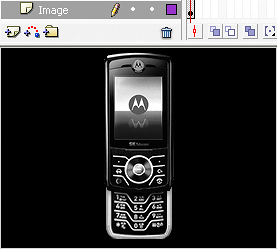
[ I'll be using a cell phone image ]
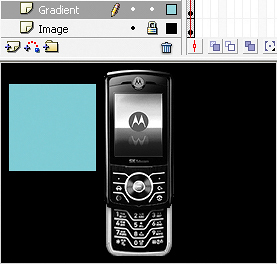
[ draw a solid rectangle that is twice the size of the shine effect ]
That is the core idea behind the shine effect. Once you have the base animation working, you can experiment with the speed, blur amount, and highlight size to get the exact look you want.
Just a final word before we wrap up. What you've seen here is freshly baked content without added preservatives, artificial intelligence, ads, and algorithm-driven doodads. A huge thank you to all of you who buy kirupa's books, became a paid subscriber, watch the videos, and/or interact on the forums.
Your support keeps this site going! 😇
-Sharif Karim aka REEF

:: Copyright KIRUPA 2026 //--