by kirupa |
24
December 2008
An application is not one giant chunk of functionality.
Under the hood, applications are made up of many moving
parts. One of the basic moving parts is the class:
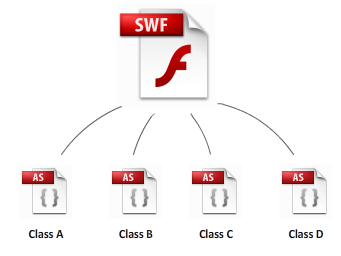
If you have some familiarity with programming in ActionScript, the
chances are very high that you have used classes such as String,
Number, MovieClip, etc. before.
Despite how common classes are to use, writing your own class is not a walk in
the park.
In this article, you will learn what classes are, how classes can be
used with Flash, and how to create your own class.
Fundamental to object oriented programming
is the
concept of objects. These objects have to be defined somewhere,
and that "somewhere" is where classes come in. Let's take a look at the
example where you have an application that is made up of ten blue circles:

Each blue circle is an object, and each object is created from some sort
of a
template. This template specifies the type of your object and any
characteristics this object exhibits, and these templates are known
as....classes! For example, all of your circle objects could be based on
a BlueCircle class that defines the various characteristics of the
circle itself:
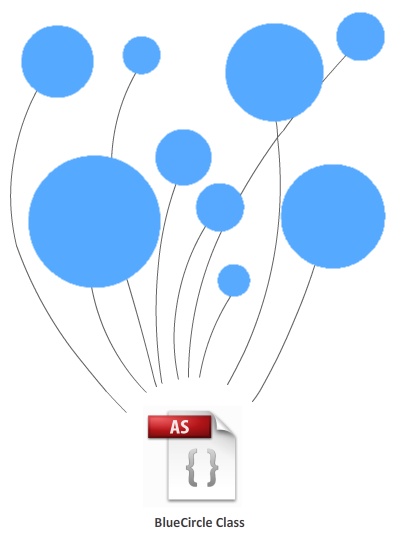
In the example I have provided, each of your circle objects was built
from a class that contained information about your object's characteristics.
Digging one level deeper, the following is an example of what a class defined in code
vaguely looks like:
- package {
- import
flash.display.*;
-
- public
class BlueCircle {
-
- private
var
someVariable:uint;
-
- public
function
Circle()
{
- //initial tasks
- }
-
- public
function
SetColor(newColor:uint)
{
- //code for setting the
color
- }
-
- public
function
SetSize(newSize:uint):
- {
- //code for setting the
size
- }
- }
- }
Don't worry if the above code doesn't make sense. By the end of this
tutorial, the brief overview you just saw above will make more sense as
more details and layers are revealed to you...starting on the
next page!
Onwards to the
next page.
|



 Classes in ActionScript 3