|
by
kirupa | 14 May 2008
There are many things
you can do using just XAML. That is nice because you
can use a designer tool such as Expression Blend to
create those "many things" without having to write
any XAML manually or writing any code. Despite the power XAML brings to
the table, there are things that XAML just isn't
designed to today.
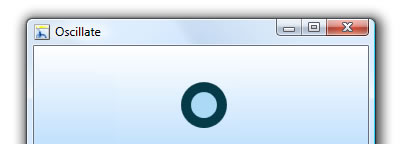
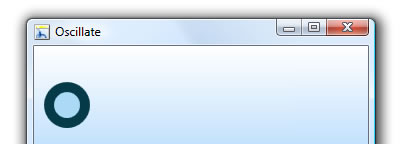
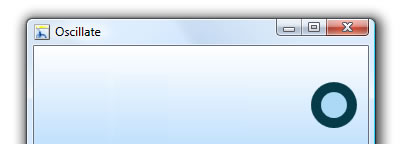
For example, I have an
animation where a circle oscillates from one edge of
the window to another:
[
Time 0: Starting Location ]
[
Time 1: Left Edge ]
[
Time 2: Back to the Center ]
[
Time 3: Right Edge ]
[
Time 4: Back to the Beginning ]
While the static
screenshots don't show it, there is also a slight
easing effect where the circle decelerates as it
approaches either the left or right edges of the
window. Anyway, that detail isn't particularly
important right now.
What is important is
that all of what
you see above - the oscillation animation with the
easing - was defined entirely using XAML:
- <Storyboard
x:Key="Oscillate">
- <DoubleAnimationUsingKeyFrames
-
BeginTime="00:00:00"
-
RepeatBehavior="Forever"
-
Storyboard.TargetName="ellipse"
-
Storyboard.TargetProperty="(UIElement.RenderTransform).
(TransformGroup.Children)[3].(TranslateTransform.X)">
-
- <SplineDoubleKeyFrame
-
KeySpline="1,0,1,1"
-
KeyTime="00:00:00"
- Value="0"/>
- <SplineDoubleKeyFrame
-
KeySpline="0,1,1,1"
-
KeyTime="00:00:01"
- Value="-130"/>
- <SplineDoubleKeyFrame
-
KeySpline="1,0,1,1"
-
KeyTime="00:00:02"
- Value="0"/>
- <SplineDoubleKeyFrame
-
KeySpline="0,1,1,1"
-
KeyTime="00:00:03"
- Value="140"/>
- <SplineDoubleKeyFrame
-
KeySpline="1,0,1,1"
-
KeyTime="00:00:04"
- Value="0"/>
-
- </DoubleAnimationUsingKeyFrames>
- </Storyboard>
Let's complicate the
example a bit. Now, I decide to change the speed of
the oscillation while our application is running.
Here is what our UI looks like with that twist
thrown in:
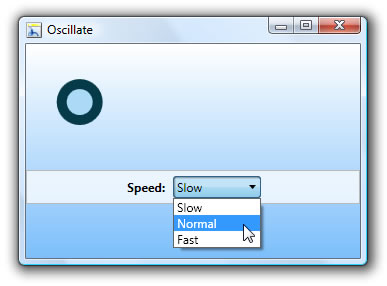
Notice that I now have
a combo box where I can change the speed of the
animation based on what combo box item I select.
Now, this is something
that would be difficult (if not impossible) to
implement using just XAML. You will have to write
some code to do this. While that may seem daunting,
it's actually fairly straightforward. Let's figure
out how to do that on the
next page!
Onwards to the
next page!
|



 Modifying Animations using C# - Page 1