 Tutorials
Books
Videos
Forums
Tutorials
Books
Videos
Forums


This is an archived tutorial from the kirupa.com legacy collection. It covers software that may no longer be available, but it is kept online because the ideas still hold up.
In After Effects, we all want to achieve smooth
animations. No body likes to see choppy motion.
In this tutorial, you'll learn a few methods on
how to control the speed with a few clicks. Here
is an example:
[ butter is better - click to play ]
Open After Effects with a canvas large enough to experiment on and import your graphics (ctrl+i). Set an FPS (frames per second) rate of about 24 to 40 and a duration of 0:00:01:00 respectively. Start your movie out at 0:00:00:00.
Once we drag an object on the stage, we can go ahead and create some basic motion.
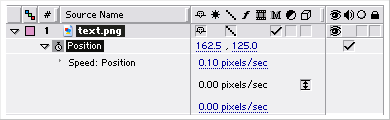
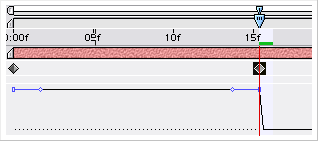
The
Heart of Butter
We
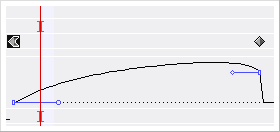
see a curve on the timeline window, this is where
all the magic happens. The curve determines the
speed of the animation to the time of the movie.
Currently, our motion is constant.
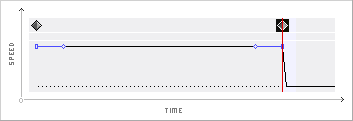
If
you're good with the pen tool and know how to
easily manipulate points and curves, this should
be a snap for you. You
can keep practicing by dragging both points
in every direction to see what the result ends
up as. This is a very powerful method, giving
you full control.
Try some other custom curves:
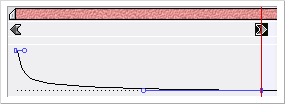
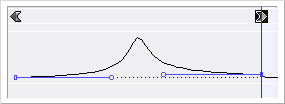
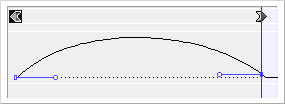
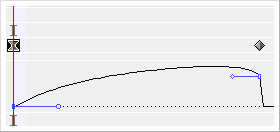
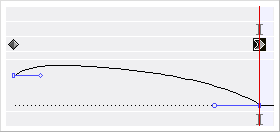
There are 3 automatic ease options in After Effects, we can access them by right-clicking on a frame, selecting 'keyframe assistant' and then one of the 3 ease options from there.
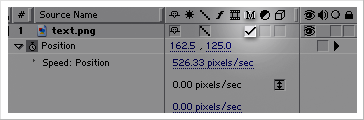
If you'd really like to produce a realistic effect of liquid motion, you can also use the motion blur technique. This will blur any movement between 2 keyframes. In order to do so, check the "M" for a layer.
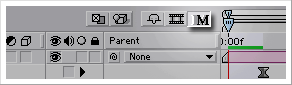
Then,
click the "Master Motion Blur" button
on top of the timeline window to activate motion
blur for all layers.
Last
Words:
As
usual, the source files for the After Effects
document used in the example at the top of this
tutorial has been provided. Make sure you practice
as much as you can, it's the only way to make
magic.
|
|
Download Adobe After Effects 6.0 File |
You can always post your comments, complaints, fast-food orders or any questions on the KirupaForum. We can't guarantee the best food, but we can guarantee the best coffee and yes, we are open late at night.

|
{
Reef } The trashcan on the left is not mine |
Just a final word before we wrap up. What you've seen here is freshly baked content without added preservatives, artificial intelligence, ads, and algorithm-driven doodads. A huge thank you to all of you who buy kirupa's books, became a paid subscriber, watch the videos, and/or interact on the forums.
Your support keeps this site going! 😇

:: Copyright KIRUPA 2026 //--
