


This is an archived tutorial from the kirupa.com legacy collection. It covers software that may no longer be available, but it is kept online because the ideas still hold up.
With all of Swift 3D's 3D-to-Flash abilities, you do not see many uses of the ultimate cool effect: three dimensional text. Why do you not see many examples of animated 3D text? The primary reason is file size. The word "kirupa" rendered in Swift 3D can easily take up about 50k-60k in simple Arial font. Text, unlike shapes, has far more detailed lines, curves, and edges that need to be converted to the Flash format.
There is a solution to the file size problem: wireframe text. Wireframe text is a method of exporting your animation without any shadows and fills. All you will see is the basic outline of the text. By displaying only the outline, the file size for text is considerably less, and the animation can look quite "cool".
You will create something similar to the spinning text in the following animation.
[ the animation has been modified in Flash MX ]
What does wireframe text need? Text of course! The following instructions will help you to add text in Swift 3D v2:

[ the Create Text tool ]
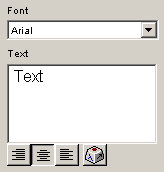
[
the text panel ]
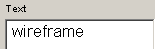
[ replace 'text' with 'wireframe' ]

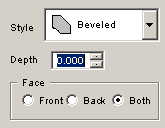
[ enter a value of '0' in the Depth field ]
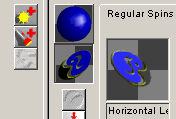
[ apply a horizontal spin to the wireframe text ]
The final steps involve exporting the movie into the Flash SWF file format:
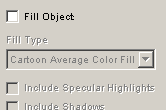
[ uncheck the fill object checkbox ]
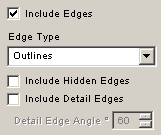
[ the edge options ]
The above tutorial should have helped you to learn how to create Wireframe text by using Swift 3D. As you can tell, the wireframe text is not really an 'effect', but it is merely an effect that takes advantage of Swift's Exporting features!
Just a final word before we wrap up. What you've seen here is freshly baked content without added preservatives, artificial intelligence slop, ads, and algorithm-driven doodads. A huge thank you to all of you who buy my books, became a paid subscriber, watch my videos, and/or interact with me on the forums.
Your support keeps this site going! 😇


:: Copyright KIRUPA 2026 //--
