


This is an archived tutorial from the kirupa.com legacy collection. It covers software that may no longer be available, but it is kept online because the ideas still hold up.
A really neat feature in swift 3D v3 is the lathe editor. Some of you probably never even used this because you were either too lazy or too scared to try it out. Swift 3D's modeling tools are somewhat limited, so they give you editors to create your shapes.
What's The Lathe Editor?
The lathe editor is a special function in swift 3D that lets you draw a curve or a shape of some sort. Then, once in the scene editor, your curve/shape is rotated and duplicated in a circle as many times as it needs to until it meets again. Let me show you an example to clear things up.
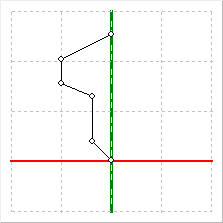
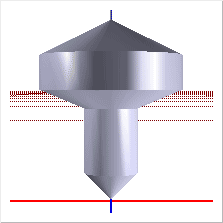
Note that the curve in the lathe editor (left) becomes a shape in the scene editor (right). This is pretty self-explanatory. You draw a curve and it will revolve in a full circle around the vertical (y) axis.
Here Is How:
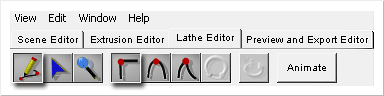
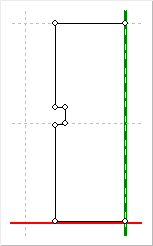
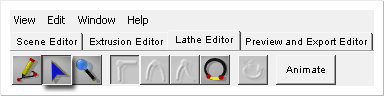
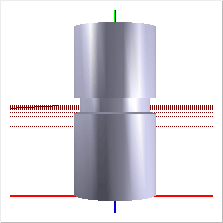
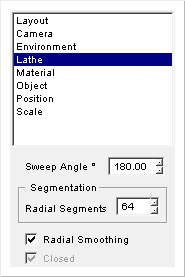
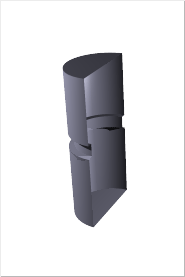
And that's it! It takes time to make your shapes perfect. So play around with lots of settings, points and properties and you will be a pro in no time. Don't be afraid to experiment in these types of programs, experimenting will all come out for the better.
I hope I helped you get a more advanced understanding in lathe modeling. You can create some amazing shapes with them if you practice enough with the right concentration.
Here is an example of a shape I made in Swift 3D. All objects in here are made by the lathe editor.
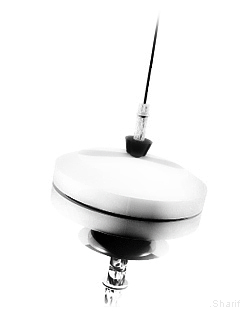
As always, I have provided the swift 3D file that we used in this tutorial for you to play around with.
If you have any questions, comments or would like to show your work, feel free to post on the forums.
 |
Sharif the Reefster |
Just a final word before we wrap up. What you've seen here is freshly baked content without added preservatives, artificial intelligence, ads, and algorithm-driven doodads. A huge thank you to all of you who buy kirupa's books, became a paid subscriber, watch the videos, and/or interact on the forums.
Your support keeps this site going! 😇

:: Copyright KIRUPA 2026 //--
