 Tutorials
Books
Videos
Forums
Tutorials
Books
Videos
Forums


This is an archived tutorial from the kirupa.com legacy collection. It covers software that may no longer be available, but it is kept online because the ideas still hold up.
What exactly is a motion tween? First, let's imagine that you place a box on the table. Now, imagine, that after 10 seconds, the box suddenly disappears and magically appears again a few inches to the right of where it had been originally. Pretty strange isn't it?
Well, if you could rewind your past minute and watch it again, what will you see? You will see the box suddenly disappear and appear again in a different position with no cohesion or "animation" in the 10 seconds that elapsed. Here is where motion tweening comes in. With motion tweening, instead of the square disappearing and reappearing, you will instead see the square slowly moving itself to its new position - no disappearing acts at all! A motion tween, simply put, fills in the missing sequences between a starting position and the ending positions to create a full animation.
This tutorial will explain how to create a motion tween in Flash MX 2004, and hopefully you will understand more about motion tweens. Your animation, toward the end, will look a tad bit similar to the following animation:
[ create a simple animation ]
Learn How to Tween:
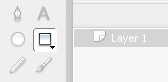
[ click the rectangle tool icon ]
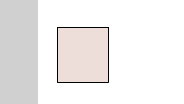
[ draw a square - make sure it is aligned toward the left ]
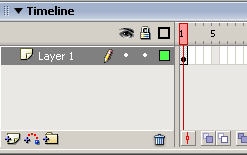
[ notice the solid dot in your timeline ]
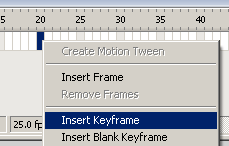
[ select Insert Keyframe on Frame 20 ]
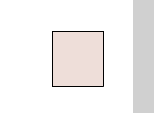
[ square moved to the right of the movie ]
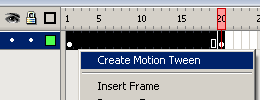
[ highlight all the frames and select "Create Motion Tween" ]
I hope this tutorial helped you to understand what a motion tween is. Think back toward the box example I used earlier. Notice that before the motion tween, the box just vanished and appeared in a new position. Similarly, remember that the square between Frame 1 and Frame 20 just abruptly appeared at Frame 20 prior to the motion tween. With the motion tween applied though, notice that the abruptness was gone.
The motion tween approximated the position the square or box would be during their quest, and made it more realistic - more animated. No more random disappearing and appearing acts.
I have provided my source code that shows you how I created the example shown in the screenshots in the tutorial. Click the following link to download the FLA file:
Just a final word before we wrap up. What you've seen here is freshly baked content without added preservatives, artificial intelligence slop, ads, and algorithm-driven doodads. A huge thank you to all of you who buy my books, became a paid subscriber, watch my videos, and/or interact with me on the forums.
Your support keeps this site going! 😇


:: Copyright KIRUPA 2026 //--