 Tutorials
Books
Videos
Forums
Tutorials
Books
Videos
Forums


If, like me, you've put some nice scrolling text on you websites, or you want to, then you have probably noticed the default scroll bar in Flash isn't that visually simulating, not to mention the fact the it looks a bit clumsy on the page.
Note
This tutorial is designed for Flash MX. If you use Flash MX 2004 or Flash 8, you will not be able to use the Library to edit Flash Components.
I have decided to write a tutorial this as there must be other people thinking the same as me! This is what we are going to create:
[ an example of a skinned toolbar in action ]
Creating the Text Scroller:
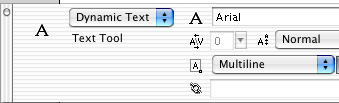
[ make your text-field dynamic text ]

[ draw a large-enough text box ]
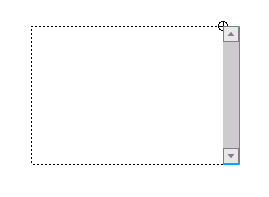
[ drag and drop the Scrollbar Component ]
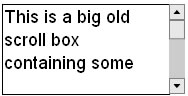
[ add some text to cover up the empty area ]
In the next page, you will learn how to edit the individual components of your scrollbar.
Just a final word before we wrap up. What you've seen here is freshly baked content without added preservatives, artificial intelligence, ads, and algorithm-driven doodads. A huge thank you to all of you who buy kirupa's books, became a paid subscriber, watch the videos, and/or interact on the forums.
Your support keeps this site going! 😇

:: Copyright KIRUPA 2026 //--