 Tutorials
Books
Videos
Forums
Tutorials
Books
Videos
Forums


This is an archived tutorial from the kirupa.com legacy collection. It covers software that may no longer be available, but it is kept online because the ideas still hold up.
You may have tried the game control tutorials on kirupa.com and found them to be a little difficult even with Kirupa's greatly simplified explanations. Well, this tutorial will show you how to create movement for a car with only the use of 1 component.
[ use your arrow keys or your keypad to turn and accelerate the car ]
Download the source file and the component required below. The source does not contain the loader you will create that yourself.
You may have noticed the car is off GTA.
This is because it is the only
birds eye view of cars I knew of. Firstly please download
the source file from above. This will only include the car
(for which you will put the controls in yourself), And also
the component.
Before you can install the Extension file, you will need to get Macromedia extension manager 1.5 or later. Click here to download it. Make sure you install the Extension file using the Macromedia Extensions manager. Once you have installed the component open the source file and we can begin.
Once you have the above files and the Extension Manager downloaded, follow the directions to get your animation configured:
Once you open the fla file your flash stage should look like the following image:
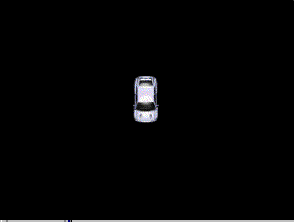
[ your stage should look like above image ]
As you can see. the car is on
its own. Open up the Components panel and click on the top
of the panel to see all the components you have installed.
Click on the
game controls. You will see that there are 4 options to keep
it less complicated. Click the car controls and drag the
icon onto the top of your car. The icon should snap onto
place over the car.
To test out your movie, press ctrl+enter and use the arrow
keys to drive. If you feel the car is a little slow all you
have to do is click the little orange car controls icon and
go to properties and increase the forward and backwards
speed also if you increase the left and right controls to 10
the car will turn faster.
[FrontPage Include Component]
Hope this is helpful!
-Tom
http://www.typhoon-extensions.cjb.net
Just a final word before we wrap up. What you've seen here is freshly baked content without added preservatives, artificial intelligence, ads, and algorithm-driven doodads. A huge thank you to all of you who buy kirupa's books, became a paid subscriber, watch the videos, and/or interact on the forums.
Your support keeps this site going! 😇

:: Copyright KIRUPA 2026 //--