 Tutorials
Books
Videos
Forums
Tutorials
Books
Videos
Forums


This is an archived tutorial from the kirupa.com legacy collection. It covers software that may no longer be available, but it is kept online because the ideas still hold up.
Due to a patent ruling, plug-ins loaded using the embed, applet, and object tags will no longer be interactive unless the user actually clicks on the plug-in object first:
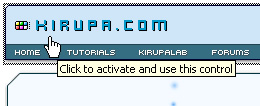
[ you must click before you can interact with embedded plug-ins ]
As of this moment, only Microsoft's Internet Explorer browser is affected. Unless web developers ensure their Flash content is not loaded via the popular embed, a method provided by even Macromedia's default HTML publishing method, all visitors who are running an up-to-date version of IE will see the above "Click to activate and use this control" message when hovering over a Flash animation.
Note
All embedded plug-in content will display as usual. You simply will not be able to interact with the content unless you click on it first.
Both Microsoft and Adobe have provided useful suggestions on how to fix this issue, and in this tutorial, I will be providing instructions on how to use the FlashObject method to easily display Flash animations without the hassle of having to have your users click first.
Let's get started:
Download FlashObject Script
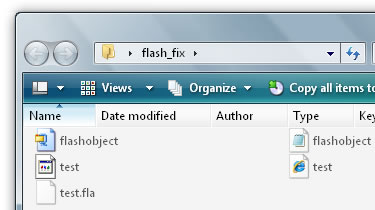
If everything worked out, you should be able to interact with embedded Flash content without having to click on them first.
First, if you are using the above Code Generator for multiple animations on your page, be sure to only keep the first appearance of the following code:
<script

 type="text/javascript" src= "flashobject.js"></script>
While most browsers will cache multiple calls to the same file (flashobject.js), some may not depending on what your site's caching settings are.
Second, according to the code, your Flash animation will be placed wherever the flashobject div tag is. If you have multiple animations using the same generated code, make sure to change the reference to something else:
<div id="flashcontent" style="width: 765px; height: 58px">
<script type="text/javascript">
var fo = new FlashObject("http://www.kirupa.com/swf/headerv2b.swf", "animationName", "765", "58", "8", "#FFFFFF");
fo.addParam("allowScriptAccess", "sameDomain");
fo.addParam("quality", "high");
fo.addParam("scale", "noscale");
fo.addParam("loop", "false");
fo.write("flashcontent");
</script>
If you do not ensure that each FlashObject method points to a different div name/location, you will find animations with duplicate div names loading in the same place. You probably do not want that!
Just a final word before we wrap up. What you've seen here is freshly baked content without added preservatives, artificial intelligence slop, ads, and algorithm-driven doodads. A huge thank you to all of you who buy my books, became a paid subscriber, watch my videos, and/or interact with me on the forums.
Your support keeps this site going! 😇


:: Copyright KIRUPA 2026 //--