 Tutorials
Books
Videos
Forums
Tutorials
Books
Videos
Forums


Unlike regular HTML, buttons are more than just simple navigation interfaces. In Flash, any object can be a button. Buttons not only provide feasible methods of taking the user to another page, but buttons also create an interface where certain advanced functions can be called. In the tutorial below, you will learn how to create a button and add the over, down, and hit states.
The animation below will show how your button will look at the end of this tutorial. (Move the mouse over the circle and click to see what I am talking about):
Creating And Making The Button Work:
First, create a new movie in Flash. This is fairly a simple procedure, so there will be no "intro" source code. There is the link to download the final source code on the bottom of this page as usual.
Here's How:
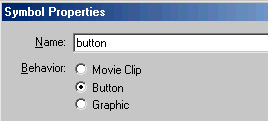
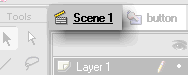
That is all there is to creating a button in Flash. Buttons provide interactivity as well as a fundamental way of allowing the visitor to navigate. Functions like Get URL, Go To And Play, and all the Mouse states will work only when the instance is a button. Buttons are also what the JavaScript developers call "Rollover" effects. To see how my button compares to the one you created (they should both be similar except for the color variations), download the Final source by clicking here!
Just a final word before we wrap up. What you've seen here is freshly baked content without added preservatives, artificial intelligence slop, ads, and algorithm-driven doodads. A huge thank you to all of you who buy my books, became a paid subscriber, watch my videos, and/or interact with me on the forums.
Your support keeps this site going! 😇


:: Copyright KIRUPA 2026 //--