 Hitchhiker's
Guide to the Forums - Messaging
Hitchhiker's
Guide to the Forums - Messaging
by kirupa : 18 June 2006
Many times, you may find it more appropriate to send a
message to one user directly via the forums. You can do that
by using the forums' Private Messages link located
throughout the forums or at:
http://www.kirupa.com/forum/private.php
The Private Messaging interface looks like the following
image:
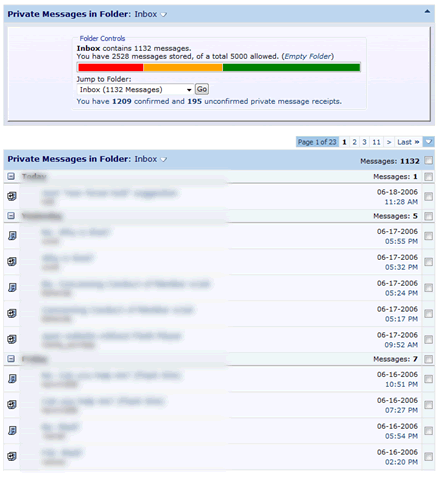
[ the private messages folder ]
The layout should remind you of an e-mail
program. You can see all of the messages you have received,
and the notification icons indicate whether you have replied
to the message or not:
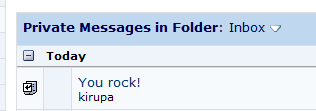
[ a sample private message with the subject and sender shown
]
To create a new Private Message, click on
the Send New Message link on the left navigation. You will
see an interface that closely resembles the standard Message
Posting Interface. The only difference is that besides
having message areas for posting your Message and Message
Title, you have a Recipients area where you can enter the
forum usernames of the user or users you want to send a
message to.
The Recipients field narrows down the list
of forum users as you type the name, so don't worry if you
can't remember the name's spelling. As long as you are
close, the auto-complete feature will help you out:
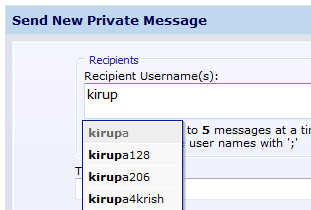
[ the recipients autocomplete feature ]
Once you have written your message, simply
send your message out by pressing the Submit Message button
found at the bottom of the page. When you receive a message
from someone, you will receive a notification similar to
what you see below:
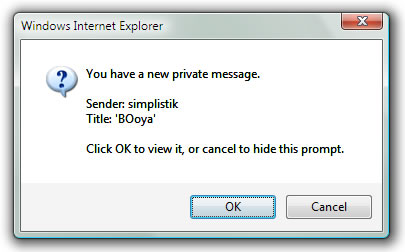
[ the private message notification ]
On the next page
is the all important Guidelines!
|










