[REACT](https://www.kirupa.com/react/index.htm)
[BOOK](https://www.amazon.com/exec/obidos/ASIN/0134546318/kirupacom)
# Building Custom Hooks
by [ kirupa](https://www.kirupa.com/me/index.htm) | filed under [Learning React](https://www.kirupa.com/react/index.htm)
By now, you've used a bunch of the hooks that come with React: `useState`, `useEffect`, `useRef`, `useReducer`, and `useContext`. What you may not have realized is that you can make your own. Custom hooks are one of the nicest ideas in React, and they are much simpler than the name makes them sound.
A custom hook is a way to take some logic that you wrote inside a component and move it into a function so that other components can use it too. In this tutorial, we'll see how to do that, and we'll build four hooks that you can use in your own apps: `useToggle`, `useLocalStorage`, `useWindowSize`, and a small `useFetch`.
Onwards!
## Why Custom Hooks?
Let's say we have a panel that opens and closes when you click a button. It needs a piece of state to remember whether it's open, and a function to flip that state:
```jsx
import { useState } from "react";
function Panel({ label }) {
const [open, setOpen] = useState(false);
function toggle() {
setOpen((current) => !current);
}
return (
);
}
```
This is fine. But toggling a boolean is something you do all the time: menus, modals, accordions, dark mode switches. If you copy and paste these few lines into every component that needs them, you end up with a lot of duplicates. If you later decide to change how toggling works, you have to find every copy.
When code is repeated like this, the usual solution in programming is to put it in a function. That's exactly what we are going to do, with one twist: this function is going to call hooks.
## Your First Custom Hook
Here is the toggle logic pulled out into its own function:
```jsx
import { useState } from "react";
function useToggle(initialValue = false) {
const [value, setValue] = useState(initialValue);
function toggle() {
setValue((current) => !current);
}
return [value, toggle];
}
```
That's a custom hook. There is nothing special about it beyond two things. It calls other hooks (here, `useState`), and its name starts with `use`. The function takes whatever arguments you like and returns whatever you like. In our case, it takes an optional starting value, and it returns an array with the current value and a function to flip it.
Our `Panel` gets a lot shorter now:
```jsx
function Panel({ label }) {
const [open, toggleOpen] = useToggle(false);
return (
);
}
```
If you try this out, it behaves just as before. Click the button, and the label flips between open and closed. The component now reads as "I have something that toggles" instead of spelling out how toggling works.
### Why the Name Starts with use
The `use` prefix is more than a style choice. React has a set of rules for hooks: they can only be called at the top level of a function component or another hook (never inside loops, conditions, or nested functions), so that React can match up each call with its stored state from one render to the next. Tools like the React ESLint plugin enforce these rules, and they decide whether a function is a hook by looking at its name. If your function calls hooks, name it `useSomething` and the tools will check it for you. If it doesn't call any hooks, it can be a plain function and doesn't need the prefix at all.
## Sharing Logic, Not State
This is the part that surprises people the most. Let's use two panels:
```jsx
function Panels() {
return (
<>
);
}
```
If you click the first button, only the first panel changes. The second one stays closed. Each time a component calls `useToggle`, it gets its own, completely separate copy of the state. Here is a picture of what that looks like:
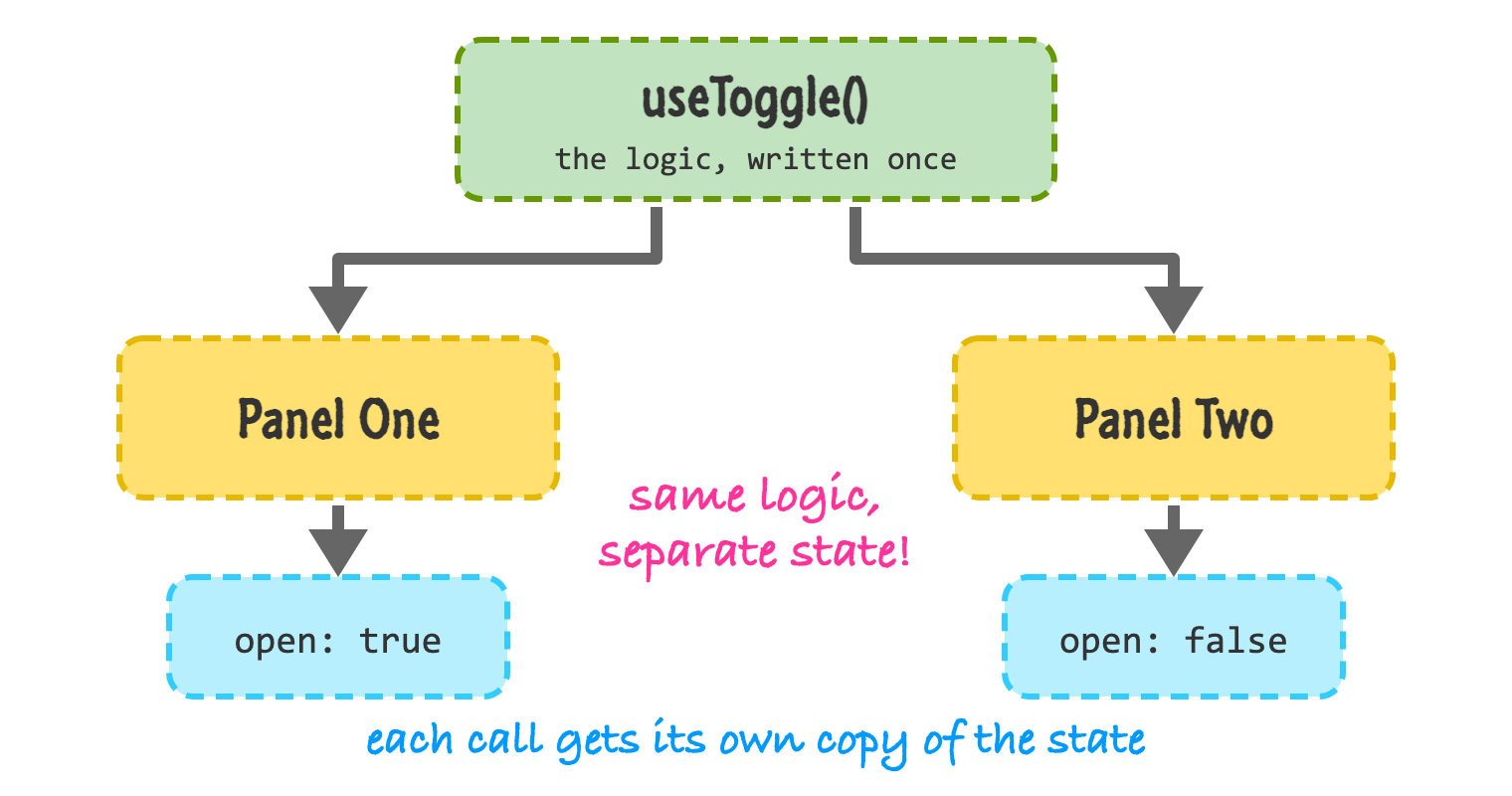
A custom hook shares the **logic**, but not the **state**. The code inside the hook is written once. Each component that calls it gets its own state, just like calling `useState` directly inside the component would. It's as if you had pasted the hook's body into each component.
This is an important distinction. If you do want several components to share the same state, a custom hook alone won't do it. You would keep the state in a common parent and pass it down, or put it in a context like we saw in [Sharing Data with Context](https://www.kirupa.com/react/sharing_data_with_context.htm).
## useLocalStorage
Our next hook is more useful. Browsers have a place called `localStorage` where you can save small bits of text that stick around even if the person closes the tab. A hook that works like `useState` but saves its value there is handy for things like preferences or a draft of something someone is writing.
```jsx
import { useEffect, useState } from "react";
function useLocalStorage(key, initialValue) {
const [value, setValue] = useState(() => {
try {
const saved = localStorage.getItem(key);
return saved !== null ? JSON.parse(saved) : initialValue;
} catch {
return initialValue;
}
});
useEffect(() => {
localStorage.setItem(key, JSON.stringify(value));
}, [key, value]);
return [value, setValue];
}
```
There is a bit going on here, so let's go through it. We pass a function to `useState` instead of a value. This is called a lazy initializer, and React only calls it the first time the component renders. That's helpful because reading from `localStorage` is not free, and we don't want to do it on every render. Inside, we look for a saved value under our key. If we find one, we turn the text back into a value with `JSON.parse`. If we don't (or if something goes wrong, like storage being disabled), we use the initial value.
The second half is an effect. Whenever the value (or the key) changes, we save it. Because it returns the same `[value, setValue]` pair that `useState` does, the hook is a drop-in replacement. Here is a notes box that remembers what you typed:
```jsx
function Notes() {
const [note, setNote] = useLocalStorage("note", "");
return (