[JAVASCRIPT](https://www.kirupa.com/html5/learn_javascript.htm)
[BOOK](https://www.amazon.com/exec/obidos/ASIN/0789758067/kirupacom)
# Simple Video Chatting with WebRTC
by [ Serge Herkül](https://twitter.com/_sergeh) | 16 October 2017
So...you read the [Accessing your Webcam in HTML](https://www.kirupa.com/html5/accessing_your_webcam_in_html5.htm) tutorial, and you are probably wondering what is next. Well, wonder no more! It's time to get your feet wet with something known as **WebRTC**. As with all cool and important things, WebRTC is an acronym standing for **Web Real-Time Communication**. Digging a bit deeper, it is a collection of communications protocols and APIs that enable real-time peer to peer connections within the browser. Simply put, WebRTC allows for direct data transfer between two devices.
To see WebRTC in action, in this tutorial, we'll be building a 1-on-1 video chat as shown in the image below:
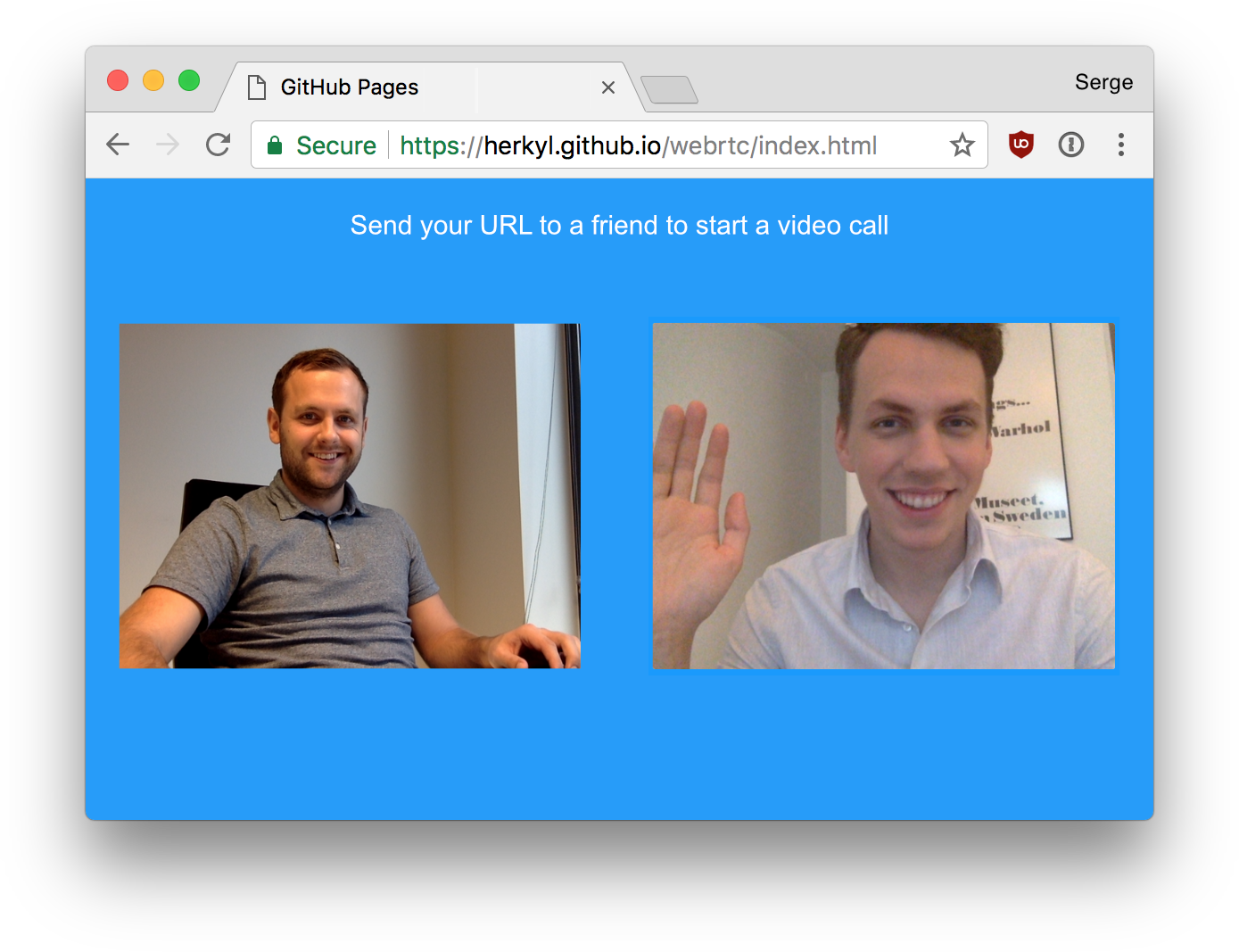
If you want something more than just a static image, you can test this out yourself by checking out [this live demo](https://scaledrone.github.io/webrtc/index.html). All you need is one more person on the other end. And with that, let's get started!
#### About the Author
Serge is a developer and entrepreneur from Estonia, focusing on product development and good user experience. He is the person pictured on the right in the above screenshot, and you can [find him on Twitter as _sergeh](https://twitter.com/_sergeh) :P
## WebRTC 101
Before we start to look at lines of code and markup, let's take a few seconds to understand the three major pieces involved with setting up our video chat solution. You major pieces are **signaling**, **ICE candidates**, and **STUN**, and let's look a bit deeper into what they are.
### Signaling
Signaling is an essential WebRTC term and the only one you **need** to understand. For two devices in different networks to find each other they need to use a central service called a **signaling server**:
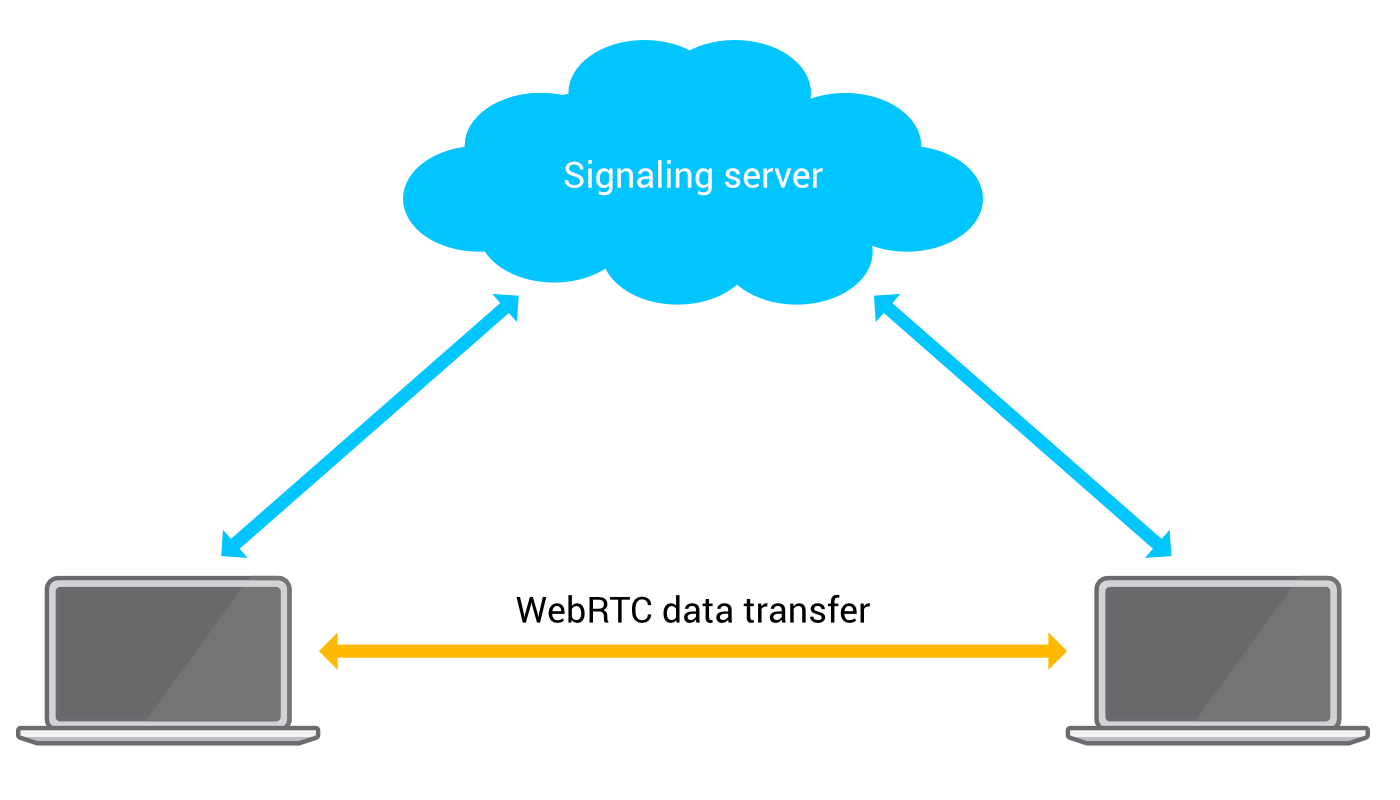
WebRTC does not have any signaling capabilities itself so an external method of transportation must be used. Any technique that allows for sharing data works - such as HTTP, texting, or even sending postcards. However, it's reasonable to write your own WebSockets Signaling server or use a similar Socket based implementation.
### ICE Candidates
ICE stands for Interactive Connectivity Establishment, and it's used for establishing communication for VOIP, peer to peer, instant-messaging, and other kinds of interactive media. Typically an ICE candidate provides the information about the IP address and port from where the data is going to be exchanged.
WebRTC peers exchange ICE candidates until they find a method of communication that they both support. After the connection has been established, ICE candidates can be traded again to upgrade to a better and faster communication method.
There is more to ICE than what I've described here, so if you are curious to learn more, [go here](https://en.wikipedia.org/wiki/Interactive_Connectivity_Establishment).
### STUN
STUN means Session Traversal Utilities for NAT. STUN is a protocol for assisting devices behind a NAT firewall or router with their packet routing. In practice, STUN helps to make setting up WebRTC connections more reliable. [Go here](https://en.wikipedia.org/wiki/STUN), to read more about STUN.
## Building the Example
Now that we've gotten a brief overview of what all is involved, let's start by building our app. Create a new HTML document and add the following markup into it:
```js
Send your URL to a friend to start a video call
```
Take a few moments to walk through everything going on in this document. Once you've done that, let's walk through it together as well.
First, we start by importing the **scaledrone.min.js** script which we will use for signaling:
```js
.
.
.
```
We'll revisit this script later, but just know that we are including it.
To display the video, we're going to be using two `video` elements:
```js
.
.
.
```
One `video` element will show our local camera feed, and the other `video` element will play the video and audio feed from the remote peer.
A little bit of CSS is used to set the video elements side by side and to add the page a bit of funk:
```css
body {
background: #0098ff;
display: flex;
height: 100vh;
margin: 0;
align-items: center;
justify-content: center;
padding: 0 50px;
font-family: -apple-system, BlinkMacSystemFont, sans-serif;
}
video {
max-width: calc(50% - 100px);
margin: 0 50px;
box-sizing: border-box;
border-radius: 2px;
padding: 0;
background: white;
}
.copy {
position: fixed;
top: 10px;
left: 50%;
transform: translateX(-50%);
font-size: 16px;
color: white;
}
```
Lastly, we're going to import the **script.js** file into which all of our JavaScript code goes:
```js
.
.
.