Up and atom!
Ay carumba!
This is a very simple HTML 5 document that contains two p tags that display two Simpsons quotes in the most boring of ways possible - the browser's default font style: 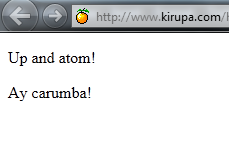 [ our example's output ] To help you learn more about getElementById and getElementsByTagName, we will be modifying the source from this simple document to see how they work. getElementById The most common way for you to reference an element is by accessing an HTML element by its `id`. The id is a ***unique*** name you give an element in your HTML. Note the emphasis on unique. Your document can only have one unique id value in it. Looking at our example, lets try to mess with our `p` tags:Up and atom!
Ay carumba!
If you wanted to access the first `p` tag directly using code, you'll need to name it by giving it an `id`. The way you name something in HTML is by adding the `id` attribute and giving it a name that you want to use. For our example, let's name our first `p` tag **quoteOne**. Your markup will look as follows:Hello, World!
Notice that the opening p tag is followed by `id="quoteOne"` before being closed. Once you have your element named (or ID'ed if it is under 21 - zing!), all that is left is to access it via code. The JavaScript function that allows you to do this is `getElementById`, and it looks as follows when used: The `getElementByID` function is always called on your `document`, and it takes one argument - the `id` of the element you are trying to reference. In our case, the `id` is **quoteOne**. What gets returned is, as you can guess by the function name, the element that matches the `id` you specified. You can declare a variable to store a pointer to the returned element: var quoteElement = document.getElementById("quoteOne");; You will never have more than one element returned with a `getElementById` call because you cannot name more than one element with the same `id`. getElementsByTagName You just saw you how you can reference an element by its `id`. If you are trying to cast a wider net, you can use another approach that involves finding all elements of a particular tag type such as `div`, `table`, etc. Taking our earlier example, let's say we want to get all of the `p` tags in our document:Up and atom!
Ay carumba!
The way you would do this is similar to the `getElementById` case: var allElements = document.getElementsByTagName("p"); The major difference is that you use the `getElementsByTagName` function and pass in the name of the tag whose elements you wish to get a reference to. In our case, that tag is `p`. What gets returned is not a single element like you saw before, but instead, you get an [array of elements](https://www.kirupa.com/html5/arrays_javascript.htm) whose tag names are what you specified. An array is something that is decribed in detail in [ this tutorial](https://www.kirupa.com/html5/arrays_javascript.htm), but if you are not familiar with what they are, just think of them as a container that stores many items. Let's actually use this function on the example HTML you saw earlier. Below is an example of me iterating through the `p` tags returned by the `getElementsByTagName` and setting the background of this element to be a light blue color: Here is a screenshot of what you see in your browser when the above script is run: 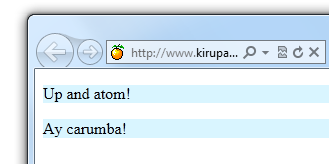 [ changing colors easily! ] See, this was pretty straightforward! If you didn't have `getElementsByTagName`, you would have to manually traverse your DOM and do all of this yourself. Note - Scoping your Search In my example, I am running the `getElementsByTagName` function starting with the document itself: var allElements = document.getElementsByTagName("p"); You can actually choose to constrain your search to only the subtree (or descendants) of the element you are actually interested in. Simply change "document" to the variable referencing another element, and your search will start with that element as the root instead. getElementsByClassName The last function we will look at is `getElementsByClassName`. This function returns a list of elements that match a particular class name that you provide. Let's say you modify your HTML to look as follows:Up and atom!
Ay carumba!
Notice that I added an `h1` element and gave it and our first `p` element a class value of `emphasis`. If I wanted to find all of the elements that had a class value of `emphasis` set, my JavaScript will look as follows: var someElements = document.getElementsByClassName("emphasis"); After this line runs to completion, the `someElements` variable will store an [ array](https://www.kirupa.com/html5/arrays_javascript.htm) that contains our `h1` element and our first `p` element. As you can see, the `getElementsByClassName` function is similar to our `getElementsByTagName` function because it has the ability to return all elements in the document that match what you are looking for. It is different in that it is a bit more discriminating. Only elements that you gave a particular class value to will be returned, and these elements can be from a mixture of tags as you see in this example. Conclusion Yes, yes, it is unfair that there exists this separation between your HTML and your JavaScript. One would have thought society had moved on and allow them to chat and communicate more easily instead of each living in its own little bubble. Fortunately, you have trailblazing icons in the form of `getElementById`, `getElementsByTagName`, and `getElementsByClassName` who transcend these boundaries and make it easy for you to reference an individual named element or a series of elements who share a tag name or class value. May their light keep on shining.