# What are Dynamic Elements?
by [kirupa](https://www.kirupa.com/me/index.htm) | filed under [HTML, CSS, and You!](https://www.kirupa.com/html5/learn_html_css.htm)
Learn more about these popular browser-created creatures and the several ways we have to bring them to life.
When we look at a web page, it is natural to think that the various HTML elements we specify in our source HTML document is what our browser will see in the DOM (Document Object Model) at runtime:
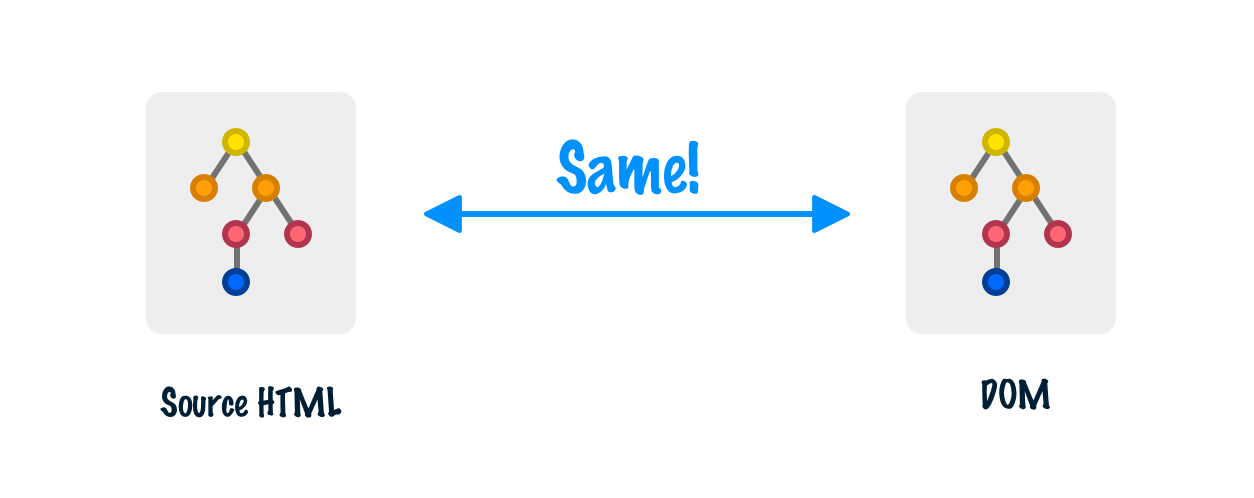
For a lot of ***simple*** documents, this thinking is totally true. The structure of all the elements based on the source HTML will match the DOM created by the browser when that source HTML is read. The reality is that most web pages are not simple. Even simple web pages aren't actually ***that*** simple. The DOM will typically have a lot more going on than what the source HTML might indicate:
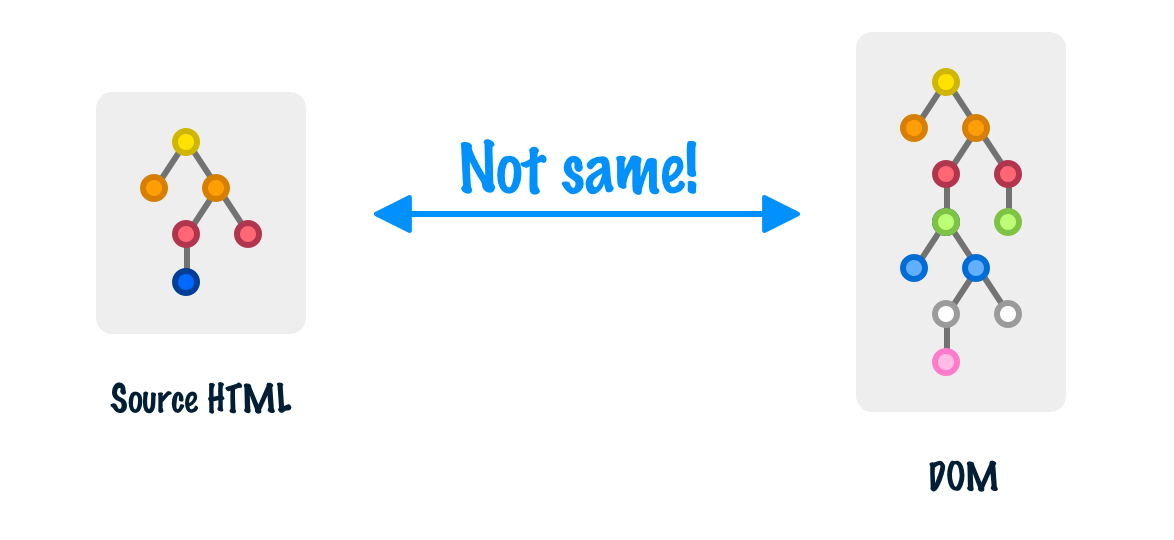
What is going on? What would cause our DOM to get so out-of-sync from the source HTML? The answer lies in a mysterious creature known as the **dynamic element** and the role it plays in our everyday lives. In the following sections, we're going to learn a whole lot about them.
Onwards!
## Dynamic Elements FTW!
Dynamic elements are just regular old HTML elements. What makes them special is that they get ***created by the browser*** and only exist during runtime as part of the DOM. There are a handful of ways a dynamic element gets created. Let's quickly look at what those handful of ways might be.
### Creating Elements using JavaScript
Like peanut butter and jelly, dynamic elements are almost always associated with JavaScript. [Using the various DOM APIs](https://www.kirupa.com/html5/creating_dom_elements_and_other_stuff.htm), any HTML element we create using JavaScript is considered to be dynamic. Take a look at the following example:
```html
Hello...
```
When we put all this in a HTML document and preview it in our browser, what we'll see will look as follows:
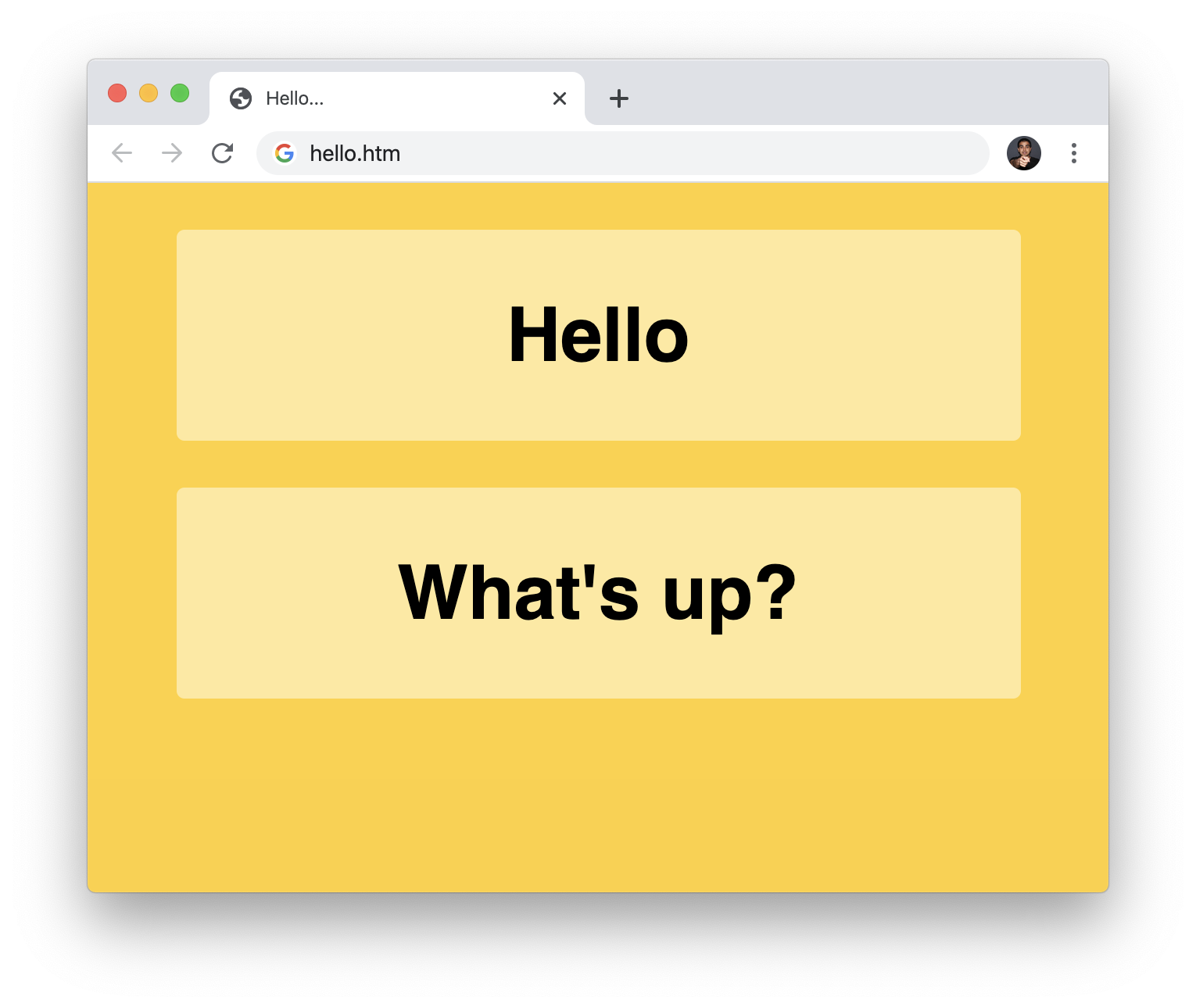
We'll see two yellow blocks with the words **Hello** and **What's up?** appear. One of these blocks is made up entirely of dynamic elements. One of these blocks is just static HTML spelled out in our source document. Now, there isn't an easy way to figure out which elements are dynamic and which ones have always existed in our source DOM. One tedious approach involves comparing the source HTML with the DOM our browsers generate, but we won't spend time on that here. Instead, take a look at the code contained inside the `script` tag:
```js
let textElement = document.createElement("p");
textElement.textContent = "What's up?";
let parentElement = document.createElement("div")
parentElement.appendChild(textElement);
document.body.appendChild(parentElement);
```
We can see the dynamicness of the **What's up?** text when we look at this code. Notice that we are using `createElement`, `appendChild`, and [other related DOM APIs](https://www.kirupa.com/html5/creating_dom_elements_and_other_stuff.htm) to create the `div` and `p` elements that allow the **What's up?** text to actually appear. Our source HTML will have no knowledge of these elements because this code will only run when the page is opened by the browser.
### CSS and Pseudo-Elements
At one point in a galaxy far away, CSS was just about styling whatever content was on our page. With the latest versions of CSS that all browsers support, we now have the ability to create dynamic elements (formally known as pseudo-elements in the CSS world) directly from a style selector. Take a look at the following example:
```html
Hello...
```
If we take all of this markup, plop it into a HTML document, and preview this document in our browser, this is what we will see:
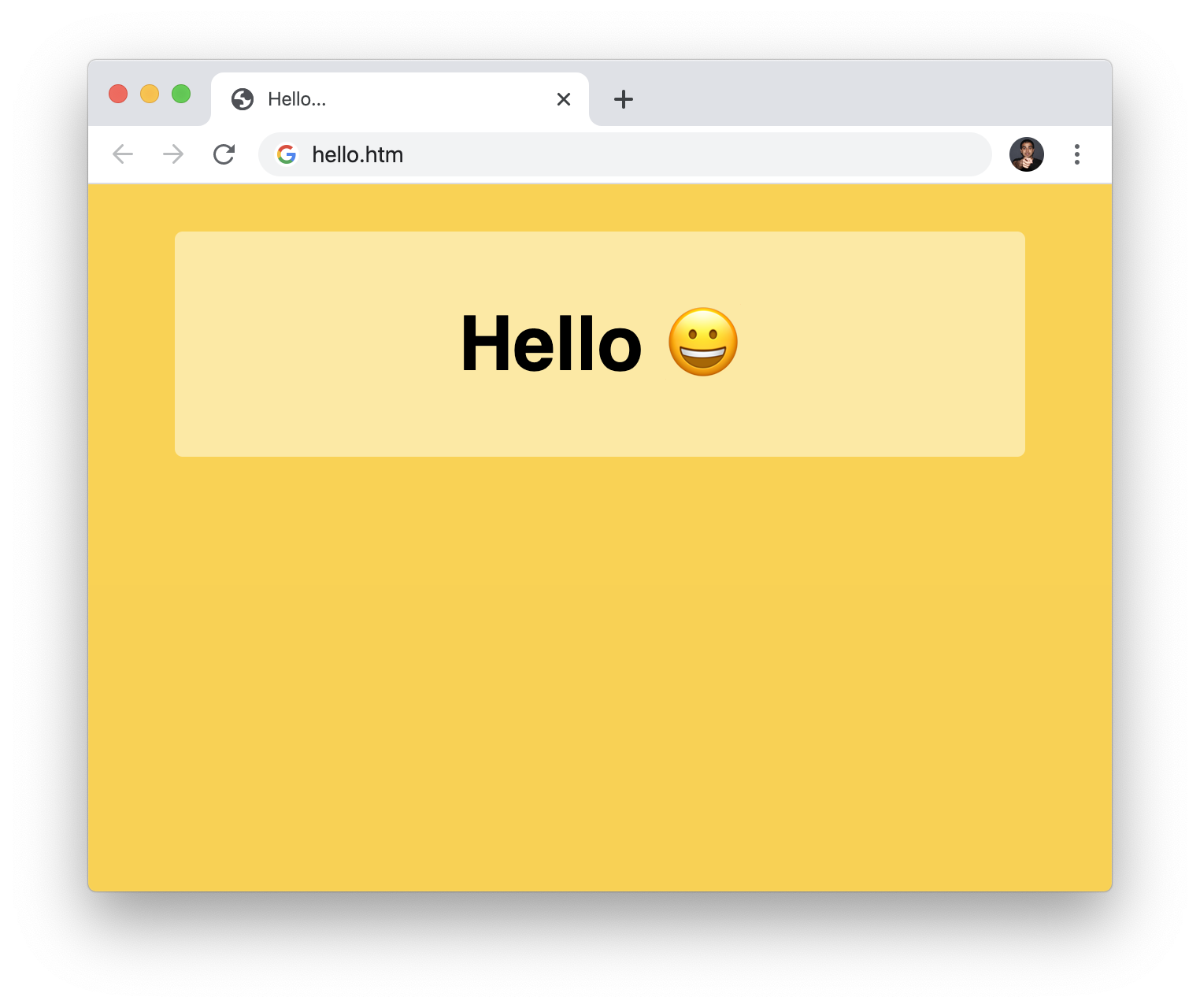
Notice what is going on here. Our `p` element just tells the browser to display the word **Hello**:
```html
Hello
```
Where did the smiley emoji come from? The answer to that lies in the following CSS:
```css
p {
font-size: 3em;
margin: 20px;
}
p::after {
content: " 😀";
}
```
The `p::after` selector and `content` property tells our browser to create an element after every occurrence of the `p` tag with the content we specify. In this case, the content we specified is the smiley emoji. Just like in the previous section, this is one more case where our source HTML won't provide any insight into what will happen. Only by running this page in the browser will we see the smiley emoji dynamically find its way into the DOM.
### Browser Rendered HTML Elements
The last area where dynamic elements get created has to do with (our good friend) the browser itself. HTML is a very forgiving language. We can make all sorts of mistakes when writing HTML, and our browsers will do their best to guess at our intention and fill-in any gaps themselves. Take a look at the following example:
```html
Hello...
```
Pay attention to our HTML very carefully. Notice something missing? Here is a hint: It starts with a **b** and ends in **ody**. We forgot to specify our `body` element! We just jump from the `head` element directly into the `div` that makes up our content. Despite this seemingly major omission, our page will load and display just fine:
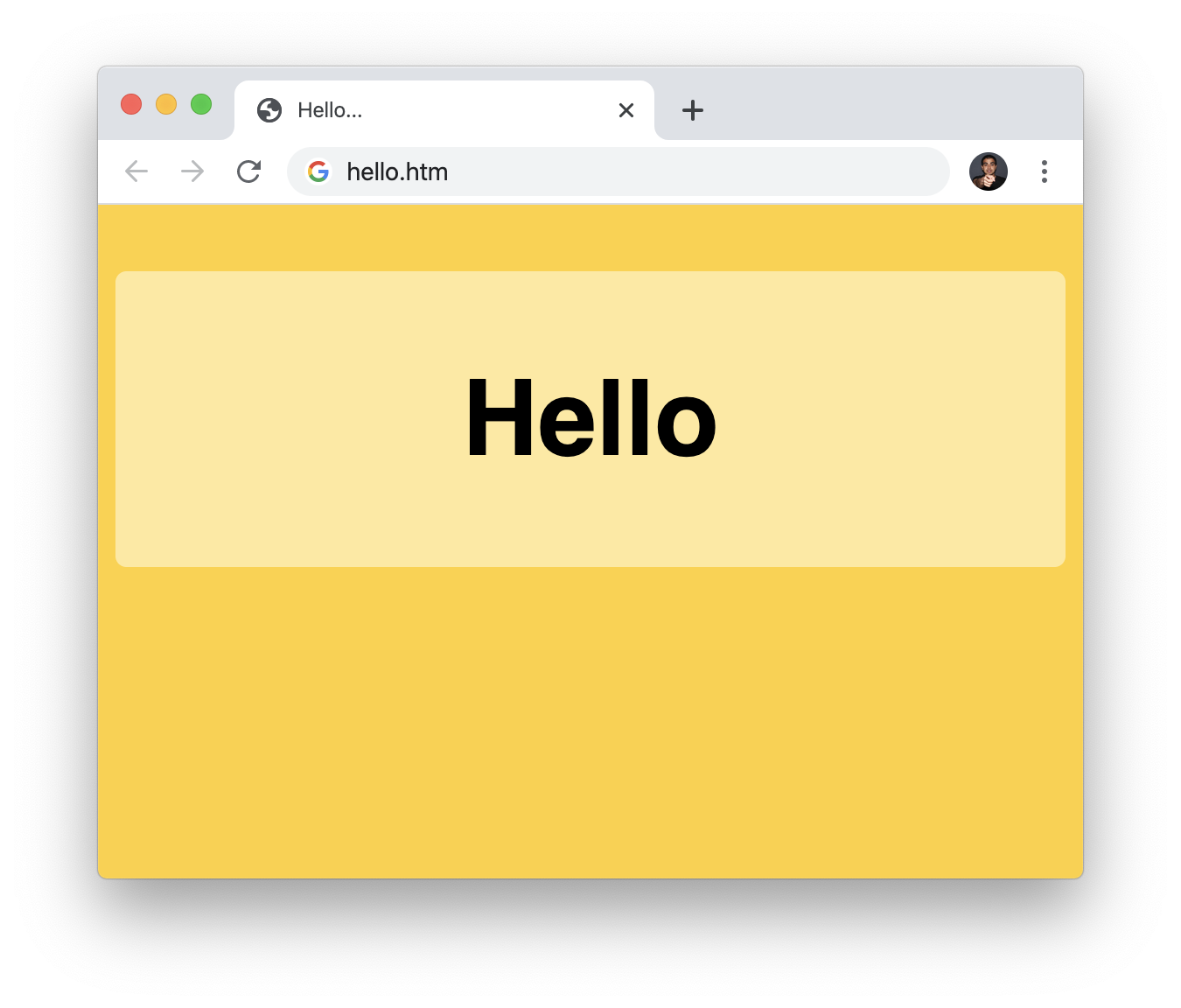
This isn't just a superficial fix. If we inspect our runtime DOM via the developer tools, notice that our `body` element is explicitly defined for us:
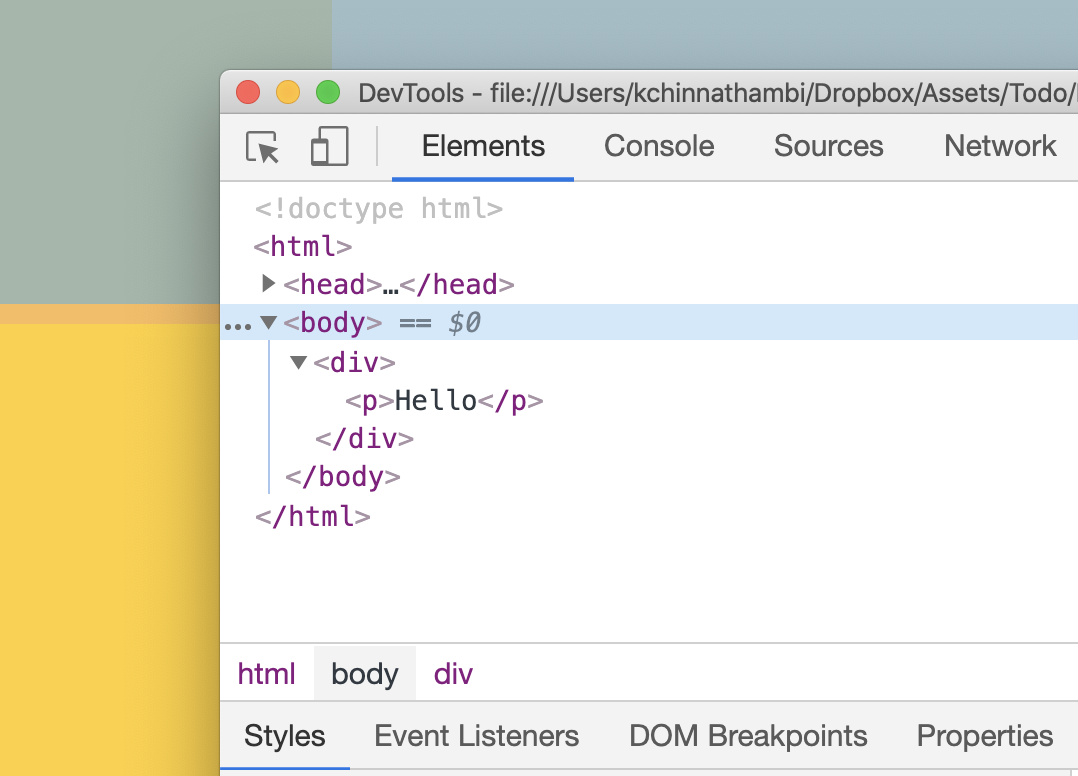
This is thanks to our browser dynamically generating this missing `body` element and doing a pretty good job placing it where it makes the most sense. Handling missing elements is just one of many situations where our browser will try to help fix a mistake we may have accidentally (or deliberately 🤡) made. Tying it to the theme of this article, these missing elements our browser creates are also dynamic elements that only exist in the runtime DOM but not in our original HTML source.
#### Static Elements with Dynamic Parts
There is a hybrid case that is worth calling out. You can have static elements defined in your source code, but the attributes and data inside this element could be modified or set by JavaScript. An example of this situation might be using `setAttribute` to change an attribute on a static element:
```js
let headingLink = document.querySelector("a.headingLink");
headingLink.setAttribute("src", "http://www.kirupa.com");
```
The overall element might be considered static, but it has now been infected by something dynamic! 🦠
## Conclusion
The dynamic nature of our web pages and apps makes the source HTML we write seem very incomplete. When the browser goes through what we specified, depending on what code we have, what selectors we have, and what elements our browser decides to generate, our runtime DOM is almost always going to differ from the source DOM we started off with in our source HTML. Now, does any of this matter? From our browser's point of view, **absolutely not**. Our dynamic elements are given the same treatment as static elements defined in the HTML source. If you look at the DOM, all elements are treated equally. CSS doesn't care how an element found its way into the DOM either. Depending on what you are doing in JavaScript, you may need to check whether a dynamic element is already in the DOM or not. That probably doesn't need calling out, for being careful is like Step #1 when working with JavaScript anyway 😇