# Awesome Todo List
by [kirupa](https://www.kirupa.com/about/whatiskirupa.htm) | filed under [Coding Exercises](https://www.kirupa.com/codingexercises/index.htm)
A classic coding exercise that ties together so many concepts is the Todo List app:
Your browser does not support inline frames or is currently configured not to display inline frames.
The way this Todo List app works is pretty simple. Type in a task or item or whatever you want into the input field and press Add (or hit Enter/Return). Once you've submitted your item, you will see it appear as an entry. You can keep adding item to add additional entries and have them all show up:
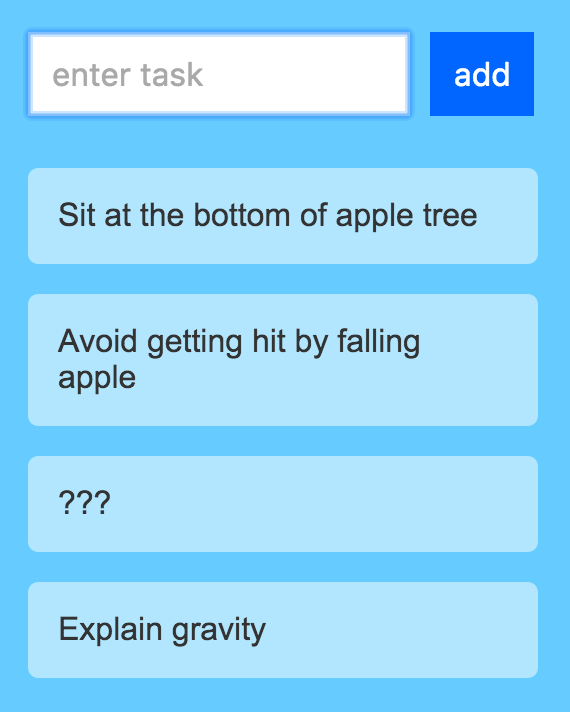
To remove an item, just click on an existing entry. That entry will be removed. Pretty simple, right? Now, it is time for you to create this Todo List app yourself as part of this fun coding exercise.
Onwards!
## Starting Point
The easiest way is to fork the following Codepen pen and start adding your modifications:
See the Pen [ Coding Exercises Start](https://codepen.io/kirupa/pen/qBYxQpr) by Kirupa Chinnathambi ([@kirupa](https://codepen.io/kirupa)) on [CodePen](https://codepen.io).
You may want to open the pen [in a new window](https://codepen.io/kirupa/pen/qBYxQpr) if you want more space to code your solution or bring up the Console to see the output.
If you prefer developing locally in your favorite code editor (like Visual Studio Code), create a new HTML document and copy/paste the following boilerplate/starting content into it:
```js
Coding Exercises Start
```
The HTML you see here is just the bare minimum content needed to help us get our web page up and running. The rest of the content is what you will add entirely on your own!
## Getting Your Badge
Once you have completed this challenge, you have earned the awesome bragworthy privilege of adding the following badge to [your collection](https://forum.kirupa.com/badges/):

To claim it, head over to the forums and respond in the [**Awesome Todo List** topic](https://forum.kirupa.com/t/building-an-awesome-todo-list-app/636214). **Be sure to include a link to your solution or insert a copy of your HTML/CSS/JS in the body of the message:**
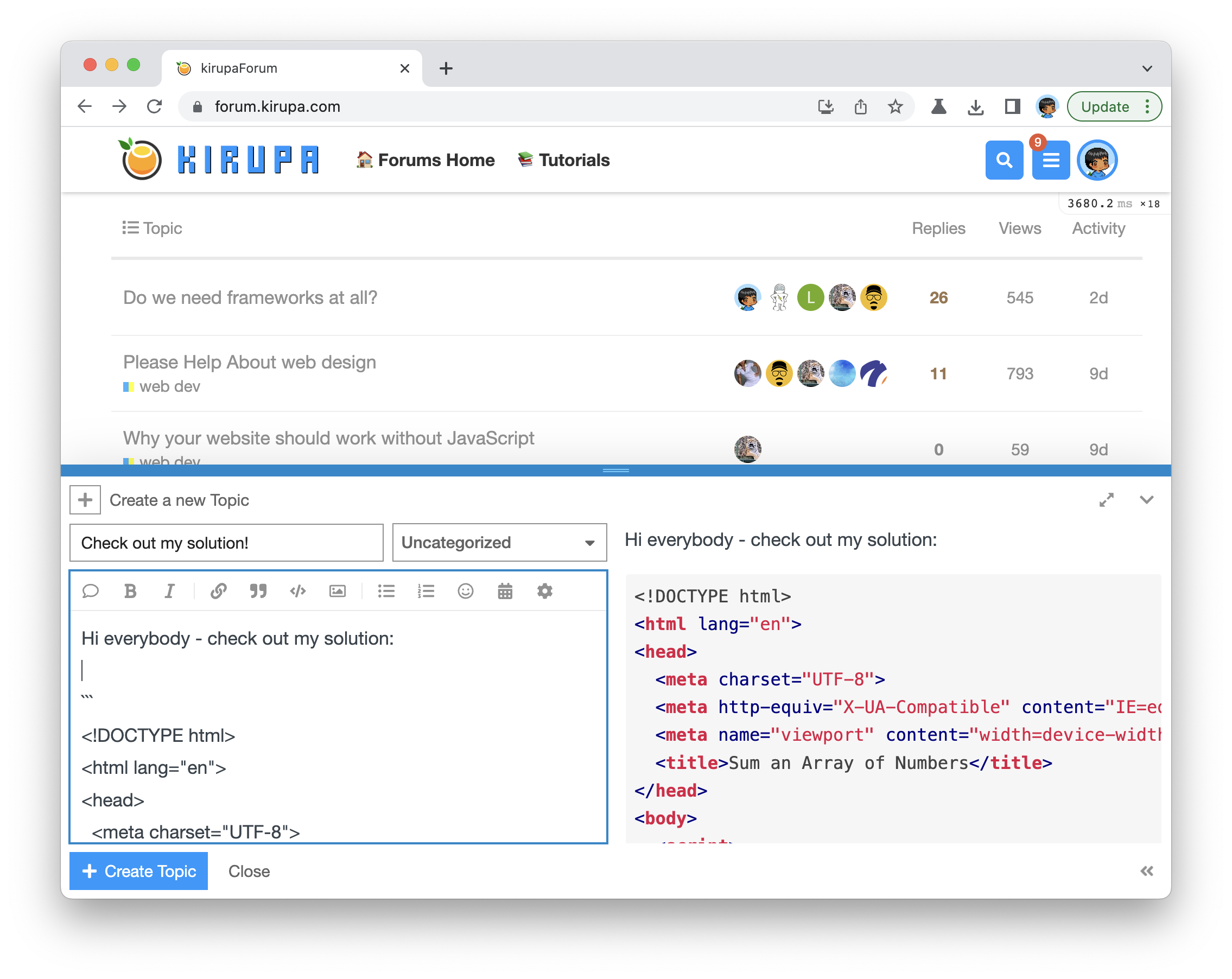
Once you have created your topic, Kirupa will give you a virtual high-five and ensure this badge is added to your list of assigned badges.
## Stuck? Need Help? Want a Code Review?
We want to make this a fun learning activity. If you are stuck and need help, please [ask on the forums](https://forum.kirupa.com). Please explain your problem in detail and one of the many helpful forum members will help you out.
If you want to see ***one*** way of solving this using React, check out Kirupa's video below:
There are many solutions possible, so don't worry if your working solution looks different. If it is different, do share it on the forums and the community as a whole will benefit from your creative solution!