# Stopwatch
by [kirupa](https://www.kirupa.com/about/whatiskirupa.htm) | filed under [Coding Exercises](https://www.kirupa.com/codingexercises/index.htm)
Whether we are timing a run, a pizza in the oven, or how fast we can solve a Rubik's Cube, a ***stopwatch*** is a handy thing to have around. In this exercise, we are going to build one. Take the one below for a spin (or [open it in a new window](https://www.kirupa.com/codingexercises/examples/stopwatch.htm)):
Your stopwatch needs to do the following:
1. Display the elapsed time in minutes, seconds, and hundredths of a second, such as **01:23.45**
2. Have a button to start and stop the stopwatch. When we start it again after stopping it, it should continue from where it left off
3. Have a **Lap** button that records how long the current lap took and adds it to a list
4. Have a **Reset** button that takes the time back to **00:00.00** and clears all of the laps
There is a sneaky gotcha here. You might think that we can use `setInterval` to add 10 milliseconds to our time every 10 milliseconds. The problem is that timers in JavaScript aren't guaranteed to run exactly on time, so our stopwatch will slowly drift away from the real time. A more accurate approach is to remember when the stopwatch started and calculate the elapsed time using `Date.now()` or `performance.now()`.
For extra credit, add a ring that sweeps around the time once every minute, similar to the example above. You can also highlight the fastest and slowest laps.
Onwards!
## Starting Point
Create a new HTML document in your favorite code editor (like Visual Studio Code) and copy/paste the following starting content into it:
```html
Stopwatch
00:00.00
```
This gives us a place to display our time, the three buttons for controlling our stopwatch, and an empty list for our lap times. The styling and the JavaScript are what you will add entirely on your own!
#### Hint: Some Learning Resources
The following tutorials may provide some helpful tips and techniques to help you with this exercise: [Timers in JavaScript](https://www.kirupa.com/html5/timers_js.htm), [Animating with requestAnimationFrame](https://www.kirupa.com/html5/animating_with_requestAnimationFrame.htm), [Events in JavaScript](https://www.kirupa.com/html5/javascript_events.htm), [Strings in JavaScript](https://www.kirupa.com/html5/strings_in_javascript.htm), [Numbers](https://www.kirupa.com/html5/numbers_in_javascript.htm)
## Getting Your Badge
Once you have completed this challenge, you have earned the awesome bragworthy privilege of adding the following badge to [your collection](https://forum.kirupa.com/badges/):
To claim it, head over to the forums and respond in the [Stopwatch topic](https://forum.kirupa.com/t/stopwatch-frontend-coding-exercise/683597). **Be sure to include a link to your solution or insert a copy of your HTML/CSS/JS in the body of the message:**
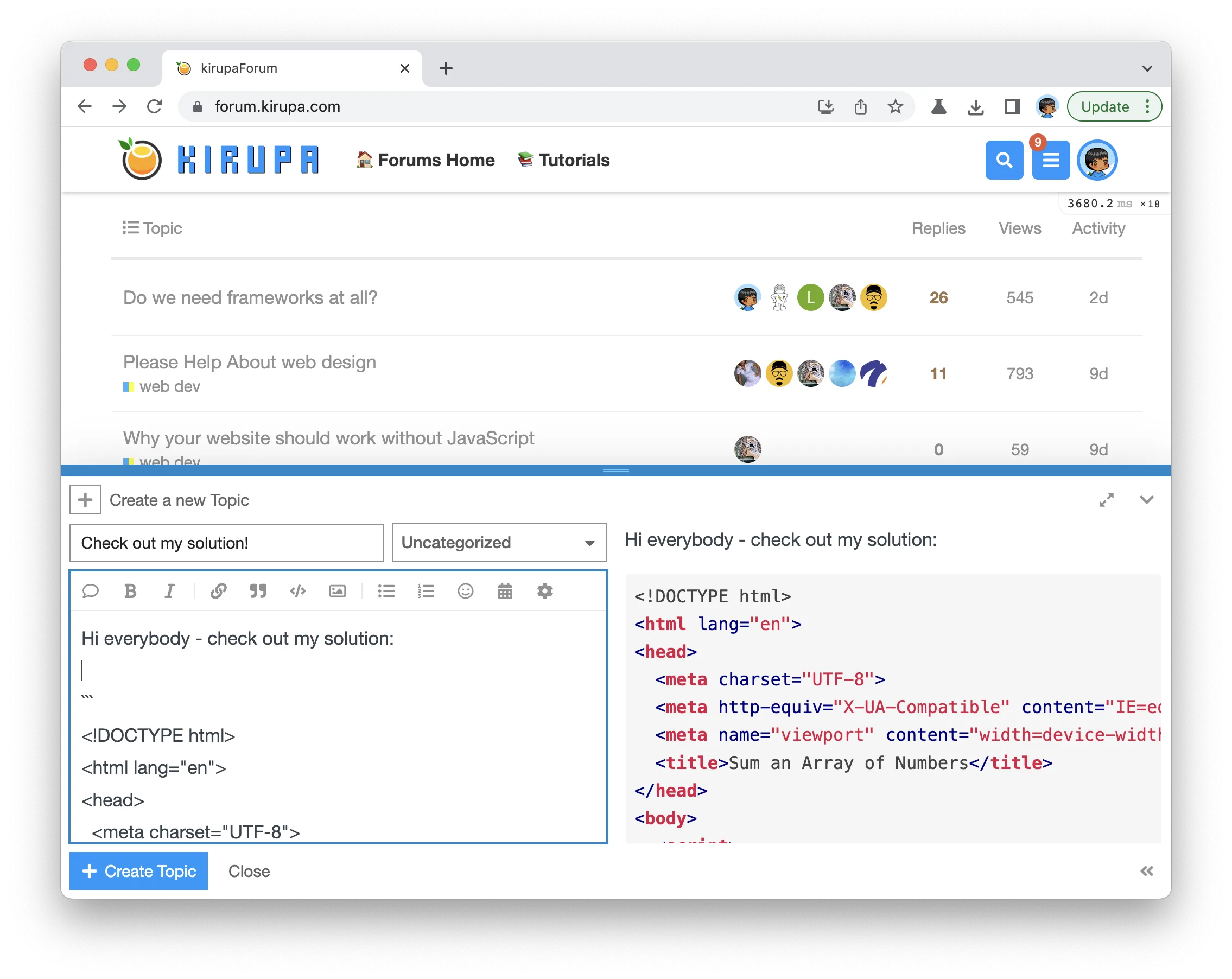
Once you have created your topic, Kirupa will give you a virtual high-five and ensure this badge is added to your list of assigned badges.
## Stuck? Need Help? Want a Code Review?
We want to make this a fun learning activity. If you are stuck and need help, please [ask on the forums](https://forum.kirupa.com). Please explain your problem in detail and one of the many helpful forum members will help you out.
Similarly, if you want feedback on your code, please also ask in the forums. This would be an excellent chance for you to learn how you can improve your solution from other web developers!