# Guess the Number
by [kirupa](https://www.kirupa.com/about/whatiskirupa.htm) | filed under [Coding Exercises](https://www.kirupa.com/codingexercises/index.htm)
At some point in your life, you would have played the classic ***Guess the Number*** game. This is a game where one person has a number in their mind. It is up to you to guess what that number is, and let's learn how to play it by...actually playing it! You can play this game below (or [open it in a new window](https://www.kirupa.com/codingexercises/examples/guess_the_number.htm)):
**Your goal is to guess the number the game has in mind. **The rules of this game are straightforward. For every number you guess, if you didn't guess the number correctly, you will be told whether your guess is **greater than** or **less than** the actual number the game has in mind. With that information, you make another guess to get closer to the answer.
The idea is that, with each answer on where your guess falls, you can narrow down on the correct answer until you eventually guess the correct answer exactly:
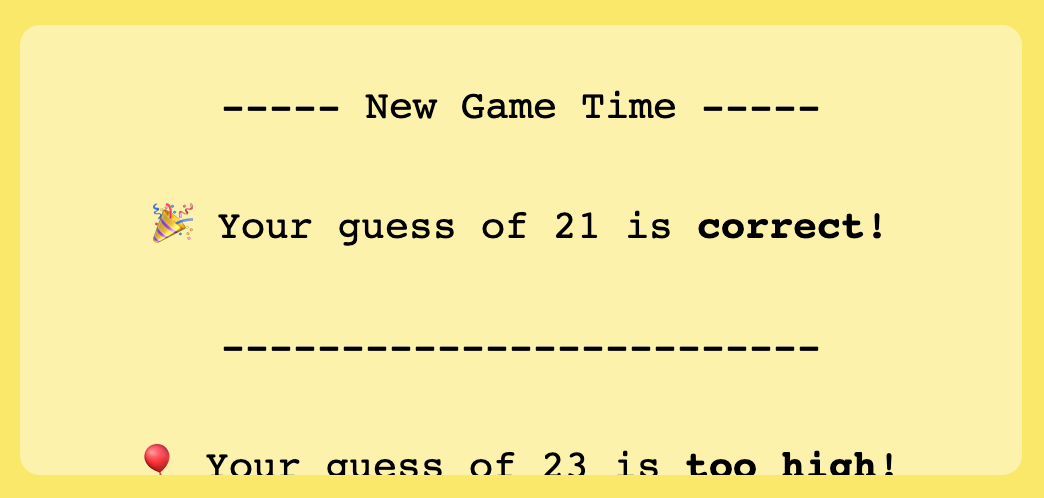
Seems like a fun and simple game, right? What you are going to do in this exercise is re-create this game.
Onwards!
## Starting Point
The easiest way is to fork the following Codepen pen and start adding your modifications:
See the Pen [ Coding Exercises Start](https://codepen.io/kirupa/pen/qBYxQpr) by Kirupa Chinnathambi ([@kirupa](https://codepen.io/kirupa)) on [CodePen](https://codepen.io).
You may want to open the pen [in a new window](https://codepen.io/kirupa/pen/qBYxQpr) if you want more space to code your solution or bring up the Console to see the output.
If you prefer developing locally in your favorite code editor (like Visual Studio Code), create a new HTML document and copy/paste the following boilerplate/starting content into it:
```js
Coding Exercises Start
```
The HTML you see here is just the bare minimum content needed to help us get our web page up and running. The rest of the content is what you will add entirely on your own!
## Getting Your Badge
Once you have completed this challenge, you have earned the awesome bragworthy privilege of adding the following badge to [your collection](https://forum.kirupa.com/badges/):

To claim it, head over to the forums and respond in the [**Guess the Number Game** topic](https://forum.kirupa.com/t/guess-the-number-game/653698). **Be sure to include a link to your solution or insert a copy of your HTML/CSS/JS in the body of the message:**
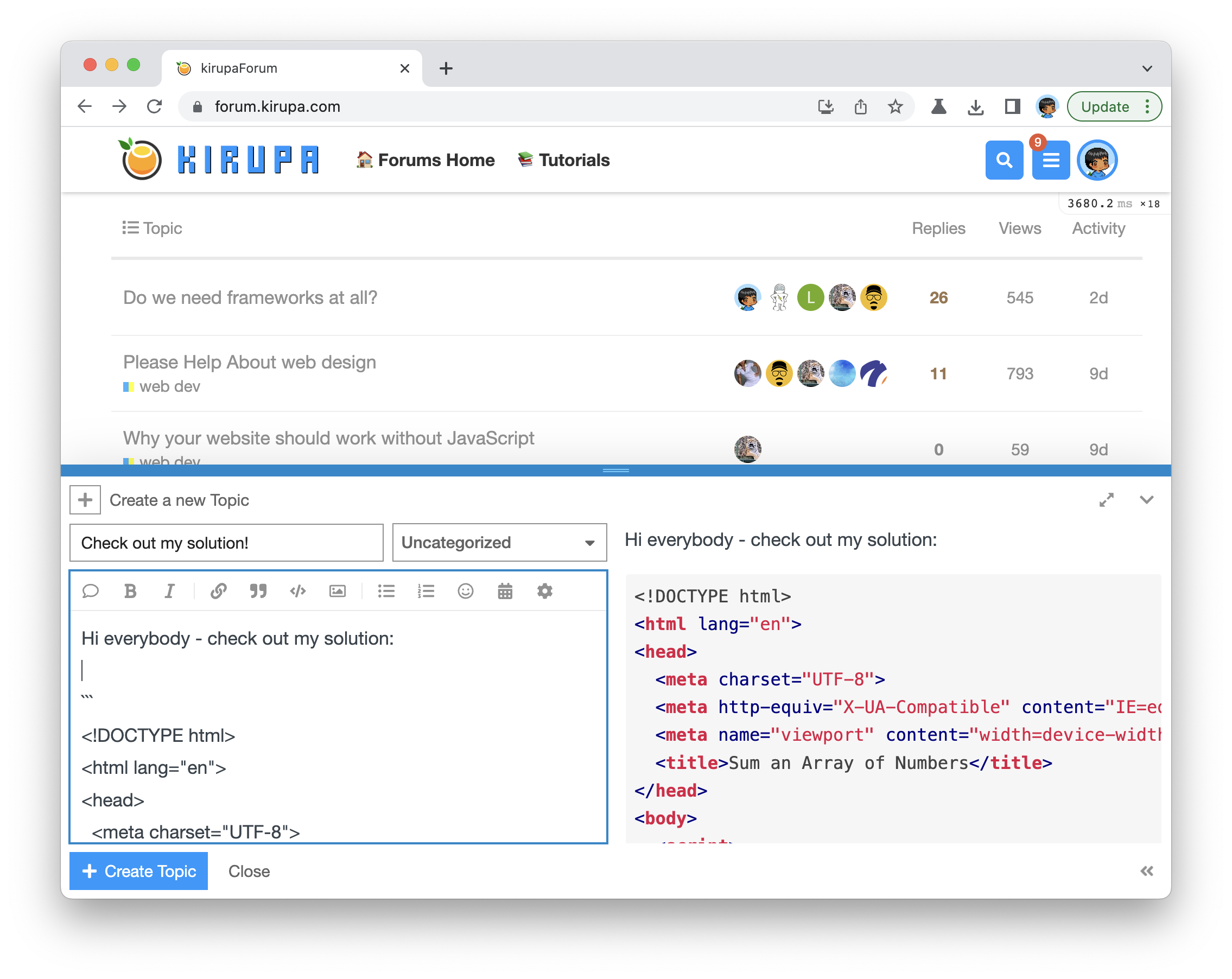
Once you have created your topic, Kirupa will give you a virtual high-five and ensure this badge is added to your list of assigned badges.
## One Possible Solution
We want to make this a fun learning activity. If you are stuck and need help, please [ask on the forums](https://forum.kirupa.com). Please explain your problem in detail and one of the many helpful forum members will help you out.
If you want to see ***one*** way of solving this, check out Kirupa's video and article below:
## The Approach
Before we write the first line of code, it is helpful to take a step back and think about what is going on in this game. If we start with the UI, the primary elements are the input field where we enter our guess and a scrollable results area below where we see whether:
1. Our guess is correct and the game restarts
1. Our guess is too low
1. Our guess is too high
1. We didn't enter a guess at all and left the input blank
There are some other visual elements like the picture of a hamburger and the game title itself that round out all of the interesting parts that we see:
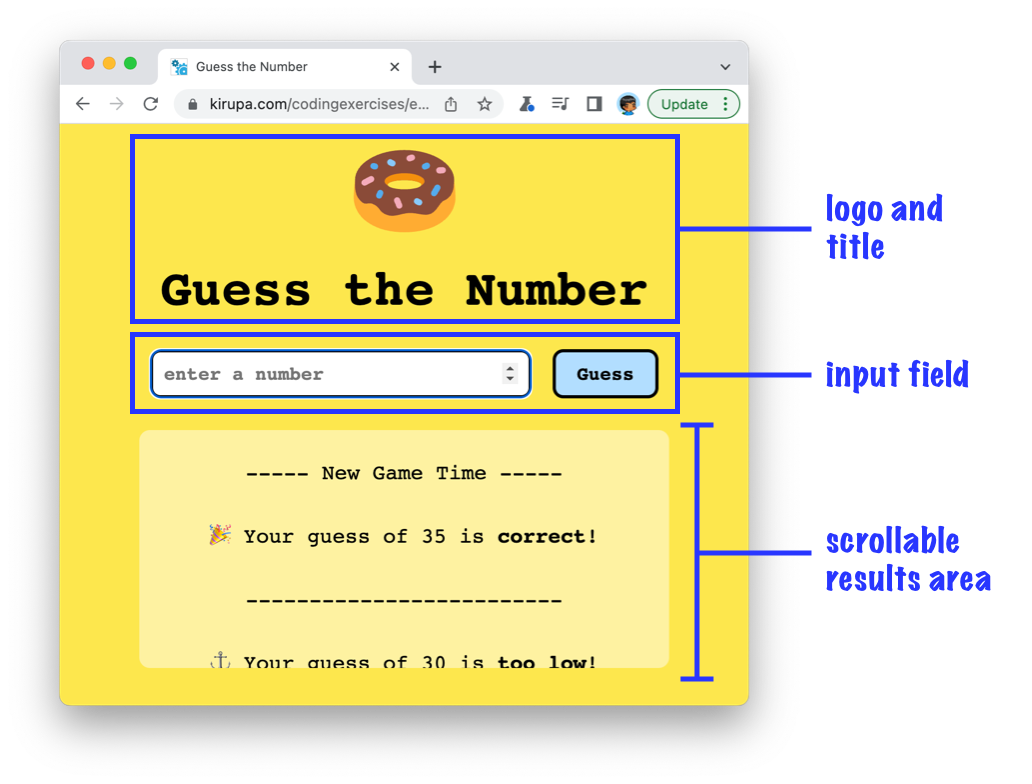
Digging deeper, beneath the UI is the game logic itself. This is where we have some JavaScript to ensure the number we enter is processed, compared to the answer value, and the appropriate results are generated and displayed in the scrollable results area. Let's turn all of these words and explanations into a working app in the next few sections. The best way for you to learn is to take a moment and try to create this game yourself. Once you have made sufficient progress (or gotten stuck), you can read on and follow along with how I would build this.
## Building the App
One way to get started building this app is by focusing on the UI first and then making one's way down tothe game logic. We are going to spice things up a bit and do things differently. The way we are going to start building this app is by starting with the core logic needed to make our game work first. Only after we get the game's core capabilities working will we shift our focus to the UI.
### Starting with the Game Logic
If you want to actively following along, create a new HTML document and add the following contents into it:
```html
Guess Number (Tutorial)
```
Take a moment to look at what this page is doing. Outside of the basic HTML boilerplate content, we have our `checkNumber` function that checks the value of `enteredNumber` against `numberToGuess`:
```js
function checkNumber() {
if (enteredNumber == numberToGuess) {
console.log("You win!");
return;
}
if (enteredNumber < numberToGuess) {
console.log("Your guess is too low!");
}
if (enteredNumber > numberToGuess) {
console.log("Your guess is too high!");
}
}
checkNumber();
```
For the purposes of what we are doing, the values of `enteredNumber` and `numberToGuess` are hardcoded to **15** and **10** respectively. If you run this example in the browser, bring up the Console to see the **Your guess is too high!** output:
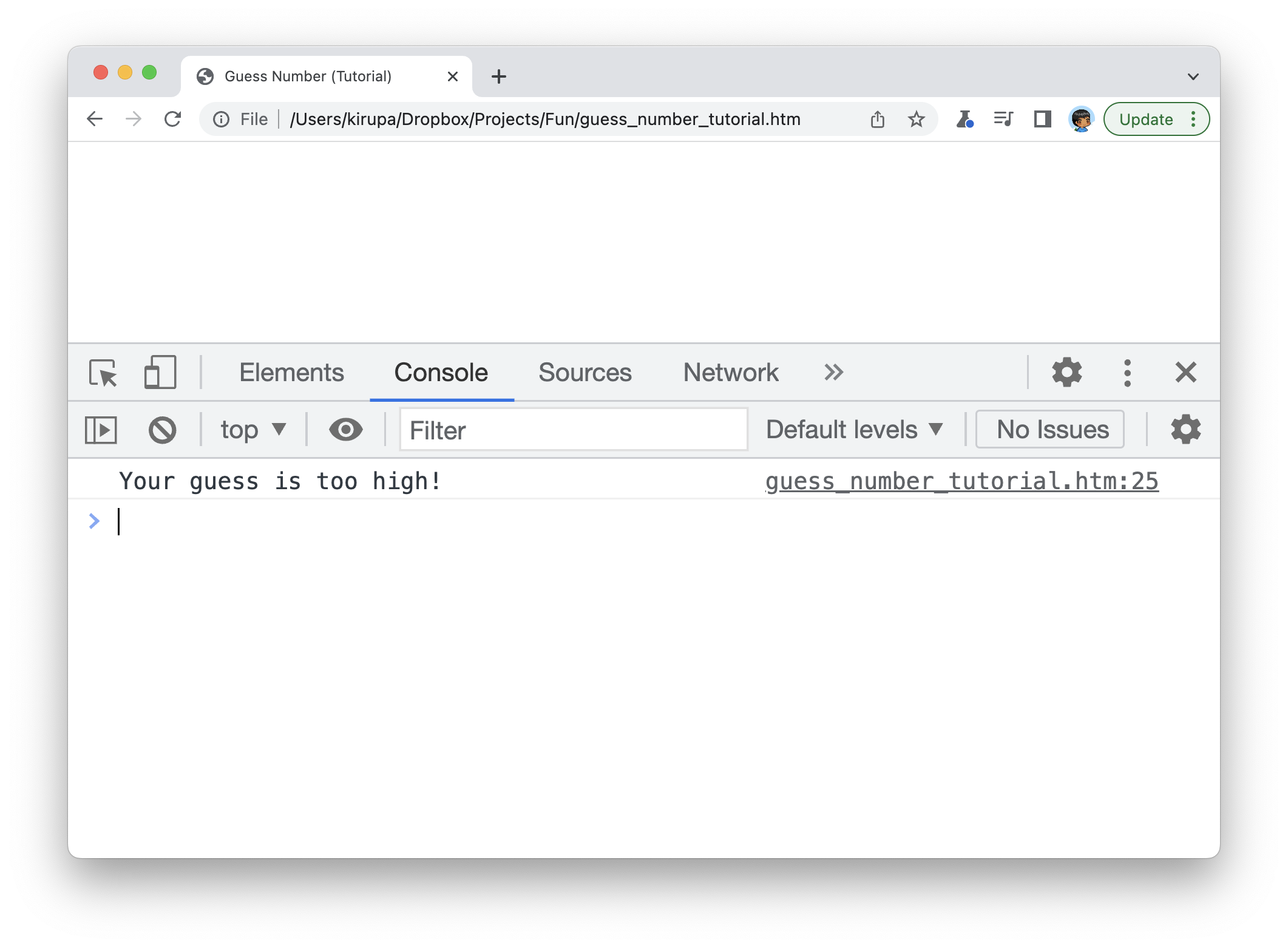
To test what our game will do for other values, change the value for `enteredNumber` in our example to other values like **9** or **10** to see our `checkNumber` function print the other messages to our console. Each time you change the value of `enteredNumber` in your code editor, you do have to refresh the page to ensure the new value gets picked up. That's the temporary price of starting from a very blank slate!
### Adding Richer Messages
From this humble starting point, the first thing we'll do is replace the messages being printed to our console to having the messages show up in our page. To do this, make the following highlighted additions and modifications to our page:
```js
Guess Number (Tutorial)
```
We added some HTML that will act as the parent for displaying our results, and we created the `results` value in JavaScript to store a reference to our **#results** HTML element. We also replaced our `console.log` statements to print the messages to our HTML element itself. After making these changes, go back to the browser and see what the new changes look like. You will see the results of our guesses appearing in our HTML document (as opposed to the Console):
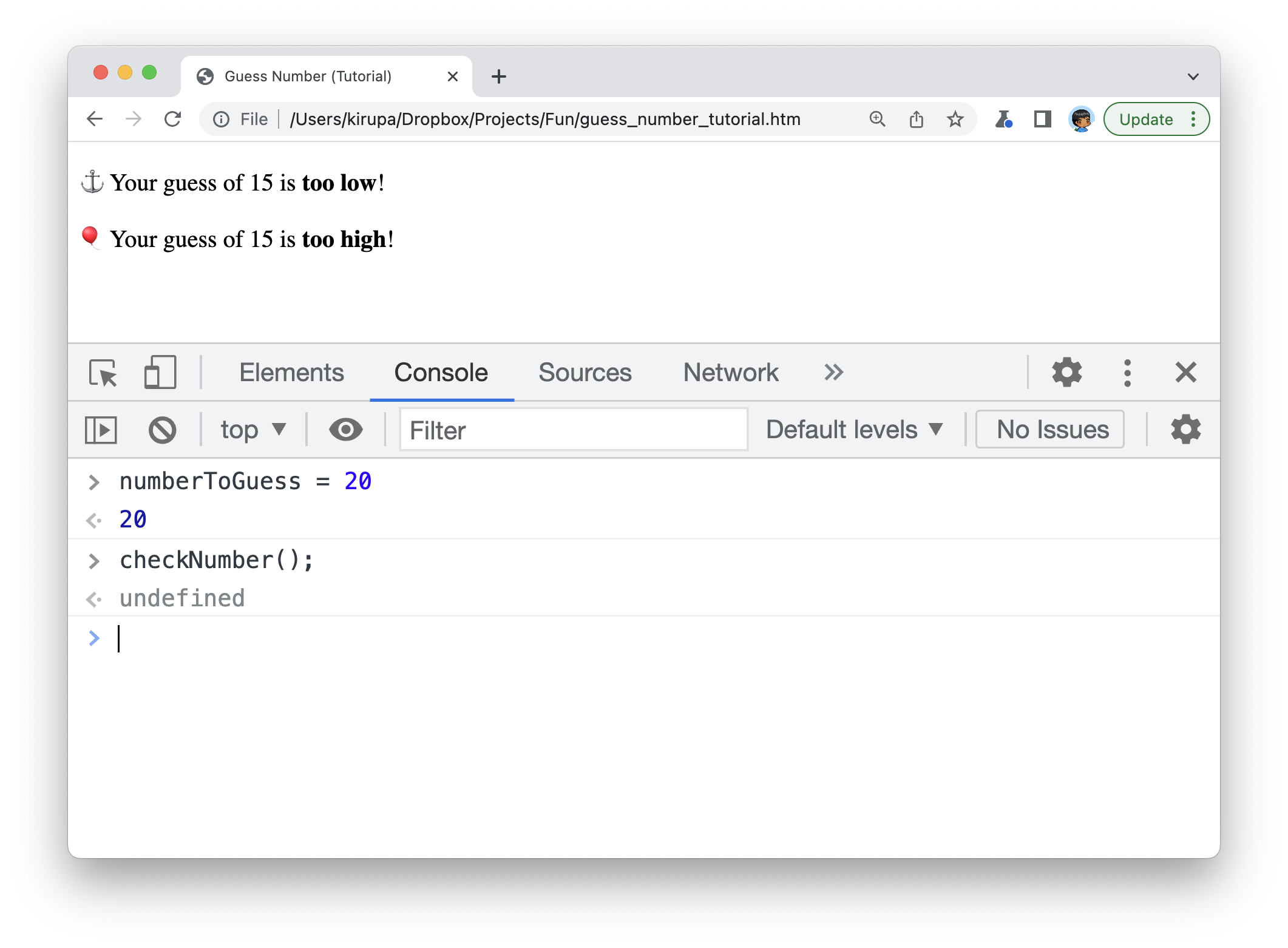
Notice what I'm doing in the Console. I'm overwriting the `numberToGuess` variable and calling `checkNumber` again to run different code paths inside our checkNumber function. This is different than what we did earlier where we changed the value of `numberToGuess` in code and refreshed the page.
### Specifying Numbers via an Input Field
Next, let's add our input field and submit button to allow us to enter our guesses without writing and overwriting the `numberToGuess` variable directly. This will require making the following changes to our HTML and JavaScript:
```js
Guess Number (Tutorial)