


Table of Contents


Let's revisit something relating to variables. Each variable we declare has a certain level of visibility that determines when we can actually use it. In human-understandable terms, just because we declare a variable doesn't mean that it can be accessed from anywhere in our code. There are some basic things we need to understand, and this whole area of understanding this falls under a topic known as variable scope.
In this tutorial, I'm going to be explaining variable scope by looking at common cases that we've (mostly) already seen. This is a pretty deep topic, but we are just going to scratch the surface here. We'll see variable scope creep up in many subsequent tutorials where we will extend on what we learn here.
Onwards!
We are going to start our exploration of scope at the very top with what is known as global scope. In real life, when we say that something can be heard globally, it means that we can be anywhere in the world and still be able to hear that...something:
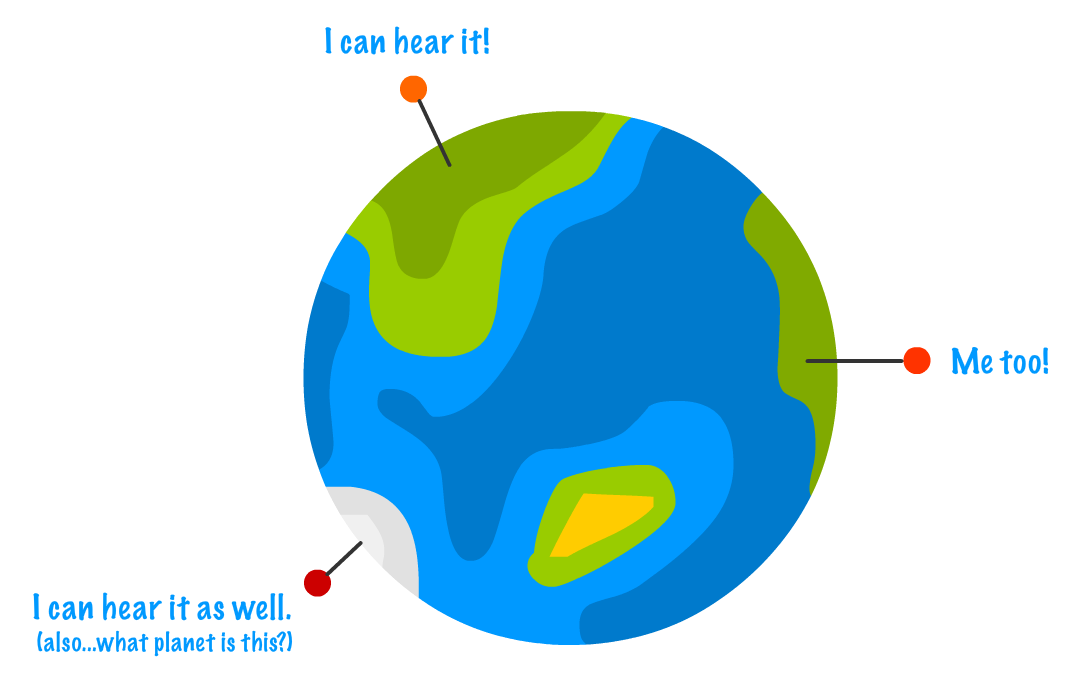
In JavaScript, much the same applies. If we say, for example, a variable is available globally, it means that any code on our page has access to read and modify this variable. The way we make something apply globally is by declaring it in our code completely outside of a function.
To illustrate this, let's take a look at the following example:
<!DOCTYPE html>
<html>

<head>
  <meta charset="utf-8">
  <title>Variable Scope</title>
</head>

<body>
  <script>
    let counter = 0;

    alert(counter);
  </script>
</body>

</html>
Here, we are simply declaring a variable called counter and initializing it to 0. By virtue of this variable being declared directly inside the script tag without being placed inside a function, the counter variable is considered to be global. What this distinction means is that our counter variable can be accessed by any code that lives in our document.
The below code highlights this:
<!DOCTYPE html>
<html>

<head>
  <meta charset="utf-8">
  <title>Variable Scope</title>
</head>

<body>
  <script>
    let counter = 0;

    function returnCount() {
      return counter;
    }

    alert(returnCount());
  </script>
</body>

</html>
In this example, the counter variable is declared outside of the returnCount function. Despite that, the returnCount function has full access to the counter variable. When the code runs, the alert function calls thereturnCount function that returns the value of the counter variable.
At this point, you are probably wondering why I am pointing this out. We've been using global variables all this time without really noticing it. All I am doing here is formally introducing you to a guest that has been hanging around your party for a while.
I've been pretty vague in defining what exactly global means. That is deliberate, for formally describing it will involve a whole lot more backstory to make sense of everything. If you are familiar enough with JavaScript (or are feeling adventurous), read on. If not, feel free to skip this note and move on to the next section. We'll revisit this later.
Anyway...something is considered global in JavaScript when this thing is a direct child of our browser's window object. That is a more precise way of saying declared outside of a function. We can verify this pretty easily.
In our example, counter and window.counter point to exactly the same thing:
alert(window.counter === counter);Realizing that global variables live under our window object should help us understand why we can access a global variable from anywhere in your document.
Now, things get a little interesting when we look at things that aren't globally declared. This is where understanding scope really starts paying dividends. As we saw earlier, a variable declared globally is accessible inside a function:
let counter = 0;

function returnCount() {
	return counter;
}
The opposite doesn't hold true. A variable declared inside a function will not work when accessed outside of a function:
function setState() {
	let state = "on";
}
setState();

alert(state) // undefined
In this example, the state variable is declared inside the setState function, and accessing the state variable outside of that function doesn't work. The reason is that the scope for our state variable is local to the setState function itself. A more generic way of describing this is by saying that your state variable is just local.
If we initialize the state variable without formally declaring it, the scoping behavior is drastically different:
function setState() {
	state = "on";
}
setState();

alert(state) // "on"
In this case, even though our state variable makes its appearance inside the setState function first, not declaring it first with either let, var, or const makes this variable live globally.
Since we are talking about JavaScript here, things would be too easy if we just left everything with variable scope as they stand now. In the following sections, I am going to highlight some quirks that you need to be famliar with.
Our code is made-up of blocks...lots and lots of blocks. What exactly is a block? A block is a collection of JavaScript statements almost always wrapped by curly brackets. For example, let us take a look at the following code:
let safeToProceed = false;

function isItSafe() {
  if (safeToProceed) {
    alert("You shall pass!");
  } else {
    alert("You shall not pass!");
  }
}

isItSafe();
Counting the pair of curly brackets, there are three blocks here. One block is the region contained by theisItSafe function itself:
let safeToProceed = false;

function isItSafe() {
  if (safeToProceed) {
    alert("You shall pass!");
  } else {
    alert("You shall not pass!");
  }
}

isItSafe();
The second block is the if statement region:
let safeToProceed = false;

function isItSafe() {
  if (safeToProceed) {
    alert("You shall pass!");
  } else {
    alert("You shall not pass!");
  }
}

isItSafe();
The third block is the region covered by the else statement:
let safeToProceed = false;

function isItSafe() {
  if (safeToProceed) {
    alert("You shall pass!");
  } else {
    alert("You shall not pass!");
  }
}

isItSafe();
Any variable declared inside a block using let or const is local to that block and any child blocks contained inside it. To better understand this, take a look at the following code that is a variation of the isItSafe function from earlier:
function isThePriceRight(cost) {
  let total = cost + 1;

  if (total > 3) {
    alert(total);
  } else {
    alert("Not enough!");
  }
}

isThePriceRight(4);
We declared the total variable as part of the function block. We are accessing this variable inside the if block. What do you think will happen? The total variable is totally (haha!) accessible here, because the if block is a child of the function block. To put it in the lingo of our times, the total variable is considered in-scope of the alert function.
What about the following situation?
function isThePriceRight(cost) {
  let total = cost + 1;

  if (total > 3) {
    let warning = true;
    alert(total);
  } else {
    alert("Not enough!");
  }

  alert(warning);
}

isThePriceRight(4);
We have a variable called warning declared inside our if block, and we have an alert function that tries to print the value of warning. In this case, because we are trying to access the warning variable in a block that is outside the one the variable was originally declared in, our alert function won't actually display the value of true. Given where our alert function is, the warning variable is considered to be out-of-scope.
When talking about variables, we mentioned that variables were always declared with the var keyword. The let (and const) keyword were new additions to help you declare variables, and wherever you may have used var in the past, you should use let instead. We never discussed why let is preferable, and said that we'll discuss it further when looking at variable scope. Well...here we are!
Variables declared with var do not have block scoping. If we modify the example from earlier to have our warning variable be declared using var and instead of let, our code will look as follows:
function isThePriceRight(cost) {
  let total = cost + 1;

  if (total > 3) {
    var warning = true;
    alert(total);
  } else {
    alert("Not enough!");
  }

  alert(warning);
}

isThePriceRight(4);
Earlier, the alert function for warning wouldn't display anything because the warning variable was out-of-scope when declared with let. With var, that isn't the case. You will see true displayed. The reason for why is the major difference between let and var. Variables declared with var are scoped at the function level, so as long as somewhere inside the function the variable is declared, that variable is considered to be in-scope. Variables declared with let, as we saw earlier, are scoped to the block level.
The level of leniency provided by var in the scoping department is a little too much, and this leniency makes it easy to make variable-related mistakes. For this reason, my preference is for all of us to use let when it comes to declaring variables.
Correction:
Thanks to Kyle Murray / krilnon
for pointing out the EcmaScript 6 angle for
let. See the
comments below for more context!
If you thought the earlier block scoping logic was weird, wait till you see this one. Take a look at the following code:
let foo = "Hello!";
alert(foo);
When this code runs, we can reasonably state that the value of Hello! will be displayed. We would reasonably be right. What if we made the following modification where we moved the variable declaration and initialization to the end?
alert(foo);
let foo = "Hello!";
In this situation, our code will error out. The foo variable is being accessed without being referenced. If we replaced the let with a var, here is what our code would look like:
alert(foo);
var foo = "Hello!";
When this code runs, the behavior is different than what we saw earlier. You will see undefined displayed. What exactly is going on here?
When JavaScript encounters a scope (global, function, etc.) , one of the first things it does is scan the full body of the code for any declared variables. When it encounters any variables, it initializes them by default with undefined for var. For let and const, it leaves the variables completely uninitialized. Lastly, it moves any variables it encounters to the top of the scope.
Let's dive in to see what this means. Our code initially looks like this:
alert(foo);
let foo = "Hello!";
When JavaScript makes a pass at this, what this code gets turned into is the following:
let foo;
alert(foo);
foo = "Hello!";
The foo variable, despite being declared at the bottom of our code, gets kicked up to the top. This is more formally known as hoisting. The thing about let (and const), is that when they get hoisted, they are left uninitialized. If you try to access an unitialized variable, our code will throw an error and stop. If we modified our earlier example to use var, the way JavaScript would see things would look as follows:
var foo = undefined;
alert(foo);
foo = "Hello!";
The variable still gets hoisted, but it gets initialized to undefined. This ensures our code still runs.
The main takeaway from all of this is as follows: please declare and initialize your variables before actually using them. While JavaScript has some affordance for dealing with cases where we don't do that, those affordances are just awfully confusing.
No conversation about variable scope can be wrapped up without discussing closures. That is, until right now. I am not going to explain closures here, for it is a slightly more advanced topic that we will cover separately in the Closures in JavaScript tutorial.
Well, that concludes this topic of variable scopes. This topic seems very simple on the surface, but as you can see, there are some unique characteristics that takes some time and practice to fully understand.
Just a final word before we wrap up. If you have a question and/or want to be part of a friendly, collaborative community of over 220k other developers like yourself, post on the forums for a quick response!

